HOW-TO GUIDE
How to Measure a Voltage Reference With a Multimeter
By the OhmSavvy Research Team ·

What a voltage reference is
A voltage reference is a part that produces a precise, stable DC voltage for other circuits to measure against: the full-scale point of an analog-to-digital converter, the setpoint of a power supply's feedback loop, or the threshold of a comparator. Common output values include 1.25 V, 2.048 V, 2.5 V, 3.0 V, 4.096 V and 5.0 V; values like 2.048 V and 4.096 V are chosen so that a binary converter divides them into round millivolt steps.
There are two main kinds. A series reference sits between the supply and the circuit like a small, very accurate regulator. A shunt reference sits across the output like a Zener diode and needs a series resistor to set its current. The TL431 family is the best-known adjustable shunt reference: with its reference pin tied to its cathode it regulates at its internal reference voltage, about 2.5 V (2.495 V typical on many datasheets), and with a resistor divider it can be set higher. A plain Zener diode does a similar shunt job with a much looser tolerance; testing one is covered in how to test a Zener diode.
Every reference datasheet lists an initial accuracy (the tolerance at 25 °C, often sold in grades such as ±0.05%, ±0.1%, ±0.5% or ±1%), a temperature coefficient in parts per million per °C, and the operating conditions, including minimum current for shunt types. Those numbers decide what your meter needs to be able to see.
1Compare meter accuracy with the reference tolerance
Meter DC voltage accuracy is specified as ±(% of reading + counts). The percentage scales with the voltage; each count is one step of the last digit on the range in use. On a 6,000-count meter's 6 V range, one count is 0.001 V. Add both terms to get the band the true value could be in. The specs below are illustrative; your manual gives the real figures for each range.
| Meter and range (illustrative spec) | Reading | % term | Counts term | Total uncertainty |
|---|---|---|---|---|
| 6,000-count, 6 V range, ±(0.5% + 2) | 2.500 V | 12.5 mV | 2 mV | ±14.5 mV (±0.58%) |
| 6,000-count, 6 V range, ±(0.5% + 2) | 4.096 V | 20.5 mV | 2 mV | ±22.5 mV (±0.55%) |
| 6,000-count, 6 V range, ±(0.1% + 2) | 2.500 V | 2.5 mV | 2 mV | ±4.5 mV (±0.18%) |
| 50,000-count, 5 V range, ±(0.025% + 2) | 2.5000 V | 0.625 mV | 0.2 mV | ±0.825 mV (±0.033%) |
Now set that against the reference. A 2.5 V reference with ±0.1% initial accuracy may be anywhere from 2.4975 V to 2.5025 V, a band of ±2.5 mV. The first meter's own band is almost six times wider than that, so it can only tell you the reference is roughly right. It cannot pass or fail the part against its tolerance.
Rule of thumb
2Connect at the reference's own ground pin
Set DC volts and choose the lowest range that holds the voltage. Put the black probe on the reference's ground pin, or the ground pad right next to it, and the red probe on the output pin. The meter goes across the reference, in parallel, exactly like any voltage measurement.
Make the contact steady. Small SMD references have pins only a fraction of a millimeter apart, so a slipping probe can short the output to ground or to the supply pin next to it. Fine-tip probes, sprung hook clips or short wires soldered to test pads let you take your hands away and watch the reading settle. Lead resistance does not matter here, because the meter draws almost no current on DC volts, but a dirty or oxidised pad can make the last digit jump; touch the probe firmly and check the reading repeats when you lift it and touch again.
Why the exact ground point matters: board ground is copper with resistance, and supply current flowing through it creates small voltage drops. As an example, 100 mA through a ground path of 0.05 Ω drops 5 mV, which is twice the whole tolerance of a ±0.1% 2.5 V reference. Measuring from the power connector's ground instead of the reference's ground pin can add that error to your reading. Circuits that use the reference usually connect it to a dedicated analog ground for the same reason; measure relative to that.
3Check for meter input impedance and loading
A digital multimeter on DC volts typically has an input impedance of around 10 MΩ; some meters differ on certain ranges, so check your manual. On a reference output, which is driven by the part, that is harmless: 2.5 V across 10 MΩ draws 0.25 µA. Loading only becomes a problem when you measure through a resistance, such as a reference followed by an RC filter, a high-value divider, or the REF input of a TL431 fed from a divider.
| Source resistance in front of the meter | Divider with 10 MΩ | Reading of a true 2.500 V | Error |
|---|---|---|---|
| Reference output directly (well under 1 Ω) | ≈ 1 | 2.500 V | Negligible |
| 10 kΩ filter resistor | 10 ÷ 10.01 | 2.4975 V | −2.5 mV (−0.1%) |
| 100 kΩ filter resistor | 10 ÷ 10.1 | 2.4752 V | −24.8 mV (−0.99%) |
| 1 MΩ divider node | 10 ÷ 11 | 2.2727 V | −227 mV (−9.1%) |
The fix is to measure at a low-impedance point: the reference's output pin before any filter, or the output of the buffer amplifier that often follows it. If you must measure a high-impedance node, calculate the loading as above, or use a meter with a high-impedance DC mode if your manual lists one.
4Warm up and keep the temperature steady
Both the reference and the meter drift with temperature. Power the circuit and let it run for a few minutes before you take the reading that matters, and give the meter time to settle too if it has just come from a cold van or a warm pocket; precision meters often specify a warm-up period. Do not hold the board or breathe on the reference while you read.
To see why, multiply out a temperature coefficient: a reference rated 50 ppm/°C at 2.5 V moves 2.5 V × 50 ÷ 1,000,000 = 125 µV per °C, so a 10 °C change shifts it by 1.25 mV, half the tolerance band of a ±0.1% part. A shunt reference adds one more condition: it only regulates above its minimum cathode current, often around 1 mA for TL431-style parts (check the datasheet). If the series resistor is too large for the supply, the output sags and the reading is low for reasons that have nothing to do with the part itself.
5Check ripple and noise
A meter on DC volts averages over its measurement time, so it shows a steady figure even if the reference is noisy or oscillating. Two signs in the DC reading are worth noticing: last digits that wander more than usual, and a value that changes when you touch the probe to a slightly different spot. Our page on unstable multimeter readings covers the general causes.
For a better look, switch to AC volts on the same points. Many meters have an AC millivolt range that shows ripple riding on the DC, though its accuracy and frequency range are limited, so treat it as an indicator. Some references need a specific output capacitor to stay stable, and the wrong one can make them oscillate, which only an oscilloscope will show properly. See how to measure ripple voltage with an oscilloscope and how to measure the noise floor with an oscilloscope for that step.
When you need a better meter
A typical handheld meter is fine for fault-finding: confirming a reference is alive, roughly at its marked value and not shorted or collapsed. You need more when you have to verify a part against a tight tolerance, trim an adjustable reference to a precise value, or compare boards against each other in production. Look at the DC volts accuracy for the range you will use, the display count (more counts give a finer last digit) and the calibration status of the meter, since an old, uncalibrated meter's spec is not guaranteed.
The meters below are from our best multimeters roundup. Check each one's published DC volts accuracy against the table above before relying on it for tolerance checks.
Meters in our reviews
True RMS, CAT III 1000V / CAT IV 600V. The step-up pick for high-resolution readings daily.
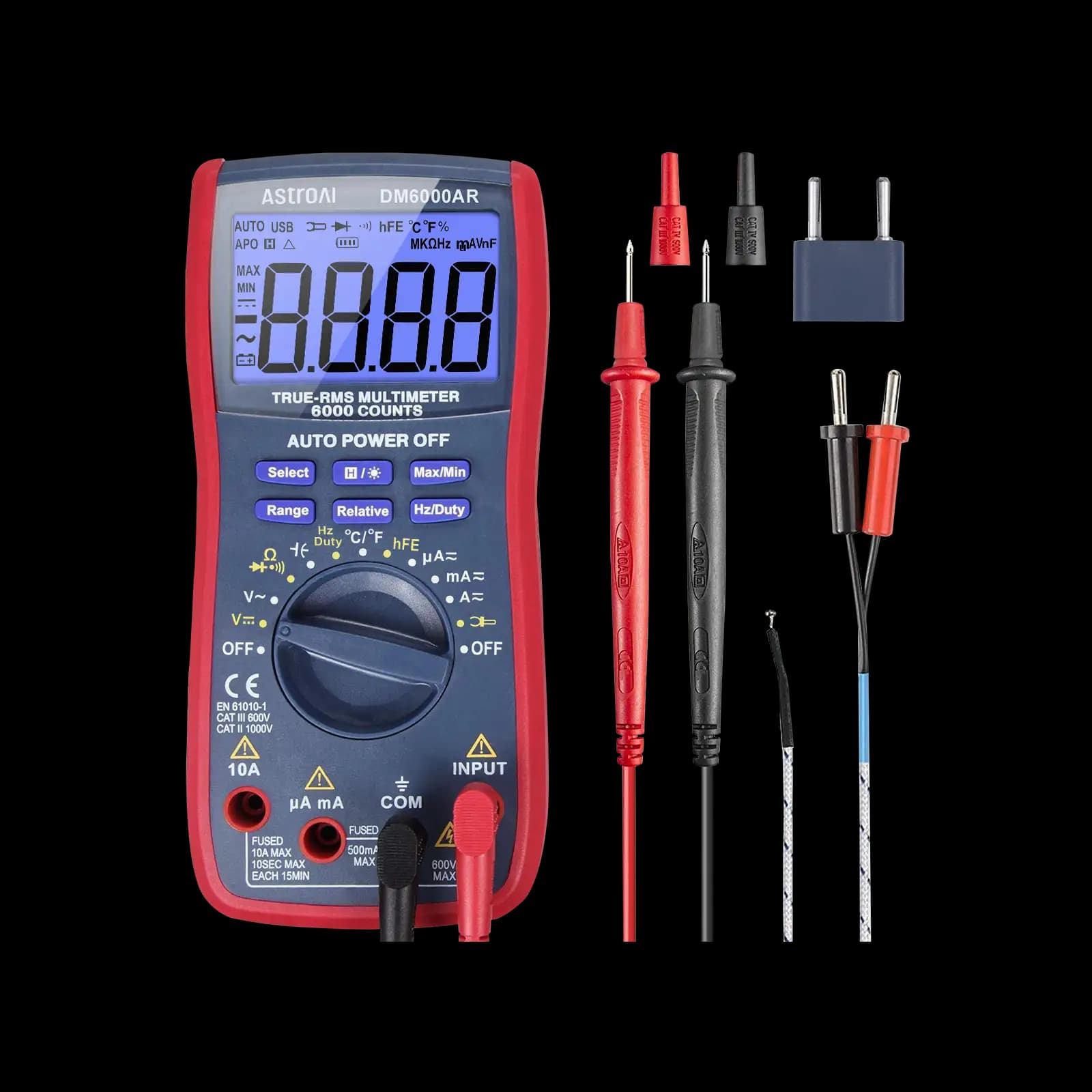
True RMS, 6,000-count. Our pick for microcontroller and electronics projects.

True RMS, auto-ranging, CAT III 600V, for field technicians and general electronics work.
As an Amazon Associate I earn from qualifying purchases. Prices and availability are shown on Amazon.
Frequently asked questions
Why does my 2.5 V reference read 2.48 V?
Check the error budget before blaming the part. A 6,000-count meter with a ±(0.5% + 2 counts) spec can be about 14.5 mV out at 2.5 V on its own. Then look for loading by the meter on a high-impedance node, a ground drop between the meter and the reference ground pin, and too little bias current through a shunt reference.
Can I use a voltage reference to check my multimeter?
Yes, as a sanity check, if the reference is known to be more accurate than the meter. A precision reference with a tight initial tolerance, powered correctly and allowed to settle, gives a known voltage to compare against. It is not a calibration, which needs traceable equipment and covers every range, but it can show a meter that has drifted badly.
What is the difference between a series and a shunt voltage reference?
A series reference sits between the supply and the load like a small regulator and drives its output directly. A shunt reference, such as the TL431 family, sits across the output like a Zener diode and needs a series resistor from the supply to set its current. Shunt references depend on that resistor and their minimum operating current to regulate properly.
Should I measure a voltage reference on the auto or manual range?
Either works once the reading is stable, but a manual range avoids the meter hunting between ranges and lets you pick the lowest range that still contains the voltage, which gives the best resolution. On a 6,000-count meter, 2.5 V and 4.096 V both fit the 6 V range with a resolution of 0.001 V.
Can a weak multimeter battery affect a precision reading?
It can. Many meters specify their accuracy only while the battery is above the low-battery threshold, and a reading taken after the warning symbol appears may not meet the published spec. For a precision check, fit a fresh battery first, then compare against the reference. If the reading changes after a battery swap, the old battery was already affecting the measurement.

