BUYING GUIDE
Oscilloscope Buying Guide
An oscilloscope's spec sheet is denser than a multimeter's or soldering iron's — bandwidth, sample rate, channel count, and memory depth all interact with each other, and getting one badly mismatched to your work means either overpaying or genuinely not being able to see what you need to see. This guide breaks those terms down before you compare models in our Best Oscilloscopes for Beginners comparison.
Bandwidth: the most important number, and the most misunderstood
Bandwidth is the frequency at which an oscilloscope's measured amplitude starts rolling off — practically, the point past which the scope begins understating the true size of a signal. As a working rule of thumb, your scope's bandwidth should be roughly 3-5x the highest frequency component you actually need to see clearly, not just the nominal frequency of your signal — a clean-looking square wave, for instance, contains higher-frequency harmonics that shape its edges, and a bandwidth-limited scope will round those edges off even if the fundamental frequency is well within spec.
Adequate bandwidth: sharp edges stay sharp.
Under-specced bandwidth: the same signal's edges round off.
For general electronics, microcontroller, and audio-range work, 50-100MHz covers the overwhelming majority of hobbyist and most professional bench needs. RF work, high-speed digital signals, and fast switching power supply design push well past that and need dedicated higher-bandwidth instruments.
Sample rate and the Nyquist problem
Sample rate (commonly shown as GSa/s — giga-samples per second) is how many discrete voltage measurements the scope takes per second to reconstruct the waveform on screen. By the Nyquist-Shannon sampling theorem, you need a sample rate of at least twice the highest frequency you're measuring just to detect that it exists at all — in practice, scope manufacturers and working engineers generally aim for 5-10x oversampling to get an accurately-shaped waveform, not just a technically-detected one. A high bandwidth paired with an inadequate sample rate is a real mismatch some budget scopes have — check both numbers together, not just whichever one is advertised more prominently.
How many channels do you actually need?
A single-channel scope can only show you one signal at a time, which makes even basic comparisons (a clock line against a data line, an input against an output) impossible without constantly reconnecting probes. Two channels cover a meaningful amount of real debugging work. Four channels give genuine long-term flexibility — enough to watch a full set of related signals simultaneously (e.g. all four lines of an SPI bus) — and is worth the extra cost for anyone expecting their projects to grow in complexity rather than stay simple indefinitely.
Memory depth: how long a capture actually lasts
Memory depth (shown in points or Mpts) determines how long a single captured waveform can be at a given sample rate before the scope runs out of storage and has to either slow its effective sample rate or stop recording. A scope with a high sample rate but shallow memory depth can only sustain that high sample rate for a very short time window — useful for a fast, repetitive signal, but limiting if you need to capture a longer, less predictable event (an intermittent glitch, a slow protocol transaction) at full resolution. Deeper memory lets you capture longer time windows without sacrificing sample rate.
Triggering: the feature that makes a scope usable, not just capable
Triggering tells the scope exactly when to start capturing — without it, a repetitive waveform would appear to drift or smear across the screen instead of holding still. Basic edge triggering (start capture when a signal crosses a set voltage, rising or falling) covers most general work. More advanced trigger types — pulse-width, pattern, or protocol-specific triggers (for I2C, SPI, UART/CAN) — let you isolate a single rare event or a specific bus transaction out of continuous activity, which matters a great deal for real embedded debugging and far less for simple signal viewing.
Built-in waveform/function generator: convenience, not a core spec
Some scopes include a built-in arbitrary waveform or function generator, letting a single unit both produce and observe a test signal — genuinely useful for bench space and for quick signal-injection testing without a separate instrument. It's a real convenience, but it's additive to the scope's core measurement capability, not a substitute for adequate bandwidth, sample rate, or channel count — don't let a built-in generator compensate for a scope that's otherwise under-specced for your actual signal work.
Display, probes, and the parts people overlook
A larger, higher-resolution display genuinely helps when reading fine waveform detail or navigating menus — don't underweight this on a spec sheet that's otherwise dominated by bandwidth and sample rate numbers. Check what probes are actually included: a scope bundled with low-bandwidth or uncompensated probes effectively caps your real-world bandwidth below the scope's own rating, since the probe is part of the measurement chain, not just a cable. Compensating a probe (a quick adjustment using the scope's built-in calibration signal) is a basic setup step worth doing on day one, not an advanced technique to learn later.
Vertical resolution: the spec hiding behind bandwidth
Vertical resolution — how finely the scope divides the voltage axis, usually 8-bit on budget and mid-range scopes, 10-12 bit on higher-end models — determines how much fine detail you can actually see in a signal's amplitude, independent of bandwidth or sample rate. An 8-bit scope divides its vertical range into 256 discrete steps; a 12-bit scope divides the same range into 4,096 steps. For general digital and analog work this rarely matters, but for seeing small amplitude variations riding on top of a larger signal — ripple on a power supply rail, for instance — higher vertical resolution reveals detail an 8-bit scope would simply flatten out.
Putting the numbers side by side
Here is how those specs look on five scopes from our roundup, taken from each maker's datasheet. Note the two sample-rate figures where a maker publishes them: the headline number usually applies with one channel on, and it is shared out when you switch on more channels.
| Scope | Bandwidth | Channels | Sample rate |
|---|---|---|---|
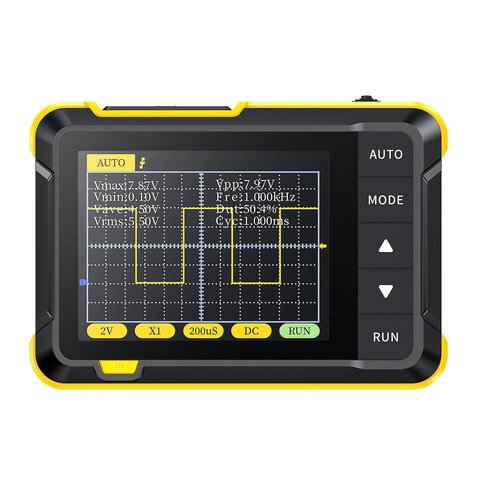
| FNIRSI DSO152 | 200 kHz | 1 | 2.5 MSa/s |
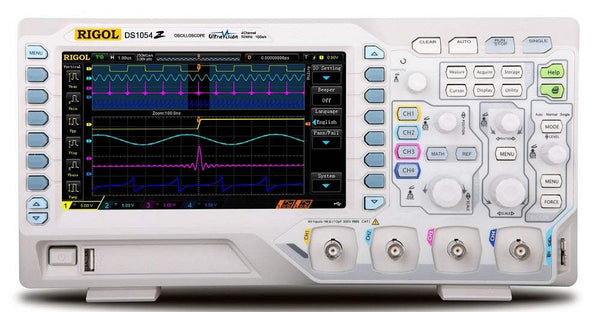
| Rigol DS1054Z | 50 MHz | 4 | 1 GSa/s (250 MSa/s with 3–4 ch on) |
| Rigol DHO804 | 70 MHz | 4 | 1.25 GSa/s (312.5 MSa/s with 4 ch) |
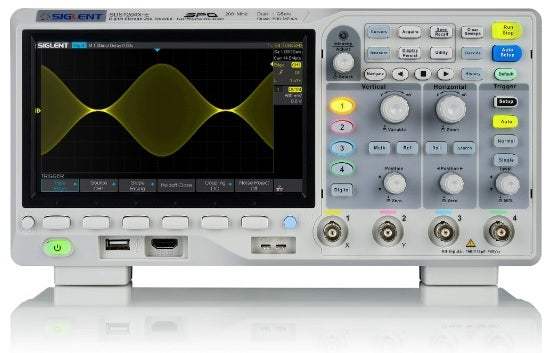
| Siglent SDS1104X-E | 100 MHz | 4 | 1 GSa/s (500 MSa/s per ch, all on) |
| Siglent SDS1202X-E | 200 MHz | 2 | 1 GSa/s (500 MSa/s with 2 ch) |
Bandwidth translates into the fastest edge a scope can show. A widely used approximation for a single-pole front end is rise time ≈ 0.35 ÷ bandwidth, so 50 MHz gives about 0.35 ÷ 50,000,000 = 7 ns and 200 MHz about 1.75 ns. If the edge you're measuring is faster than the scope's own rise time, the screen shows the scope's limit rather than the signal. The chart puts the five scopes on one scale.
Bars use a logarithmic scale: each step is ten times the last.
The per-channel sample rate matters as much. With all four channels on, the DS1054Z drops to 250 MSa/s, which is five samples per cycle of a 50 MHz sine: right at the bottom of the 5–10x oversampling range mentioned above. The SDS1104X-E keeps 500 MSa/s per channel with all four on, so it holds more margin on its 100 MHz bandwidth when you're watching a whole bus at once.
Vertical resolution is easiest to judge as the size of one step. Spread across a screen of eight vertical divisions at 1 V per division (8 V full scale), the arithmetic is:
| ADC | Levels | Step at 8 V full scale | Example scope |
|---|---|---|---|
| 8-bit | 256 | 8 ÷ 256 ≈ 31 mV | Rigol DS1054Z |
| 12-bit | 4,096 | 8 ÷ 4,096 ≈ 2 mV | Rigol DHO804 |
A 20 mV ripple on a 5 V rail viewed at that setting is smaller than one 8-bit step, so it barely registers; the 12-bit scope draws it with about ten levels. You can narrow the gap on an 8-bit scope by AC-coupling and zooming in on the ripple, which is the usual workaround, but a 12-bit front end makes that kind of measurement easier.
Portable/handheld vs. bench oscilloscopes
A bench oscilloscope assumes mains power and a fixed workspace — typically more capability per dollar, since the design doesn't need to budget for battery life or a compact enclosure. A handheld or pocket oscilloscope trades some of that capability for genuine portability — useful for field diagnostics, automotive work away from a bench, or quick checks where carrying a full bench instrument isn't practical. Neither is objectively better; the right choice depends entirely on whether your actual work happens at a fixed bench or needs to travel with you.
Common mistakes buyers make
- Buying based on bandwidth alone and ignoring whether the sample rate and memory depth actually support using that bandwidth meaningfully.
- Assuming 2 channels will always be enough, then immediately needing a third when debugging a real multi-signal problem.
- Treating a built-in waveform generator as a reason to accept lower core specs elsewhere.
- Never compensating the included probes, then attributing the resulting signal distortion to the scope itself.
Frequently asked questions
Which oscilloscope should I buy?
For a first scope, prioritize bandwidth at least 5–10x your highest signal frequency, at least 2 channels, and enough memory depth to not drop samples at a useful time window. The Rigol DS1054Z covers general electronics, Arduino and automotive work at that level and is our top-rated beginner pick; see the full comparison below for options matched to narrower budgets or specific work.
What oscilloscope do I need?
It depends on what you're measuring, not a single "best" model. Digital logic and microcontroller work rarely needs more than 50–100 MHz bandwidth; audio and power-supply debugging needs less; RF or fast digital signals (USB, HDMI) need much more. Match bandwidth, sample rate and channel count to your actual signals first, then compare models at that spec level.
How much bandwidth does a beginner oscilloscope need?
Most hobbyist and repair work — Arduino projects, automotive sensors, audio circuits, power supplies — fits comfortably within 50–100 MHz. Reserve higher bandwidth for fast digital buses or RF work. Buying far more bandwidth than your signals need mostly adds cost, not usefulness.
Is 2 channels enough on an oscilloscope?
For basic single-signal debugging, yes. But comparing an input against an output, checking phase between two signals, or debugging a communication bus (which needs two or more lines viewed together) all require at least 2 channels used simultaneously, and many real debugging sessions end up wanting a third. If your budget allows it, 4 channels leaves more headroom.
Should I buy a portable or bench oscilloscope?
A bench scope gives more capability per dollar since it doesn't need to budget for battery life or a compact case — the right default for a fixed workspace. A portable or pocket scope trades some of that capability for genuine field use: automotive diagnostics away from a bench, or quick checks where a full bench instrument isn't practical.
Where to go next
With bandwidth, sample rate, channels, and memory depth in context, the spec columns in our full oscilloscope comparison should read as real trade-offs rather than a wall of numbers. Every spec there is checked against the manufacturer's own datasheet or official listing — see how we verify products for the full methodology.



