BUYING GUIDE
Soldering Iron Buying Guide
A soldering iron's spec sheet looks simple — a wattage number, a temperature range, maybe a tip count — but those numbers decide whether you get a clean joint on the first try or spend ten minutes fighting a cold tip. This guide covers what actually matters before you compare models in our Best Soldering Irons comparison.

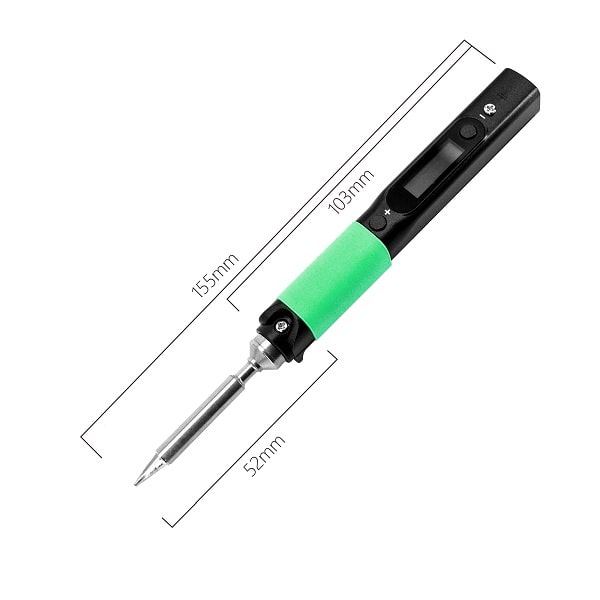
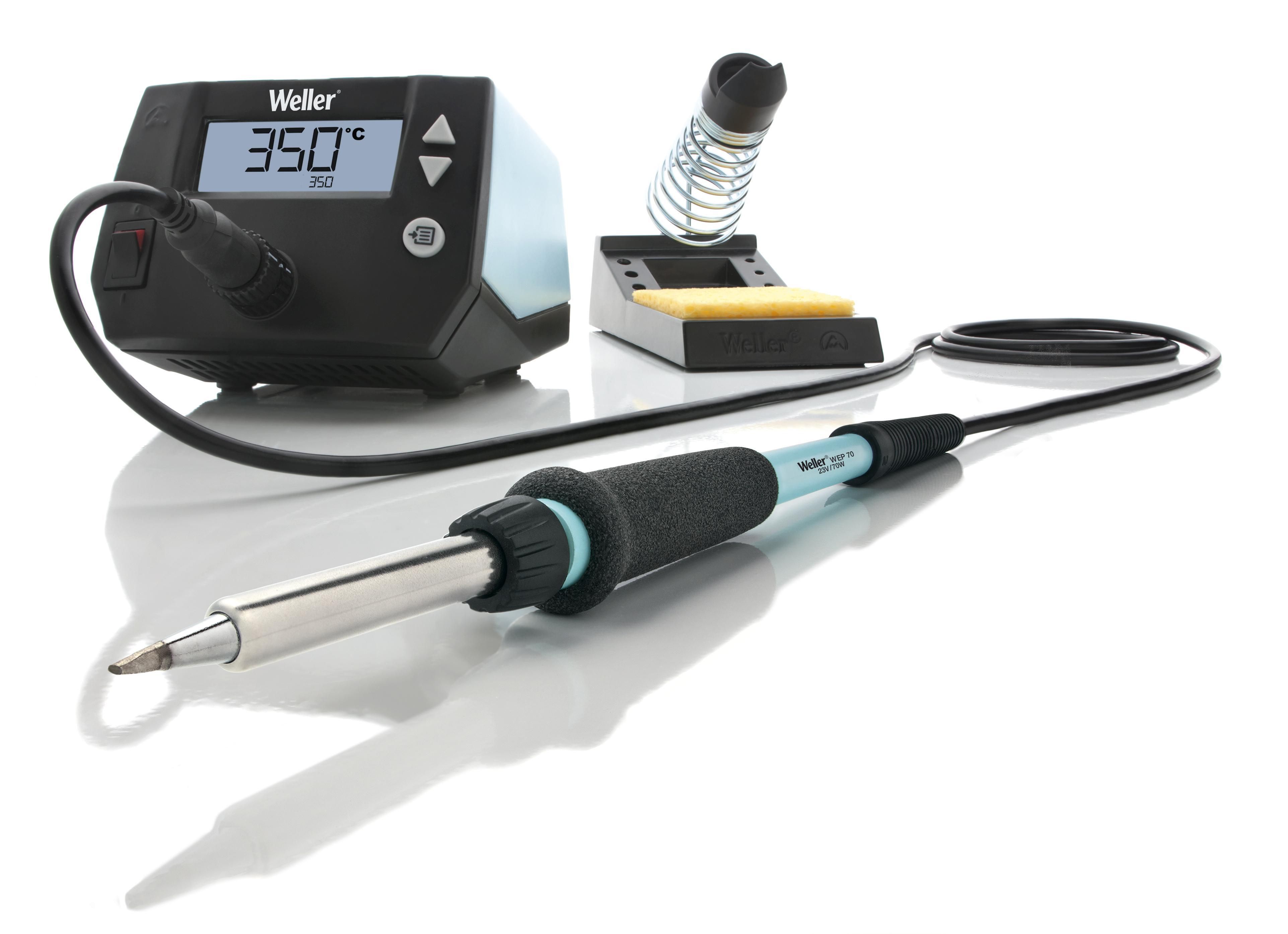
Wattage: power, not temperature
Wattage describes how much heat energy an iron can deliver and, critically, how quickly it can recover that heat after touching a joint — it isn't the temperature itself. A higher-wattage iron can hold a stable tip temperature on a larger joint (thick wire, a ground plane, a connector shell) that would otherwise pull heat away faster than a lower-wattage iron can replace it. For small PCB work, 15-40W is usually plenty. For wire harnesses, chassis grounds, or anything with significant thermal mass, 60W or more keeps the tip from sagging mid-joint.
Fixed-temperature vs. temperature-controlled
A fixed-temperature iron runs at whatever temperature its internal element settles at — simple, cheap, and fine for occasional light use. A temperature-controlled iron uses a sensor and feedback loop to hold a set temperature regardless of how much heat the joint is pulling away, and lets you dial in a specific temperature for the solder and components you're working with. For anything beyond occasional hobby use, temperature control is worth paying for — it's the difference between guessing and actually knowing what temperature is reaching the joint.
What temperature should you actually use?
For leaded solder (the common 60/40 or 63/37 tin-lead alloys), 315-370°C (600-700°F) covers most general electronics work. Lead-free solder has a higher melting point and typically needs 350-400°C (650-750°F) to flow properly. Heat-sensitive components (some connectors, certain ICs) may call for lower temperatures with longer dwell times instead of cranking the heat up — check the component's datasheet rather than assuming hotter is always better. Running consistently hotter than necessary shortens tip life and increases the risk of lifting pads on thin PCB traces.
| Solder type | Typical tip temperature |
|---|---|
| Leaded (60/40, 63/37) | 315–370°C (600–700°F) |
| Lead-free | 350–400°C (650–750°F) |
| Heat-sensitive components | Lower temp, longer dwell time — check the datasheet |
Why so far above the melting point? Eutectic 63/37 tin-lead melts at 183°C and the common lead-free alloy SAC305 at about 217–220°C, yet the recommended tip settings sit roughly 130–180°C higher. The tip loses heat the instant it touches a cold pad and component lead, and the joint itself has to rise above the melting point quickly enough that the flux is still active when the solder flows. The diagram shows that gap for both alloys.
Tip selection and tip life
The tip shape matters more than most buyers expect. A conical tip is the most general-purpose option; a chisel tip transfers heat faster for larger joints; a fine-point tip suits dense, closely-spaced SMD work. Most quality irons use interchangeable tips on a common base, so check tip availability and price for a specific iron before buying — a cheap iron with expensive, hard-to-find tips can cost more over time than a slightly pricier iron with a wide, affordable tip ecosystem.
Conical
General-purpose work
Chisel
Faster heat transfer, larger joints
Fine-point
Dense, closely-spaced SMD work
Tip life depends heavily on maintenance, not just the tip's material quality. Tinning the tip (coating it in a thin layer of fresh solder) before storage, wiping it on a damp sponge or brass wool between joints rather than scraping it bare, and never leaving an iron at full temperature unused for long stretches all meaningfully extend a tip's working life.
How the irons we cover compare on paper
The table pulls the power, temperature control and heat-up figures for five irons in our roundup, as each maker or official listing states them. "Not stated" means the maker doesn't publish the number, not that the iron is slow.
| Iron | Type | Iron power | Temperature control | Heat-up |
|---|---|---|---|---|
| Hakko FX-888DX | Station | 65W iron (100W station) | Digital, closed-loop, 50–480°C | Not stated |
| Weller WE1010NA | Station | 70W iron (85W station) | Digital, ESD-safe | ~28 s (50–350°C) |
| X-Tronic 3020-XTS | Station | 60W iron (75W station) | PID, 200–480°C | Under 30 s (listing) |
| Pinecil V2 | Portable USB-C | Up to 88W at 24V; ~60W on 20V PD | OLED digital | ~12 s (20V+ supply) |
| Q-MING 60W Kit | Plug-in pen iron | 60W | Dial, 200–450°C | ~15 s |
Read the chart with the wattage section above in mind: all five clear the 15–40W that small PCB work needs, so for most benches the deciding factors are temperature control and tip choice rather than the last few watts. Where the numbers do separate them is the portable option. The Pinecil's rating depends on its power source, so a weak USB-C charger turns an 88W iron into a much smaller one. See the details in our Weller WE1010NA review and Pinecil V2 review.
Soldering station vs. standalone iron vs. portable/cordless
A soldering station pairs the iron with a base unit holding the power supply, temperature controls, and often a stand and sponge — the standard setup for a dedicated home or hobby bench. A standalone iron (no base unit) is cheaper and more compact but usually sacrifices fine temperature control. Portable/cordless irons — commonly USB-C powered now — trade some raw power and sustained thermal mass for the ability to work anywhere, including from a power bank, which matters for field repair or travel use but is a real trade-off for sustained, high-thermal-mass work.
Lead-free vs. leaded solder — and why it affects your iron choice
Leaded solder is generally easier to work with (lower melting point, better flow, more forgiving joints) but is restricted or banned in consumer electronics in many regions under RoHS-style regulations; it remains legal and common for hobbyist and repair use in most places, but check local rules if you're unsure. Lead-free solder requires higher temperatures and a slightly different technique (often a bit more dwell time on the joint), which is one more reason a basic fixed-temperature iron can struggle — if you need to switch between the two, a controllable iron with adequate wattage headroom makes the transition far less frustrating.
Flux, ventilation, and ESD — the parts of the kit people forget
Flux isn't optional for clean joints — it removes oxidation and lets solder flow properly, and most solder wire already contains a flux core, but additional liquid or paste flux helps on oxidized or reworked joints. Soldering produces fumes that genuinely shouldn't be breathed directly — a small fume extractor or at minimum working in a ventilated space is worth the modest cost. If you work on static-sensitive components, an ESD-safe iron tip and grounding strap matter as much as the iron's temperature spec, since a static discharge through an ungrounded iron tip can silently damage a component with no visible symptom until later.
Heat-up time and why it matters more than it sounds
Heat-up time — how long an iron takes to reach working temperature from cold — matters more in practice than it looks on a spec sheet. An iron that takes 60+ seconds to warm up discourages quick single-joint fixes (you either wait or work with an under-temperature tip, which causes exactly the cold-joint problems a hotter tip would avoid). Modern ceramic-heating-element irons commonly reach working temperature in 10-15 seconds, which changes how you actually use the tool day to day — it turns a soldering iron from something you plan around into something you just pick up and use.
Desoldering: the other half of the job
Every soldering purchase decision should also account for desoldering, since rework and mistakes are inevitable. A solder sucker (manual vacuum pump) is cheap and works for simple through-hole removal. Desoldering braid (wick) is better for cleaning up excess solder or lifting a component with closely-spaced pins. For frequent rework — especially multi-pin components — a dedicated desoldering iron or hot air rework station does the job far more cleanly than either, but represents a separate purchase and a different skill curve from basic soldering. None of these substitute for a properly-temperature-matched soldering iron in the first place; good initial technique reduces how often you need to desolder at all.
Common mistakes buyers make
- Buying the highest wattage available "to be safe" — more wattage than you need mainly just risks overheating delicate work, it doesn't make joints better.
- Ignoring tip ecosystem cost and availability until after buying the iron.
- Assuming a cheap fixed-temperature iron can handle both delicate SMD work and heavy wire gauge work equally well — it's a genuine trade-off, not a marketing exaggeration.
- Skipping tip maintenance (tinning before storage, gentle cleaning) and then blaming the iron when a tip oxidizes and stops transferring heat well.
Stand, sleep mode, and everyday safety details
A proper stand with a built-in sponge or brass-wool cleaner isn't a minor accessory — setting a hot iron down on a bare bench is how irons scorch surfaces and, occasionally, start small fires. Many temperature-controlled irons include an auto-sleep or auto-off function that drops the tip temperature after a period of inactivity and wakes back up when picked up — genuinely useful for safety and tip life alike, since it prevents a forgotten iron from sitting at full temperature indefinitely. If you're buying for a shared workspace or for a less experienced user, prioritizing this feature is worth more than chasing a slightly faster heat-up time.
Frequently asked questions
What wattage soldering iron do I need?
15-40W is usually plenty for small PCB work. For wire harnesses, chassis grounds, or anything with significant thermal mass, 60W or more keeps the tip from sagging mid-joint. Wattage describes how fast the iron can replace heat lost to the joint, not the temperature itself — a higher-wattage iron isn't hotter, it just recovers faster.
Do I need a temperature-controlled soldering iron?
For anything beyond occasional light use, yes. A fixed-temperature iron runs at whatever its internal element settles at, with no way to adjust for different solder types or heat-sensitive components. A temperature-controlled iron holds a set temperature regardless of how much heat the joint pulls away, which is the difference between guessing and actually knowing what's reaching the joint.
What temperature should I use for lead-free solder?
350-400°C (650-750°F) for most lead-free work, versus 315-370°C (600-700°F) for leaded 60/40 or 63/37 solder. Lead-free alloys melt at a higher point (SAC305 around 218°C versus 183°C for 63/37) and need more headroom above that to flow properly before the tip cools from touching a cold joint.
How long should a soldering iron take to heat up?
Modern ceramic-heating-element irons commonly reach working temperature in 10-15 seconds; some irons run 30-60+ seconds. A slow-heating iron discourages quick single-joint fixes — you either wait or work with an under-temperature tip, which causes the cold-joint problems a hotter tip would avoid.
Do I need an ESD-safe soldering iron?
Yes, if you work on static-sensitive components. A static discharge through an ungrounded iron tip can silently damage a component with no visible symptom until later. An ESD-safe tip and grounding strap matter as much as the iron's temperature spec for this kind of work.
Where to go next
With these trade-offs in mind, the specs in our full soldering iron comparison should map directly onto the kind of work you actually do. Every spec there is checked against the manufacturer's own datasheet or official listing — see how we verify products for the full methodology.




