HOW-TO GUIDE
What Does OL Mean on a Multimeter?
By the OhmSavvy Research Team ·

What OL actually looks like on screen
The display itself looks identical whether OL means "open circuit" or "overload" — the only way to tell which one you're looking at is to check what mode the dial is set to.
For a full walk-through of the ohms ranges, see how to measure resistance in ohms with a digital multimeter.
OL means different things in different modes
Underneath, OL always means the same technical thing: the meter can't display a meaningful numeric value for what it's currently measuring, given the function and range selected. What that implies about your circuit changes completely depending on which mode you're in — in some modes it's a normal, expected result; in others it's simply telling you to pick a different range.
OL in resistance and continuity mode
Here, OL means infinite resistance — an open circuit between the two probe points. This is completely normal when testing an open switch, a disconnected wire, or two points that aren't supposed to be connected. It becomes diagnostically useful the moment you expected continuity (a fuse, a wire, a closed switch) and got OL instead — that's the signal of a genuine open or break.
Does continuity (beep) mode show OL too?
On most meters, the audible "beep" continuity setting is really resistance mode with a threshold added: the meter beeps when resistance falls below a low cutoff (often tens of ohms; the exact figure is in your manual), and shows exactly the same OL on the display as plain resistance mode does when there's no path at all — it just stays silent instead of beeping. So a dead-quiet meter with OL on the display and a dead-quiet meter that simply isn't beeping for some other reason can look identical at a glance; check the number on the screen, not just whether you heard a beep.
OL in diode mode
A healthy diode shows OL when the probes are oriented for reverse blocking, since current genuinely can't flow that direction through a good junction. OL in both probe orientations, instead of just one, indicates a failed, open diode rather than normal reverse blocking — see our diode testing guide for the full pattern.
OL in voltage and current mode
On a manually-ranged meter, OL here means overload — the actual voltage or current exceeds the range you've selected, not that anything is wrong with the circuit. Selecting a higher range (or switching to an auto-ranging meter, which picks the range for you) resolves it immediately in most cases.
Worked example: one battery, five ranges
A manual-ranging meter shows OL whenever the true value is larger than the top of the selected range. On a typical 2,000-count meter, each voltage range tops out at 1,999 counts, so the 200 mV range can show at most 199.9 mV and the 20 V range at most 19.99 V. Measure a car battery sitting at about 12.6 V and the first two ranges overflow, while the higher ones read it at coarser and coarser resolution. The readings below are illustrative, worked from those range limits rather than taken from a specific meter.
| Range selected | Largest value it can show | Display with ~12.6 V applied | Resolution |
|---|---|---|---|
| 200 mV | 199.9 mV | OL | 0.1 mV |
| 2 V | 1.999 V | OL | 1 mV |
| 20 V | 19.99 V | 12.60 | 10 mV |
| 200 V | 199.9 V | 12.6 | 100 mV |
| 600 V | 600 V | 13 | 1 V |
The best range is the lowest one that does not overflow: here 20 V, which resolves the battery to hundredths of a volt. A 6,000-count auto-ranging meter makes the same choice for you, using ranges such as 6 V and 60 V, which is why OL from a range mismatch almost disappears on modern meters. Resistance works the same way: a 2.2 kΩ resistor shows OL on a 200 Ω range and a sensible 2.200 on the 20 kΩ range.
On current mode specifically, check the fuse too
Quick reference
Resistance / continuity
OL = open circuit. Expected for open switches/wires; a fault if you expected continuity.
Diode mode
OL = normal in reverse-bias direction; OL in both directions = failed diode.
Voltage / current
OL = exceeds the selected range. Select a higher range or use auto-ranging.
Why does my multimeter keep showing OL?
If your multimeter keeps showing OL no matter what you touch, the open path is usually in the test setup rather than the circuit: a broken lead, a plug that is not seated, the wrong jack, the wrong function, or a range below the value you are measuring. The circuit is the last suspect, not the first. The diagram shows why: on resistance, continuity and diode modes the meter drives a small current out of one jack, through the lead, the probe tip, the part, the other tip and the other lead, and back into COM. A gap anywhere in that loop looks exactly the same on the display.
Stuck-on-OL causes at a glance
| Symptom | Likely cause | How to check | Fix |
|---|---|---|---|
| OL even with the probe tips touching | Lead conductor broken inside the insulation | Short the tips on ohms and flex each cable | Replace the lead set |
| OL that comes and goes as you move the leads | Banana plug not fully seated, or a worn jack | Push each plug in until it stops; wiggle at the jack | Reseat the plugs; replace leads with loose plugs |
| OL on ohms and continuity, volts work | Red lead in the A or mA jack | Check the red plug sits in the V/Ω jack | Move it to V/Ω |
| OL on a resistor that should read fine | Manual range below the part's value | Compare the color code with the range's top value | Step up one range at a time |
| OL on voltage, even on high ranges | Wrong function (for example mV) or a value beyond the meter's maximum | Read the unit beside the digits | Select V; stop if it is above the meter's rating |
| OL across a wire, fuse or switch that should conduct | Genuine open circuit | Repeat with known-good leads on bare metal | Repair or replace the open part |
| OL with tips on a terminal or board | Tip resting on paint, oxide or conformal coating | Press harder or scrape a clean spot | Use sharp tips; clean the contact |
| OL one way in diode mode | Normal reverse bias | Swap the probes: one direction should read a forward drop | Nothing; OL both ways means an open diode |
| Reading climbs, then shows OL, on a capacitor | Capacitor charging from the ohms test current | Watch the reading rise over a few seconds | Normal; use the capacitance function |
| Ohms check from V into the A jack reads OL | Blown internal current fuse | Compare with the fuse-check value in the manual | Fit the maker's specified fuse |
Safety: OL is never proof that a circuit is dead
- On a voltage range, OL means "more than this range can show," which on mains can be hundreds of volts. Move to the highest range or auto-range before probing further.
- Only measure resistance, continuity or diodes with the power off and capacitors discharged. A live voltage on those functions can damage the meter or give misleading readings.
- If OL appears on a meter's highest voltage range, the voltage exceeds what that meter is rated for. Disconnect, and leave anything at that level to a licensed electrician.
1Short the probe tips
Set the dial to ohms or continuity and press the two probe tips firmly together. A healthy lead set reads well under 1 Ω, usually a few tenths, and the continuity function beeps. OL here proves the fault is in the leads, plugs or meter, and nothing you probe will read correctly until it is fixed. Flex each cable along its length, especially at the probe handle and the plug, while watching the display: a reading that drops in and out marks the break. Our guide on how to tell if multimeter test leads are bad covers the full lead check.
2Check the jacks and plugs
Resistance, continuity and diode tests use the same jack as voltage, usually marked V with the Ω symbol. A red lead left in the A or mA jack after a current test leaves the ohms input with nothing connected, so the meter reads OL on every part. Push each banana plug in until it stops: shrouded plugs can feel seated when they are only part way in. If your meter has a fuse-check procedure, it usually involves reading resistance from the V/Ω jack into a current jack, and OL there points to a blown fuse. Our article on why a multimeter fuse blows explains what usually caused it.
3Match the function and range
On a manual-ranging meter, every range has a ceiling, and anything above it reads OL. On a typical 2,000-count meter that ceiling is 1,999 counts, so the 20 kΩ range stops at 19.99 kΩ and a perfectly good 47 kΩ resistor reads OL until you step up. The chart puts those ceilings beside the parts used as examples on this page. The values are illustrative; your meter's ranges are printed on the dial.
Bars use a logarithmic scale: each step is ten times the last.
Also check the function. A dial on mV shows OL on anything above a fraction of a volt, and a dial on diode test shows OL across most resistors above a few kilohms because the test voltage is limited. Our multimeter symbols guide shows which dial position is which.
4Measure a known part
With good leads and the right function, measure something whose value you know: a resistor with readable color bands, a short piece of wire, or, on the volts function, a fresh AA cell at about 1.5 to 1.6 V. A correct reading clears the meter. If it reads OL on a known part on every range, with leads that pass step 1, the meter's input is damaged, often by voltage applied while it was on ohms, and it needs repair or replacement.
5Trust the OL and find the open
Once the setup is proven, OL across something that should conduct is a real result. Make sure the tips are on clean, bare metal, since paint, corrosion and board coating all insulate, then split the path in half and measure each half until you find the section that reads OL. On long cable runs, extend one lead with a known-good jumper as described in measuring continuity on a long wire. If the reading flickers between OL and a value instead of staying at OL, see intermittent continuity beeps.
When OL actually points to a real fault
Auto-ranging meters that cut down on OL
If range-related OL keeps tripping you up, an auto-ranging meter removes most of it, leaving OL to mean what it should: an open path or a value beyond the meter's top range.
Auto-ranging meter picks

Hands-on tested. True RMS, auto-ranging and CAT III 600V, with built-in non-contact voltage detection.
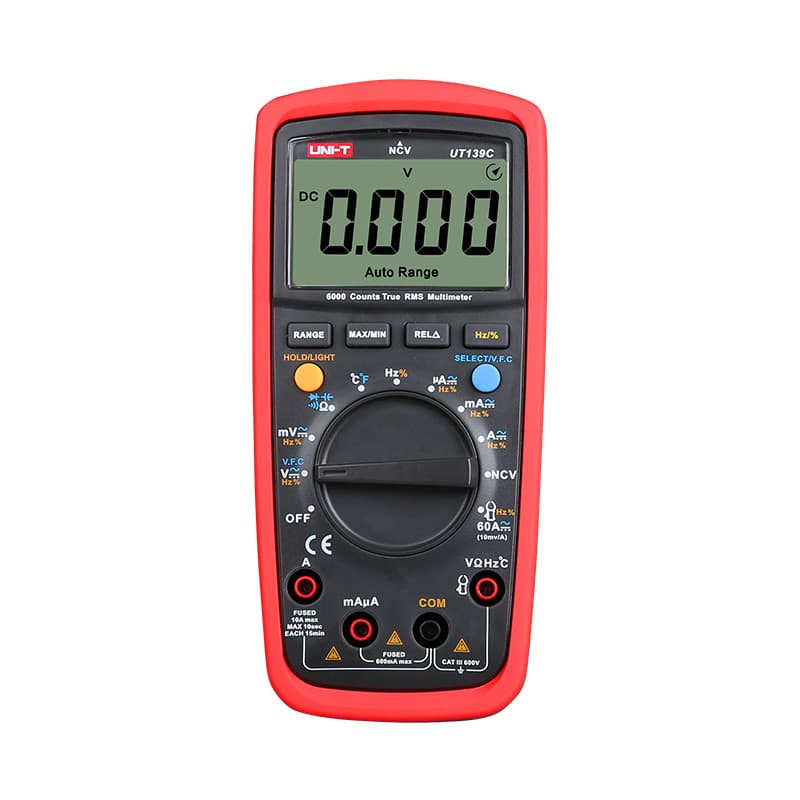
6,000-count True RMS with both auto and manual ranging, so you can see exactly how range limits work.
Budget True RMS with smart auto-ranging and a backlit display. CAT II 600V, so keep it off service panels.
As an Amazon Associate I earn from qualifying purchases. Prices and availability are shown on Amazon.
Frequently asked questions
Why does my multimeter keep showing OL?
Short the probe tips together on ohms first. If that still reads OL, a lead is broken or a plug is not fully seated in its jack. If the shorted leads read near zero, check that the dial is on the function you meant and the range is high enough, then make sure the tips are on bare metal. Only after those checks does OL really mean the circuit is open.
Why does my multimeter show OL when I touch the probes together?
With the tips touching, the meter should read a fraction of an ohm on resistance or beep on continuity. OL means the loop through the leads is open: a conductor broken inside the insulation, a banana plug pushed only part way in, a red lead in the amps jack, or a damaged ohms input. Swap in a known-good lead set to tell the leads from the meter.
Why does my multimeter read OL on a capacitor?
On the resistance function the meter pushes a small current into the capacitor, which charges it. The reading starts low, climbs as the capacitor charges, and ends at OL once almost no current flows. That rising-then-OL pattern is normal for a healthy capacitor. Discharge the capacitor before testing and use the meter's capacitance function if you want its value.
Is OL always a bad sign?
No — in resistance or continuity mode, OL is completely normal and expected when testing an open switch, a disconnected wire, or any two points that genuinely shouldn't be connected. It only signals a problem when you expected continuity or a measurable resistance and got OL instead.
My meter showed OL on voltage mode — does that mean there's a fault?
Usually not a fault in the circuit — it almost always means the manually selected voltage range is too low for what's actually present, which is a setting issue, not a circuit problem. Select a higher range, or switch to an auto-ranging meter or function, and remeasure.
Why does a good diode show OL in one direction but not the other?
That's the expected, healthy pattern. A diode only conducts current one way, so in diode-test mode it shows a voltage-drop reading with the probes oriented for forward conduction, and OL with the probes reversed, since a healthy diode blocks current in that direction entirely.
Does every multimeter display "OL" specifically, or do some show something else?
Display conventions vary by manufacturer and model — some show "OL," others show a lone "1" on the left of the display, and some older analog-style displays show the needle pinned at the far end of the scale. All of these represent the same underlying situation: the meter can't represent the value on the current range or function.
Why does my multimeter read OL when I test a resistor?
Either the resistor's value is above the selected ohms range, or the resistor is open. A 47kΩ part on a 20kΩ range shows OL even though it's fine, so step up a range first. If it still reads OL on the top range, and the color bands say it should be far lower, the resistor has failed open or one probe isn't touching bare metal.


