BUYING GUIDE
Multimeter Buying Guide
A multimeter looks like a simple tool — a dial, two probes, a screen — but the spec sheet behind it decides whether it keeps you safe, reads accurately, and actually fits the work you're doing. This guide walks through the terms that matter before you compare models, so the numbers on our Best Multimeters comparison actually mean something to you.

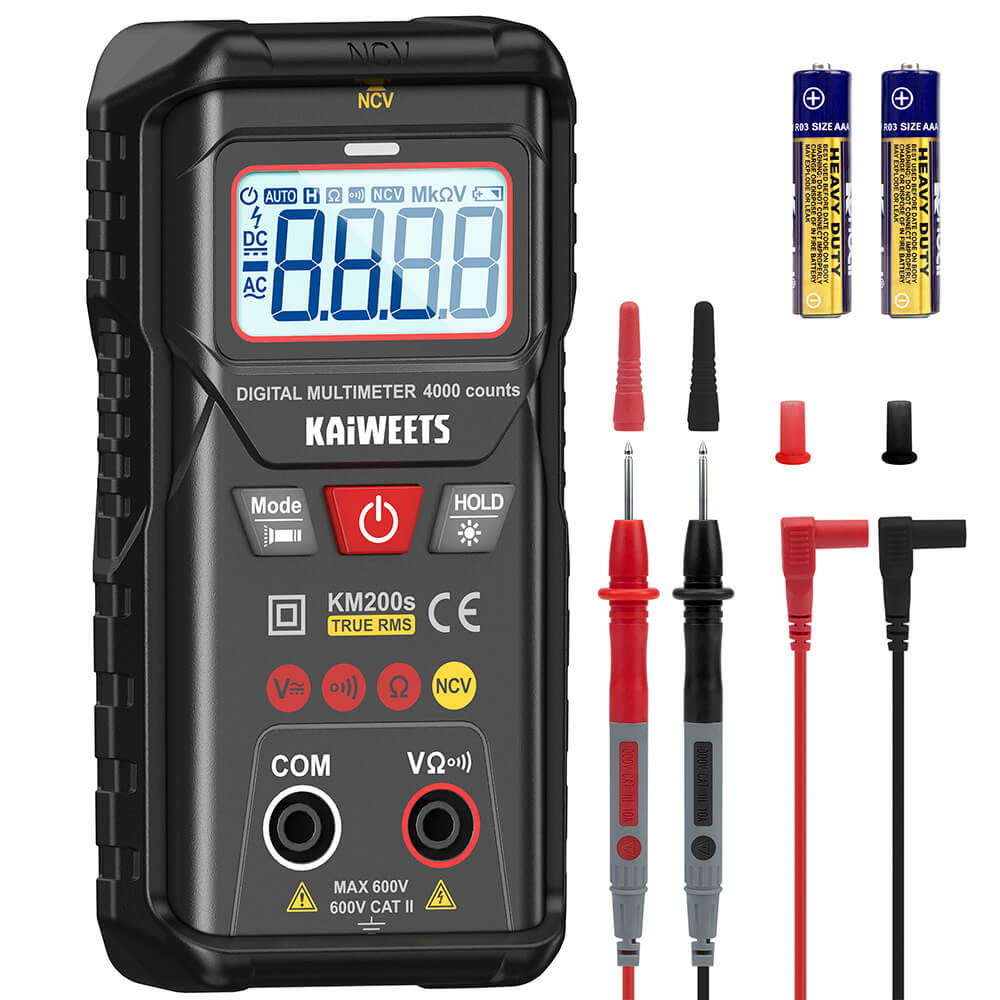

What a multimeter actually measures
At minimum, every digital multimeter measures voltage (AC and DC), resistance, and continuity. Most also measure current, and many add capacitance, frequency, temperature, and a diode test. The core job is the same across every price tier — the differences that matter are how safely it does that job, how accurately, and how conveniently.
CAT safety ratings — the one spec you can't skip
CAT (Category) ratings, defined by the IEC 61010 standard, describe how much transient voltage spike a meter is built to survive without the probes or the meter itself becoming dangerous. This isn't a marketing number — it's a real electrical safety boundary.
| CAT | Covers |
|---|---|
| CAT I | Protected, low-energy electronic circuits (signal-level work, not mains-connected) |
| CAT II | Single-phase receptacle outlets and plug-in equipment (lamps, small appliances) |
| CAT III | Fixed building wiring — distribution panels, circuit breakers, hardwired equipment |
| CAT IV | The origin of the installation — the utility connection, overhead/underground service entrance |
The number after the category (e.g. "CAT III 600V") is the maximum voltage the meter is rated for at that category. A CAT III 600V meter is NOT automatically safe for CAT IV work — category and voltage both have to match the environment. Buying a higher CAT rating than you'll ever use isn't wasted money; buying a lower one than the job requires is a genuine safety risk, not just a spec mismatch.
True RMS vs. average-responding
A True RMS (root-mean-square) meter calculates the actual effective value of an AC signal, including non-sinusoidal waveforms. An average-responding meter is calibrated assuming a clean sine wave — it's only accurate on signals that actually look like one.
Clean sine wave — both meter types read this one accurately.
Chopped/distorted waveform (dimmer, VFD) — only a True RMS meter reads this correctly.
This matters more than it used to. Variable-frequency drives, dimmer switches, UPS output, and most modern electronics all produce distorted, non-sinusoidal AC. On those loads, a non-True-RMS meter can read meaningfully wrong — not slightly off, actually wrong — while a True RMS meter stays accurate. If you work on anything beyond a clean wall outlet, True RMS stops being a nice-to-have.
Auto-ranging vs. manual ranging
An auto-ranging meter detects the approximate magnitude of what you're measuring and picks the correct range automatically. A manual-ranging meter requires you to select the range yourself before taking a reading. Auto-ranging is faster and more forgiving for most users — especially when you don't know roughly what value to expect. Manual ranging can be marginally faster for an experienced user doing repeated measurements in a known range, but it's a smaller advantage than it used to be now that auto-ranging response times have improved across most modern meters.
Resolution and accuracy aren't the same thing
Resolution (often advertised as a "count," like 6,000-count or 20,000-count) is how finely the display can distinguish between two close values — essentially how many distinct steps the screen can show. Accuracy is a separate published spec, usually expressed as a percentage of the reading plus a number of digits (e.g. ±0.5% + 2 digits). A higher count gives you a more finely-grained display, but it doesn't automatically mean a more accurate measurement — check both numbers, not just the one that's easier to market.
The count decides the finest step the display can show on each range. Meters usually step their ranges by factors of ten from the top count, so a 4,000-count meter has 4 V, 40 V and 400 V ranges and a 6,000-count meter has 6 V, 60 V and 600 V. That seemingly small difference matters at some voltages and not at others, as the table shows. Range layouts vary, so check the manual for any meter you're considering.
| Display | USB 5 V | Car battery 12.6 V | US outlet 120 V |
|---|---|---|---|
| 4,000-count | 5.00 V (40 V range) | 12.60 V (40 V range) | 120.0 V (400 V range) |
| 6,000-count | 5.000 V (6 V range) | 12.60 V (60 V range) | 120.0 V (600 V range) |
| 20,000-count | 5.000 V (20 V range) | 12.600 V (20 V range) | 120.00 V (200 V range) |
So a 6,000-count meter shows a USB rail to the millivolt where a 4,000-count meter stops at 10 mV, while on a car battery or an outlet the two read identically. Accuracy then sets how far you can trust that last digit. With an example spec of ±(0.5% + 2 digits), a 12.60 V reading on the 0.01 V step is good to 0.5% × 12.60 = 0.063 V plus 2 × 0.01 = 0.02 V, or ±0.083 V. The true voltage lies somewhere between about 12.52 V and 12.68 V, which is the difference between a battery that's nearly full and one that's noticeably discharged. That worked example is illustrative; use the real figures from your meter's datasheet.
Input impedance: the spec that protects sensitive circuits
Input impedance describes how much the meter itself loads the circuit it's measuring. A low-impedance meter can noticeably skew voltage readings on high-impedance circuits (sensitive electronics, some control systems) simply by being connected. Most modern digital multimeters use a high input impedance (commonly 10 MΩ) specifically to avoid this, but it's worth confirming on any meter you're considering for electronics work rather than general electrical troubleshooting.
Features worth checking for your specific work
- Continuity and diode test — standard on nearly every meter; useful for checking fuses, cables, and basic component health.
- Capacitance and frequency measurement — useful for electronics work and motor/drive diagnostics.
- Non-contact voltage (NCV) detection — a fast first check before you even attach probes, common on home/DIY-oriented meters.
- Clamp function — measures current by clamping around a conductor instead of breaking the circuit open. See our clamp meter buying guide for whether a clamp meter should replace or supplement a standard multimeter for your work.
Build quality and certification marks
A CAT rating only means something if it's backed by actual third-party safety certification — look for a recognized listing mark (UL, CSA, or TÜV, depending on region) printed on the meter itself, not just claimed in the product description. Beyond certification, physical build quality matters more for a multimeter than most tools, because it's frequently used one-handed near live circuits: a textured, over-molded case that won't slip, a kickstand for hands-free bench use, and probe leads with adequate insulation thickness for the CAT rating they're sold with. Cheap replacement leads sold separately don't always carry the same rating as the meter they're plugged into — if you swap leads, match the rating, not just the connector size.
Battery type and life matter more in practice than they first appear. A meter that auto-powers-off after a few minutes of inactivity will outlast one that doesn't, and a meter using a common battery size (AA, 9V) is cheaper to keep running long-term than one requiring a proprietary rechargeable pack, even if the pack looks more modern on the spec sheet.
Calibration and when a meter stops being trustworthy
Consumer and prosumer multimeters don't require routine calibration the way lab or industrial calibration-certified instruments do, but accuracy does drift over time and after physical shocks — a meter that's been dropped, had its leads crushed in a toolbox, or been exposed to moisture is worth cross-checking against a known-good reference (a wall outlet's nominal voltage, for instance) before you trust a reading that matters. If a meter starts reading inconsistently on a value you know should be stable, that's a sign to retire it, not a quirk to work around.
Matching a meter to what you actually do
The "best" multimeter changes depending on the work, which is why a single overall ranking only gets you partway there. We maintain separate, narrower comparisons for the most common use cases:
- Best Multimeter for Electricians — CAT III/IV picks built for panel and fixed-wiring work.
- Best Multimeter for Automotive Diagnostics — RPM, dwell, and duty-cycle functions for engine and electrical system work.
- Best Multimeter for Home Use & DIY — easy, affordable picks without CAT IV-level overkill for occasional use.
Reading the display: symbols worth knowing before you buy
Most multimeter displays use a consistent set of symbols across brands, which makes switching between meters easier once you know them. A sine wave icon (∿) or "ACV" indicates AC voltage mode; a straight line with a dashed line beneath it (or "DCV") indicates DC. Ω is resistance, a diode symbol activates continuity/diode test mode, and F indicates capacitance. A small battery icon warns of low internal battery — on a meter you're trusting for safety-relevant readings, replace the battery at the first warning rather than waiting for it to die, since accuracy can degrade before the meter actually shuts off.
One practical habit worth adopting regardless of which meter you buy: verify the meter is working correctly before every safety-critical measurement by first testing it on a known live source (a known-good outlet, for instance), confirming continuity on a short between the leads, then taking your actual measurement. This single habit — test, measure, test again — catches a dead battery or blown fuse before it gives you a false "no voltage present" reading on a circuit that's actually live.
Common mistakes buyers make
- Buying on resolution (count) alone and ignoring the published accuracy spec.
- Assuming any digital multimeter is automatically True RMS — many budget meters still aren't, and it's stated explicitly in the spec sheet, not implied.
- Choosing a CAT rating based on price instead of the actual environment it'll be used in — this is the one place where under-spec'ing is a safety issue, not just a convenience one.
- Overlooking fuse protection on the current-measurement inputs — a meter without properly rated internal fuses can fail unsafely if a current input is over-ranged or miswired.
Frequently asked questions
What is a good multimeter?
One matched to your actual work: a CAT III 600V rating if you'll ever test household outlets or panels, True RMS if you work on anything beyond a clean wall outlet, and a resolution/accuracy pair that's actually published, not just a high count number. Beyond that, auto-ranging and non-contact voltage detection make everyday use faster and safer. See our full roundup below for specific picks.
What CAT rating do I need for home wiring?
CAT III 600V covers fixed building wiring — distribution panels, circuit breakers, and hardwired equipment — which is what most home electrical work involves. CAT II 600V is enough for plug-in appliances and receptacle outlets only. Buying a higher CAT rating than you need isn't wasted money; buying a lower one than the job requires is a genuine safety risk.
Do I need True RMS on a multimeter?
Yes, if you work on anything beyond a clean wall outlet. Variable-frequency drives, dimmer switches, UPS output, and most modern electronics produce distorted, non-sinusoidal AC, and a non-True-RMS meter can read meaningfully wrong on those loads. For basic DC checks and simple AC outlets, a non-True-RMS meter is accurate enough.
What does multimeter resolution (count) actually tell you?
The count is how finely the display can distinguish between two close values, not how accurate the meter is — that's a separate published spec, usually ±% of reading plus a number of digits. A 6,000-count meter shows a USB rail to the millivolt where a 4,000-count meter stops at 10 mV, but on a car battery or outlet voltage the two often read identically. Check both numbers before buying on resolution alone.
Should I get a 10A or 20A multimeter?
Most standard multimeters, including Fluke's 110 Series, top out at a 10A continuous current range with a 20A overload allowed for only 30 seconds — there isn't usually a distinct "20A meter" category. If you regularly measure loads near or above 10A (a space heater, a large motor), breaking the circuit to measure in series isn't practical anyway; a clamp meter is the better tool, since it reads higher currents without opening the circuit at all.
Does a clamp meter replace a standard multimeter?
No — a clamp meter measures current without breaking the circuit open, which is faster and safer for everyday checks, but it's less practical for resistance, continuity, diode test, and low-current work. Most electricians carry both; see our clamp meter buying guide for when a clamp function is worth prioritizing.
Where to go next
With these terms in hand, the spec columns in our full multimeter roundup should read less like marketing copy and more like the actual safety and accuracy trade-offs they represent. Every spec in that comparison is checked against the manufacturer's own datasheet or official listing — see how we verify products for the full methodology.



