HOW-TO GUIDE
Why Does My Multimeter Show Negative Voltage?
By the OhmSavvy Research Team ·

What the negative sign actually means
A digital multimeter on DC voltage mode reports the potential at the red probe relative to the black probe. When the red probe is at a higher potential, the display reads positive; when it's at a lower potential than the black probe, the display reads negative. Swapping the two probes on the exact same two points simply flips the sign — the magnitude stays identical.
A useful way to remember it: the meter subtracts. It takes the voltage at the red probe, subtracts the voltage at the black probe, and shows the answer with its sign. Red at 12 V and black at 0 V gives 12 − 0 = +12. Red at 0 V and black at 12 V gives 0 − 12 = −12. Nothing else in the meter is involved, which is why the minus sign is information about your probe placement rather than about the health of the circuit.
Safety: batteries, solar and mains
- A minus sign on a car battery, battery bank or solar string usually means swapped probes, but if it persists with the probes correct, the wiring may be reversed. Do not connect chargers, inverters or jump leads until polarity is confirmed; reversed connections on high-current batteries can cause sparks, burns and damaged equipment.
- Keep fingers behind the probe guards and use a meter rated for the location (CAT III 600V or better for household circuits). Lithium packs, battery banks and rooftop solar wiring with suspected reverse polarity are work for a qualified installer.
Multimeter showing negative voltage: causes
If your multimeter is showing negative voltage, one of the situations below explains it. Most are harmless and need nothing more than a different probe placement; only the last two rows call for action on the circuit.
| Symptom | Likely cause | How to check | Fix |
|---|---|---|---|
| Battery or supply reads the right number with a minus sign | Probes on the opposite terminals | Swap the probes on the same two points | Nothing; red to positive gives a positive reading |
| Every DC reading is negative, even with red on + | Leads plugged into the wrong jacks (black in V, red in COM) | Look at which plug sits in COM | Black lead to COM, red lead to V |
| Negative across a resistor or load | Current flows the opposite way to what you assumed | Trace the supply's positive side to the part | Swap probes, or note the real current direction |
| Bridge rectifier output reads negative | Red on the − pin, black on + | Check the pin markings | Red on +, black on − |
| Op-amp or audio board rail reads negative to ground | Split (dual) supply with a deliberate negative rail | Schematic or label shows −5 V, −12 V or −15 V | Nothing; compare with the specified value |
| Negative number on a source that read positive a moment ago | REL offset larger than the new reading | REL or Δ icon on the display | Press REL again or cycle the dial |
| Tiny negative reading with nothing connected | Normal input offset of a few counts | Short the probes: does it settle near zero? | Nothing; it is within the last-digit tolerance |
| Negative with probes correct on a battery, panel or connector | Reversed wiring or a reverse-charged cell | Measure at the source terminals, then at the device | Correct the wiring before connecting equipment; call an installer for battery banks and solar |
1Check which jack each lead is in
Before thinking about the circuit, look at the meter. The black lead belongs in COM and the red lead in the jack marked V. Lead colors are a convention, not wiring: if the black lead is plugged into V and the red into COM, every DC reading you take will carry a minus sign even when the red probe is on the positive terminal. It is an easy mistake when leads are swapped between meters or after a current test. If you are unsure which symbol marks which jack, the multimeter symbols guide shows them.
2Swap the probes on the same points
Hold the two tips on exactly the same points and swap them. A reading of −12.6 V that becomes +12.6 V proves the meter is working and the circuit is behaving normally; you were reading it backward. If the number changes in size as well as sign, one of the tips was not making good contact, so clean the contact points and repeat.
About 12.6 V is the commonly quoted resting value for a fully charged 12 V lead-acid battery; our guide to testing a car battery with a multimeter explains what lower readings mean.
3Clear REL and offsets
REL (relative mode, often marked with a delta symbol) stores a reading and subtracts it from every reading that follows. Press it while measuring a 12.00 V battery, then measure a 5.00 V USB supply, and the display shows 5.00 − 12.00 = −7.00 V. The meter is doing exactly what it was told. Look for the REL or Δ icon and press the button again, or turn the dial off and on, to return to absolute readings. The same button causes a flat zero in a different situation, described in why a multimeter reads 0 volts on a working circuit.
4Identify the reference point
Ask what the black probe is touching. In a car, clipping COM to the battery positive and probing a ground wire gives a negative reading of about the battery voltage, which is correct for that arrangement. On a board, clipping COM to the wrong rail does the same. Choose one reference, usually the supply negative or the circuit's marked ground, keep the black probe there for the whole session, and every reading becomes directly comparable with the schematic. Isolated sections with no shared ground behave differently again; see measuring voltage on a floating ground circuit.
5Compare with the expected polarity
With the jacks right, REL off and the black probe on the reference, the sign is now meaningful. Compare it with what the device should have at that point: a label, a schematic, or the markings on a connector, battery or panel. A match ends the investigation. A mismatch, such as a supply that should be +12 V reading −12 V to its own ground, means the wiring is reversed somewhere between the source and that point. Measure at the source terminals first, then at each connector toward the device, until the sign changes; the reversal is between those two points.
Negative by design: split supplies
Some circuits need a voltage below ground. Op-amp and audio circuits often run from a split supply, such as ±12 V or ±15 V, with ground in the middle. The diagram shows the idea with two 12 V cells in series and ground at the joint. The same supply gives three different readings depending on where the probes go, and the negative one is exactly what the designer intended.
| Red probe | Black probe | Reading | What it tells you |
|---|---|---|---|
| +12 V rail | Ground | +12.0 V | Upper rail present and correct |
| −12 V rail | Ground | −12.0 V | Lower rail present; negative is correct |
| Ground | −12 V rail | +12.0 V | Same rail with the probes swapped |
| +12 V rail | −12 V rail | +24.0 V | Total across the whole supply |
| −12 V rail | Ground | 0.00 V | Lower rail missing: a real fault |
Notice that the worrying row is the zero, not the minus sign. On a split-supply board, a lower rail that reads 0 V or the wrong magnitude is the fault to chase, while −12.0 V is the healthy answer.
Digital meters vs. old analog meters
This is one area where digital meters are simply easier to use than the moving-coil analog meters they've mostly replaced. An analog meter's needle physically deflects in one direction only; reversed polarity drives it hard against the mechanical stop, which can damage the movement on some ranges. A digital meter has no such risk — it just displays a minus sign and the correct magnitude, regardless of which way the probes are connected.
Why AC mode never shows a negative sign
When a negative reading does signal a problem
Treat it as a real issue only when it contradicts what the circuit is supposed to do at that exact point — for example, a supply rail that a schematic specifies as positive relative to ground reading persistently negative, or a reading that flips unexpectedly compared to a known-good reference unit. In those cases the polarity itself is informative and worth following up, rather than just a result of probe placement. If the sign is right but the size of the number is off, that is a different question, answered in why a multimeter shows the wrong voltage.
The quick check
Meters with clear polarity readouts
Every digital meter shows the minus sign, so polarity is never the reason to upgrade. These verified picks are worth a look if you also want True RMS for AC work and a display that resolves small DC offsets.
Meters for DC polarity checks
Hands-on tested. AutoVolt picks AC or DC for you, which avoids reading a DC rail on the AC range.
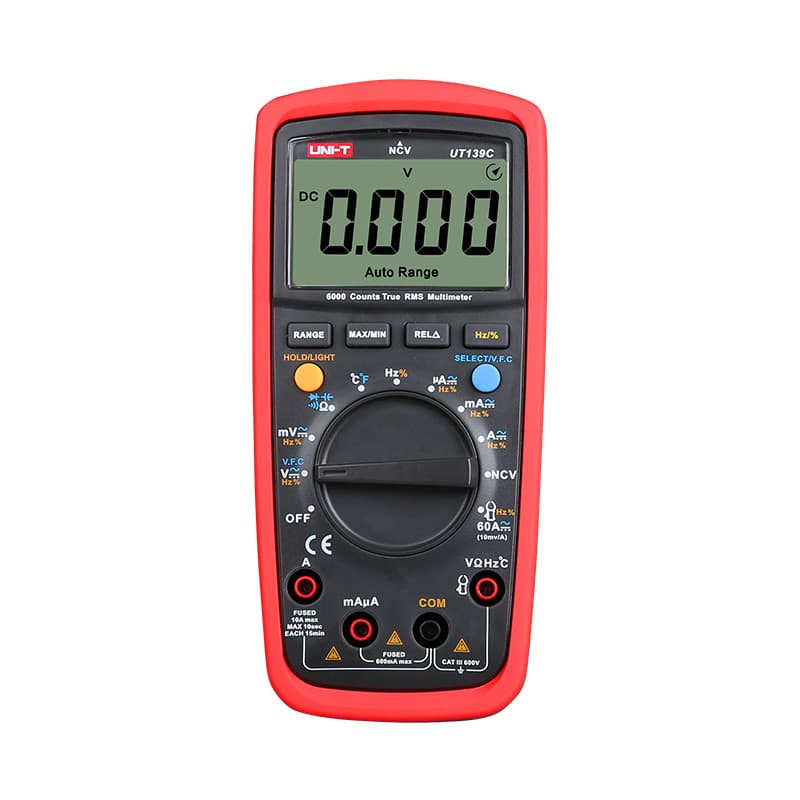
True RMS, 6,000-count and CAT III 600V, with manual ranging for steady low-voltage readings.
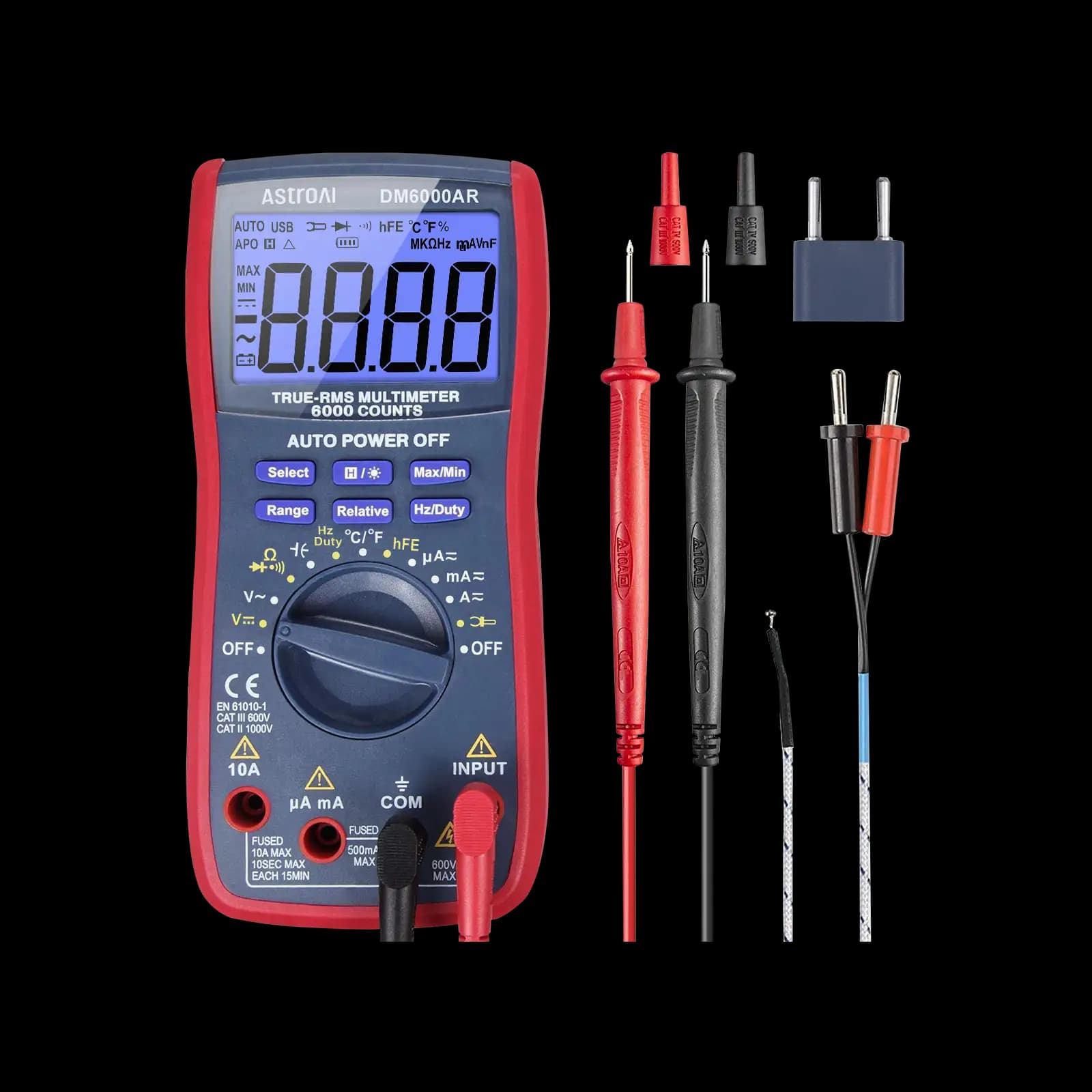
Inexpensive 6,000-count True RMS meter for dual-supply and op-amp circuits. No CAT rating stated.
As an Amazon Associate I earn from qualifying purchases. Prices and availability are shown on Amazon.
Frequently asked questions
Does a negative voltage reading mean my circuit is broken?
Not by itself. It only tells you which probe is at the higher potential — the circuit can be working exactly as designed. It's worth investigating further only if the sign or magnitude contradicts what the circuit's documentation or schematic says you should see at that point.
Can reversed DC probes damage my multimeter?
No, on a standard digital multimeter. The input circuitry handles either polarity on DC voltage mode without any risk — this is specifically one of the advantages digital meters have over old moving-coil analog meters, which could be damaged by a hard reverse-polarity deflection on some ranges.
Why is my multimeter showing negative voltage on a car battery?
The red probe is on the negative post and the black on the positive, or the leads are plugged into the wrong jacks, so a healthy battery shows something like -12.6 V. Swap the probes: if it reads +12.6 V, the battery is fine. A battery that truly reads reversed with the probes correct has been charged backward and should be checked by a professional.
Why did my reading flip from positive to negative when I touched a different point?
The reading is always the red probe's potential relative to the black probe. Move the red probe from a point above the black probe's potential to one below it, such as from a 12V rail to a point on the negative side of a load, and the sign flips. In a dual-supply circuit, anything on the negative rail reads negative to ground by design.
Is there a difference between -5V and 5V with reversed probes?
Electrically, no — both readings describe the exact same potential difference, just referenced from opposite probes. If a schematic specifically calls for a negative supply rail (common in op-amp circuits needing a dual supply), that's a genuinely different, intentionally negative voltage relative to the circuit's own ground — not just a probe-reversal artifact.
Why does my multimeter show a tiny negative voltage with nothing connected?
A reading of a few counts, such as -0.002 V or -0.3 mV, with open or shorted leads is normal offset and pickup on the input, not a real voltage. It sits within the meter's least-significant-digit tolerance. Short the probes together: if the display settles near zero, the meter is fine. A reading that stays far from zero points to a damaged input or low battery.
Why does my multimeter show negative current?
On the DC current function the sign shows which way current flows through the meter. Negative means it enters through COM and leaves through the current jack, the reverse of the direction you assumed. On a battery that can charge and discharge, the sign tells you which one is happening. Swap the leads if you prefer positive readings, but note which way you connected them.
Where to go next
How to Measure Voltage Across a Resistor →
Probe polarity and what a negative reading means there specifically.
How to Test a Bridge Rectifier →
Its marked + and − output pins make a handy polarity check.
Why Does My Multimeter Show the Wrong Voltage? →
When the size of the reading is off, not just its sign.


