HOW-TO GUIDE
Multimeter Won't Turn On? 7 Common Causes and Fixes
By the OhmSavvy Research Team ·
The 7 causes at a glance
Work down this table from the top. The order follows how often each cause turns out to be the culprit and how cheap it is to check, so the first two rows fix the large majority of meters that appear dead.
| Symptom | Likely cause | How to check | Fix |
|---|---|---|---|
| Completely blank, nothing at all | Flat or weak battery | Measure it with a second meter or a battery tester | Fit a fresh battery of the type in the manual |
| Blank right after a battery change | Battery fitted backward | Compare the + and − marks in the compartment | Refit the cells the right way round |
| Blank, or works only when pressed | Corroded or bent contacts | Look for white or green crust and flattened springs | Clean with isopropyl alcohol; bend springs back |
| Turns off by itself, or on only in some positions | Auto power-off, or dial between detents | Turn the dial fully to a function and wait | Disable auto power-off per the manual; exercise the dial |
| Blank with the battery door slightly open | Door not latched, or an interlock (some models) | Close the door fully, check the manual for an interlock | Seat the door and screws; replace a fuse if the manual says it gates power |
| On, but reads nothing or OL with probes shorted | Bad test leads (not a power fault) | Short the probes on ohms | Test and replace the leads |
| Blank or garbled after a drop or a soaking | Water or impact damage inside | Open the case and look for corrosion or cracks | Dry it out, or replace the meter |
How a meter powers up
Every handheld digital meter follows the same chain. Current leaves the battery, passes through the spring contacts, reaches the rotary switch (which is also the on/off switch on most meters), feeds a small regulator that holds the measuring chip at a steady voltage, and finally lights the LCD. A meter that is "dead" has a break somewhere in that chain. Testing in order from the battery outward means you never take a meter apart to find a problem that a fresh battery would have solved.
01
Battery
Voltage and polarity
02
Contacts
Clean, springy, tight
03
Dial
Seated on a function
04
Inside
Regulator, board, LCD
1Measure the battery
Pull the battery and measure it on DC volts with a second meter, or use a cheap battery tester. A voltage reading is far better than guessing from the date on the pack, because a battery left in a meter with the dial on a function drains quietly for weeks. The figures below are typical for alkaline cells; exact thresholds vary by maker, so treat them as a guide and check the manual for your meter's battery warning point.
| Battery | Fresh (typical) | Worth replacing | Dead (typical) |
|---|---|---|---|
| 9V alkaline | 9.3–9.6 V | below about 7.5 V | about 6 V or less |
| AA or AAA alkaline (per cell) | 1.5–1.6 V | below about 1.2 V | about 1.0 V or less |
| Two AA cells in series | 3.0–3.2 V | below about 2.4 V | about 2.0 V or less |
One trap: a tired battery can read close to normal with nothing connected and then sag the moment a load is applied. If a battery reads borderline, replace it anyway; it costs less than the time spent doubting it. Our guide to checking a 9V battery under load shows how to see that sag for yourself.
2Check polarity and the battery type
A 9V snap connector only fits one way, but meters that take AA or AAA cells are easy to load backward, especially in a dim workshop. One reversed cell in a pair cancels the other, so the meter sees close to zero volts and stays dark. Match each cell to the + and − marks molded into the compartment. Many meters have protection against reversed polarity, but not all, so don't leave a reversed battery in place to see what happens. Battery chemistry matters too: rechargeable 9V cells often sit well below a fresh alkaline, and a meter that sets its low-battery warning around 7 to 7.5V may complain about them from the start. If a meter only fails with rechargeables, that is the reason.
3Clean the contacts
Alkaline cells left in a meter for a year or two can leak potassium hydroxide, which dries into a white or blue-green crust on the springs. Even a thin oxidized film is enough to stop a meter that draws only a few milliamps. Remove the battery, scrub the contacts with a cotton swab dampened with isopropyl alcohol, and scrape stubborn deposits gently with a fiberglass pen or a small flat screwdriver. Let everything dry. If a spring has been flattened, lift it slightly with a screwdriver so it presses firmly against the cell. On a 9V snap, squeeze the female socket a little with pliers if it slips on and off the battery without resistance. If the meter now works only when you press on the battery door, the contacts still need attention.
4Rule out the dial and auto power-off
On most meters the rotary dial is the power switch, and the gap between two detents can be a dead zone. Turn the dial firmly until it clicks into a function such as DC volts. If the display comes on only in some positions, the wiper contacts under the dial may be dirty; turning the dial through all positions a dozen times with the battery out often clears it. Then think about auto power-off. Most handheld meters switch themselves off after a period with no button presses or dial changes, and some models will not come back until you turn the dial to OFF and on again. A button that is stuck down, or one held while you switch on, can also put some meters into a setup or test mode that looks wrong. Release every button, cycle the dial through OFF, and try once more. The manual will tell you which button disables auto power-off on your model.
5Check the battery door and fuses
Some meters carry the battery contacts on the door itself, so a door that isn't pushed home or screwed down leaves the circuit open. Seat it fully and refit any screws. Fuses are where a lot of advice goes wrong. On most meters the fuses sit only in the mA and 10A current inputs, where they protect the meter when you measure current on the wrong range. A blown fuse there shows up as a meter that powers on normally but reads zero or nothing on current, not as a blank screen. That said, designs differ, and the manuals for some models describe a fuse door or battery door arranged so the meter cannot be used with it open. If your meter's manual says that, replace the fuse with the exact type it specifies, including the voltage and breaking-capacity rating, since a cheap glass fuse in a meter is a real safety risk on mains.
Fix the meter before you trust it on live circuits
6Separate "off" from "on but reads nothing"
Test leads cannot stop a meter turning on, because they are not part of the power path at all. What bad leads do cause is a meter that lights up but reads nothing: zero volts on a known live outlet, or OL in ohms with the probe tips pressed together. If your display works, short the probes on the ohms range. A healthy pair typically reads a few tenths of an ohm. OL means the problem is in the leads or the jacks, not the power supply, and our guide on how to tell if multimeter test leads are bad walks through finding the break. If the leads pass and readings still look odd, see what OL means on a multimeter or why a multimeter shows the wrong voltage.
7Look for water or impact damage
If a fresh battery, clean contacts and a seated dial still give nothing, the fault is inside. A meter that has been dropped can crack its circuit board, unseat the rubbery zebra strip that connects the LCD to the board, or break the LCD glass, which often shows as partial or random segments rather than a blank screen. Water does slower damage: corrosion grows across the board around the regulator and the switch contacts. If you are comfortable opening the case, remove the battery first, look for green or white deposits and cracks, and dry a wet meter for a couple of days in a warm, dry place before trying it again. Don't open a meter that is still under warranty; the maker may refuse a claim afterward.
When to stop and replace it
Stop troubleshooting when the cheap fixes are done and the meter still won't power up reliably, when the case is cracked anywhere near the input jacks, or when there is corrosion on the board. Contact the maker if the meter is under warranty; premium brands usually offer repair or calibration service, which can make sense for an expensive meter. A budget meter is normally cheaper to replace. Whichever way you go, a meter used on household circuits should carry a CAT rating suited to the work, and our guide to using a multimeter and the multimeter symbols explained page cover what to look for on the dial once you have a working meter again. If your meter turns on but the numbers drift, the unstable multimeter readings guide picks up from here.
Work from the battery outward
If it is time for a new meter
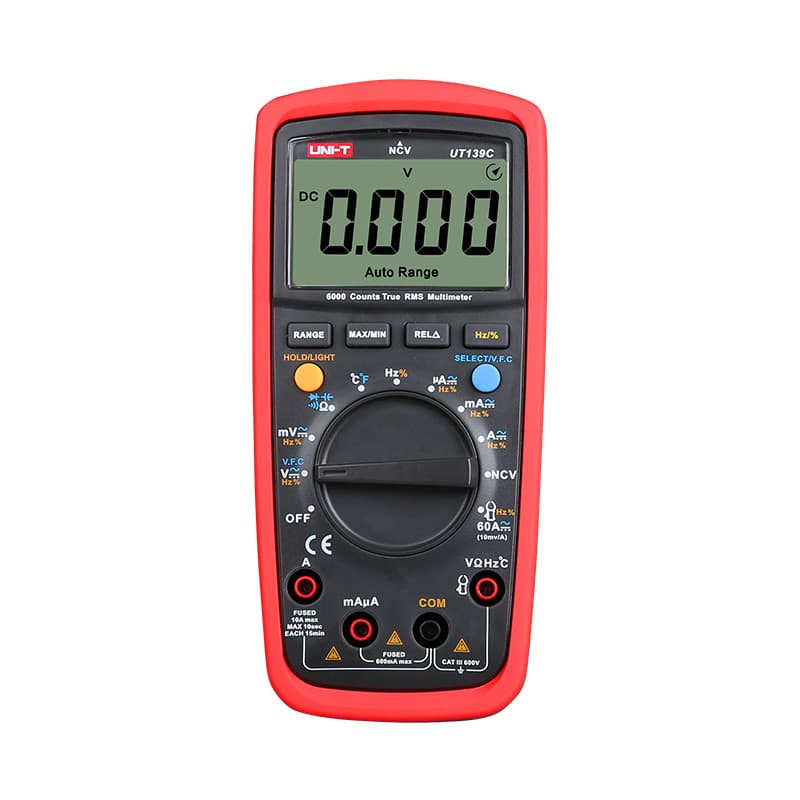
True RMS, 6,000-count display, auto and manual ranging, CAT III 600V.

Auto-ranging True RMS with a backlit display; CAT II 600V, so not for panel work.

True RMS, CAT III 600V and built-in NCV, durable enough for daily field use.
As an Amazon Associate I earn from qualifying purchases. Prices and availability are shown on Amazon.
Frequently asked questions
Why did my multimeter stop working after I measured current?
The display usually still works; what fails is the current fuse inside the meter. A fuse protects the mA or 10A jack, so after an overload the meter powers on but reads zero or nothing on current ranges. If the screen is completely blank as well, look at the battery first, since a blown current fuse does not normally stop most meters powering up.
Can a multimeter turn on with a dead battery?
Sometimes it flickers on and off, or shows a few faint segments that fade, because a depleted battery can manage the light current the display needs but collapses when the meter draws more. Many meters show a battery symbol before that point. A weak battery is also a common cause of wrong readings, so replace it as soon as the warning appears.
How do I stop my multimeter from turning itself off?
Most handheld meters have auto power-off to save the battery, and it typically trips after a period of no button presses or dial changes. On many models you can disable it by holding a particular button while you turn the meter on; the button differs from maker to maker, so the user manual is the place to find it.
Is it worth repairing a cheap multimeter that won't turn on?
Cleaning the battery contacts or replacing the battery costs almost nothing and is always worth trying. Beyond that, a budget meter with water damage, a cracked board or a failed display usually costs less to replace than to repair. Weigh the cost against a new meter, and never put a repaired meter back into mains work unless you trust its insulation and fuses completely.
Will a rechargeable 9V battery work in a multimeter?
It often will, but many rechargeable 9V cells sit at a lower voltage than a fresh alkaline. NiMH types are commonly rated around 8.4V, and some older ones around 7.2V, which can bring up the low-battery symbol early or trip it straight away. Check the manual for the recommended battery type and expect shorter run time between charges.
Why does my multimeter display come on but stay blank or show random segments?
That pattern points at the display stage rather than the battery: a loose or dirty zebra strip between the LCD and the board, a cracked LCD after a drop, or moisture inside the case. A very weak battery can also produce faint, partial segments. Swap in a fresh battery first; if the fault stays, the meter needs a repair or a replacement.


