HOW-TO GUIDE
Why Does My Car Radio Turn On but Produce No Sound?
By the OhmSavvy Research Team ·

Disconnect the battery before pulling the head unit
- Disconnect the battery negative terminal before removing or reconnecting the head unit's connector, to avoid a short while handling live pins.
- Note any security/radio codes the unit might need after a power interruption.
- For continuity testing, make sure the circuit is fully de-energized first.
1Check power and ground at the head unit
With the connector plugged in and the unit powered on, back-probe the main power (often labeled constant 12V and switched/accessory 12V) and ground pins and measure voltage between each power pin and ground. Both should read close to battery voltage with the ignition on.
Once the harness is unplugged, the speaker side of that diagram is also easy to measure for resistance, not just continuity. Most factory car speakers are rated at a nominal 4 Ω, and a healthy voice coil usually reads a little below its rating on a meter's ohms range, roughly 3 to 4 Ω for a 4 Ω speaker. A reading of OL means an open coil or a broken wire, and a reading near 0 Ω on a pair means the two speaker wires are shorted together, a fault that can make many head units mute or shut down their amplifier to protect themselves.
2Check the radio's own fuse
Many head units have their own small inline fuse, separate from the vehicle's main fuse box, often built into the wiring harness connector itself. Check continuity across it; a blown internal fuse specifically cuts the amplifier power while often leaving the display's lower-current supply unaffected.
3Test speaker wiring continuity
With the head unit's connector unplugged and the circuit dead, check continuity from each speaker-output pin through to its corresponding speaker connector. No continuity on one or more channels points to a break in that specific speaker's wiring.
| Finding | Likely cause |
|---|---|
| Power and ground good, no sound on all channels | Internal head-unit amplifier fault |
| Power and ground good, no continuity on one channel | Broken wire or connector for that specific speaker |
| No power at the head unit's amplifier feed | Blown internal fuse or a wiring fault upstream |
| Everything tests fine electrically | Check the source/input selection on the unit itself |
4If there's a separate amplifier
On systems with an external amplifier, check power, ground, and the remote turn-on wire at the amplifier itself in the same way, since a fault there produces the identical symptom at the head unit — a working display with the real failure point located elsewhere in the system.
Confirm the input source first
Which meter to use
A meter with DC volts and continuity covers this entire test. See the full best multimeter for automotive picks.
Meters in our reviews
Continuity beep and DC volts for power/ground checks.
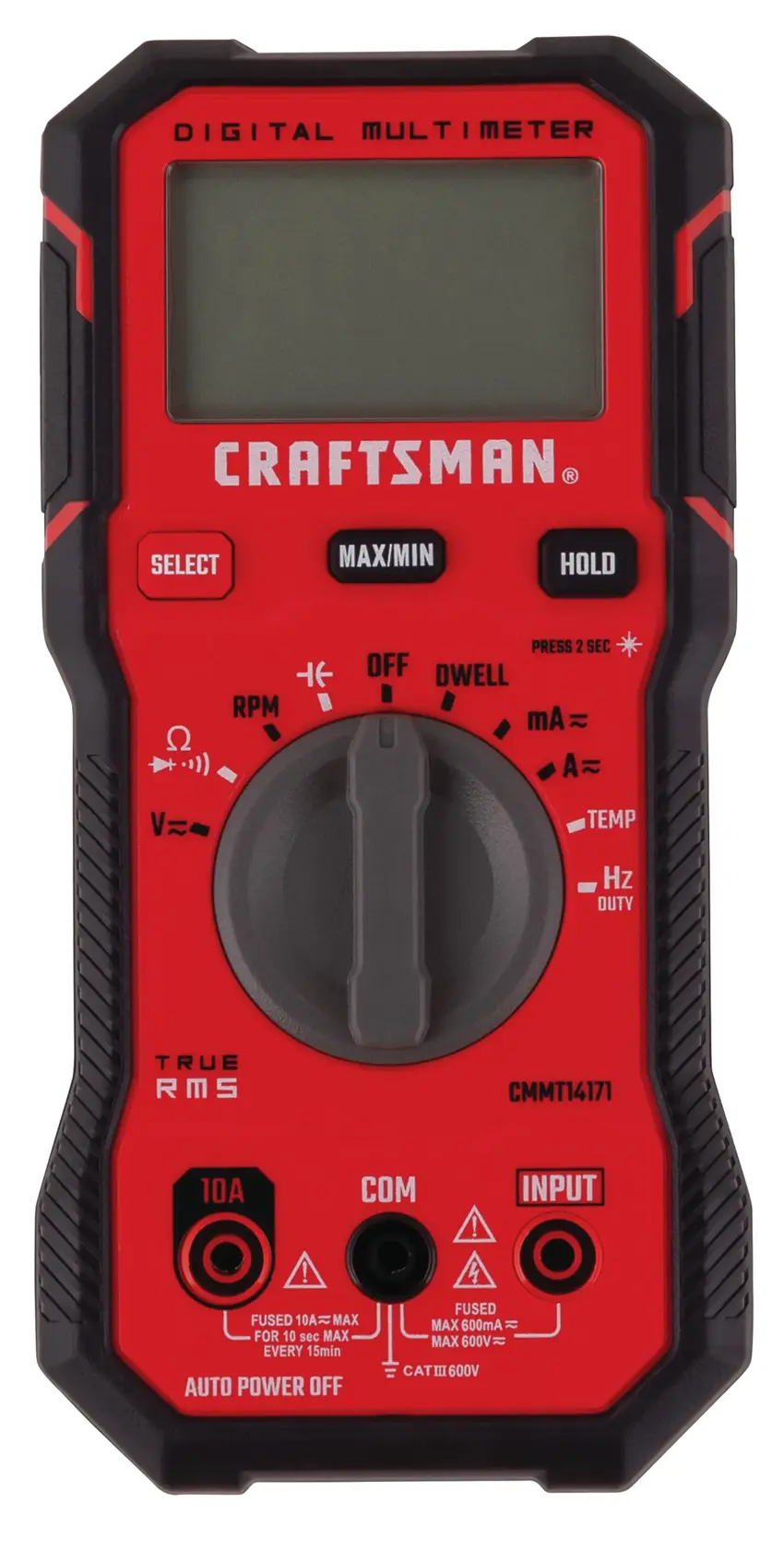
Built for this kind of automotive wiring diagnosis.
As an Amazon Associate I earn from qualifying purchases. Prices and availability are shown on Amazon.
Frequently asked questions
Why would the display work but no sound come out?
Many head units split power into a small constant-power feed for memory and the display's logic circuit, and a separate switched, higher-current feed for the amplifier section. A problem isolated to that second feed — a blown internal fuse, a bad connection, or a failed amplifier stage — leaves the display working normally while sound fails completely.
Could a bad ground connection cause no sound but a working display?
Yes, particularly if the unit has separate ground points for its logic and amplifier sections, or if the amplifier ground specifically has failed while the main ground (serving the display) remains intact. Check the ground connection at the unit's chassis mount as well as any ground wire in the harness.
How do I test speaker wiring without pulling the door panel apart?
Start at the head unit's connector: with the connector unplugged, check continuity from each speaker-output pin, through the harness, to the speaker's own connector if it's reachable without disassembly. If you need to go further, and can access the speaker directly, check continuity at the speaker terminals themselves.
Could the issue be the source (phone/Bluetooth/aux) rather than the radio itself?
Yes — always confirm the unit shows a healthy, connected source and try a different input (radio tuner vs. aux vs. Bluetooth) before assuming an electrical fault, since a no-sound symptom limited to just one input source points to that input, not the whole unit.
What if power, ground, and speaker wiring all test fine?
That points to an internal fault in the head unit itself, most likely its amplifier section specifically, since the external power delivery and speaker wiring have been ruled out. At that point, repair or replacement of the unit is usually the next step.


