HOW-TO GUIDE
How to Test a Rotary Switch With a Multimeter
By the OhmSavvy Research Team ·
Poles, throws and the common terminal
A rotary switch is described by how many separate circuits it switches (poles) and how many positions each circuit can select (throws). The wiper of each pole is wired to one terminal, the common, and the shaft carries every wiper around together. Ratings are written like 1P12T, 2P6T, 3P4T or 4P3T; on many wafer switches the commons are labeled A, B, C, D or sit closer to the shaft than the throw terminals.
Pole
One independent switched circuit with its own wiper and common terminal.
Throw
One selectable position terminal. A pole connects to only one throw at a time.
Common (C, A, B…)
The terminal tied to the wiper. Every reading in this test starts from here.
Stop washer
Limits how many detents the shaft can turn through, independent of the throw count.
1Find each pole's common terminal
Unplug the equipment and, if you can, desolder or unclip the wires so the switch stands alone. Put the meter on continuity. If the commons aren't marked, pick any terminal and turn the knob through all its detents: a common beeps against a different terminal in every position, while a throw terminal beeps against just one other terminal in just one position. Repeat until you have one common per pole.
2Map every position
Hold the black probe on the common, click the knob to the first detent, and sweep the red probe across every throw terminal on that pole. Exactly one should beep. Write it down, move to the next detent, and repeat. Then do the same for each remaining pole, and finally check pole-to-pole: a common on one pole should never beep against any terminal on another.
01
Isolate
Unplug, free the leads
02
Find commons
One per pole
03
Sweep throws
One beep per detent
04
Cross-check poles
No pole-to-pole paths
05
Measure ohms
Each closed path
Building the position-vs-terminal truth table
For a healthy 2P4T switch the finished map looks like the table below: a single closed path per pole in each row, in matching positions on both poles. Any row with two closed entries on one pole, or none, is a fault (or a shorting switch caught mid-turn, covered in step 4).
| Knob position | Pole A common to | Pole B common to | Everything else |
|---|---|---|---|
| 1 | A1 closed | B1 closed | OL |
| 2 | A2 closed | B2 closed | OL |
| 3 | A3 closed | B3 closed | OL |
| 4 | A4 closed | B4 closed | OL |
3Measure contact resistance
A beep only tells you the path is below the meter's continuity threshold, which on many meters is tens of ohms. Switch to the lowest resistance range, touch the probe tips together and note the lead resistance, then measure each closed path. A good contact reads within a fraction of an ohm of the shorted-lead figure. Wiggle the knob slightly inside the detent while watching the display: a clean contact holds steady, a dirty one jumps.
4Shorting vs non-shorting (make-before-break)
A non-shorting, or break-before-make, switch lifts the wiper off one contact before it touches the next, so there is a brief moment with nothing connected. A shorting, or make-before-break, switch uses a wider wiper that bridges two neighboring contacts during the turn, which avoids an open circuit in things like meter range selectors and audio attenuators. To tell which you have, put the probes on two adjacent throw terminals (not the common) and turn the knob very slowly between them: a shorting switch chirps once mid-turn, a non-shorting one stays silent.
Don't swap one type for the other
Reading the results
| What you find | Likely cause |
|---|---|
| One closed path per pole per detent, all others OL | Healthy switch |
| A detent with no closed path on a pole | Bent, broken or burnt contact on that throw, or a cracked wafer |
| Two throws closed at rest in the same detent | Shorted contacts, solder bridge, or the knob is resting between detents |
| Continuity between two different poles | Debris or carbon tracking across the wafer, or a wiring short |
| Closed path reads several ohms or drifts when wiggled | Oxidised or worn contacts; clean and retest, replace if it persists |
| Readings shift by one position | Knob set screw slipped on the shaft, or the stop washer is misplaced |
If the switch passes on the bench but the device still misbehaves, the fault is usually in the wiring to it. An OL where you expected a connection means exactly what our OL explainer describes: an open path, not a broken meter. A beep that cuts in and out as you turn the knob is a different symptom; our intermittent continuity guide helps tell a worn contact from a loose probe.
Meters for mapping switch positions
Mapping a rotary switch means dozens of continuity checks, so a fast beeper and a readable display save time. These picks from our reviews all handle the job.
Meters for rotary switch checks
A 6,000-count display shows small contact resistances clearly, and manual ranging stops the meter hunting between checks.

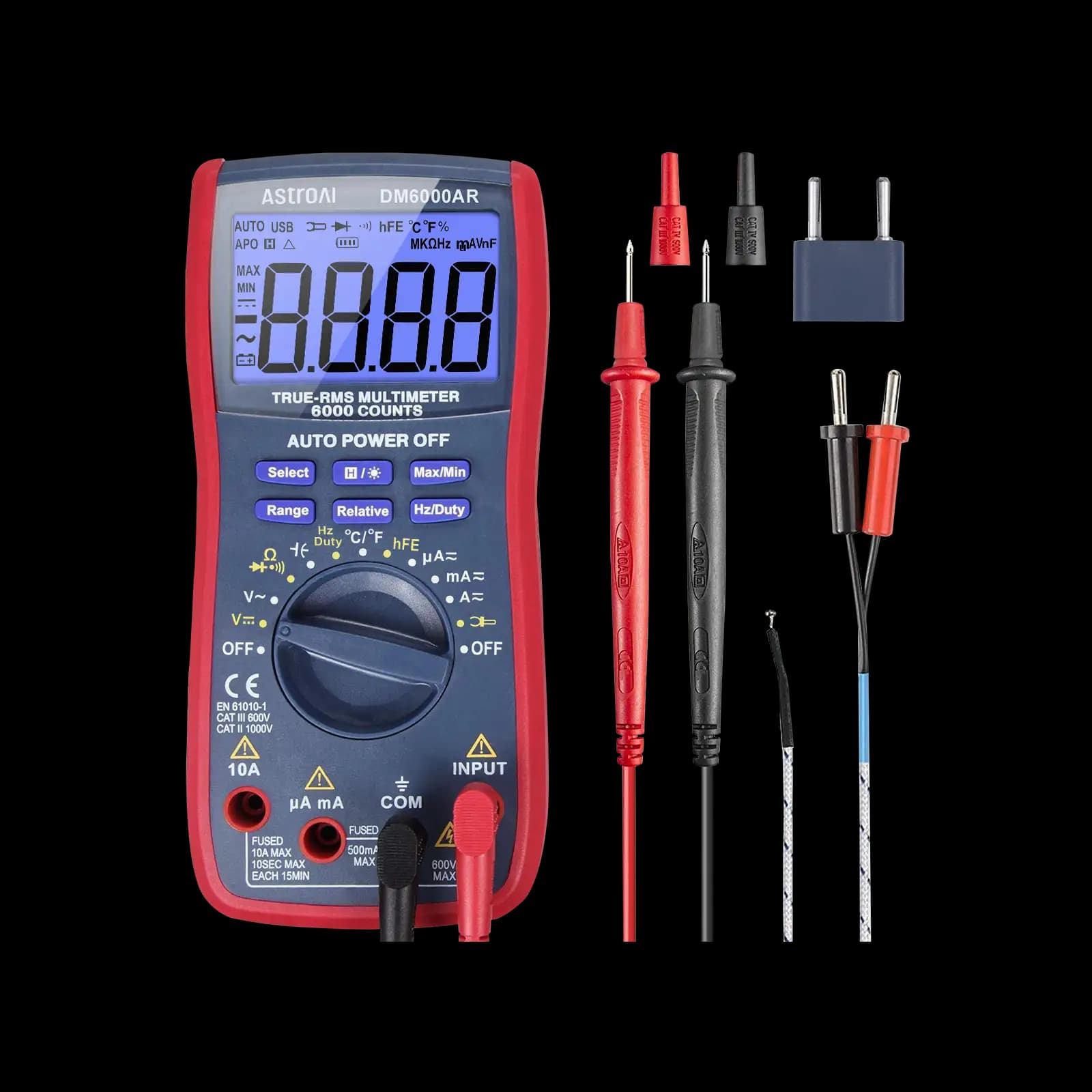
One of our hands-on tested meters: True RMS with a backlit 6,000-count screen that stays readable through long mapping sessions.

A budget True RMS meter with a backlit display and auto-ranging, enough for bench switch work at home.
As an Amazon Associate I earn from qualifying purchases. Prices and availability are shown on Amazon.
Frequently asked questions
What does 2P6T mean on a rotary switch?
It means two poles and six throws: two independent wipers that turn together on one shaft, each able to connect its own common terminal to one of six positions. You should find two separate commons, and in every detent each one should connect to exactly one throw terminal on its own pole.
Why does my rotary switch have fewer positions than its rating?
Many wafer-style rotary switches have an adjustable stop, usually a tabbed washer under the mounting nut, that limits rotation to fewer positions than the switch can physically offer. A 12-position switch set to 5 positions is normal. Check the stop washer before assuming the switch is broken.
What contact resistance is acceptable on a rotary switch?
Datasheets for small rotary switches commonly specify contact resistance in the tens of milliohms, which is below what most handheld meters can resolve. In practice, a closed position should read the same as your shorted test leads, or within a fraction of an ohm of it. A few ohms, or a reading that wanders as you wiggle the knob, points to dirty or worn contacts.
Can I test a rotary switch while it's wired into the device?
Only with care. Other wiring connected to the throws can create paths between terminals that make an open position look closed. Unplug the device first, then disconnect the common lead of the pole you are testing, or at least compare your readings against the schematic so you can tell a real contact from a path through other components.
Will contact cleaner fix a crackly or intermittent rotary switch?
Often it helps when the problem is oxidation or old lubricant on open-frame wafer switches: spray, rotate the switch through its full range a few dozen times, then retest. It will not fix a cracked wafer, a bent contact or a worn detent spring. Sealed switches usually cannot be cleaned and are simply replaced.


