HOW-TO GUIDE
How to Test a Limit Switch With a Digital Multimeter
By the OhmSavvy Research Team ·

Lock out the machine before touching a limit switch
COM, NO and NC terminals
Most small limit switches and microswitches are single-pole, double-throw changeover types with three terminals. Industrial limit switches often instead carry two separate contacts, one normally open and one normally closed, each with its own pair of terminals. Either way, the markings are usually molded next to the terminals.
COM (C)
Common. The moving contact; every reading starts here.
NO
Normally open. Connects to COM only while the actuator is pressed.
NC
Normally closed. Connected to COM at rest, opens when pressed.
1Check the released state
With power locked out, disconnect at least one wire from the switch so the rest of the circuit can't create a parallel path. Set the meter to continuity. With the actuator untouched, COM to NC should beep and COM to NO should read OL. Switch to ohms and note the closed reading: it should be a fraction of an ohm above your shorted test leads.
2Actuate and recheck
Press the lever, plunger or roller through its full travel and hold it. Now COM to NO should beep and COM to NC should read OL. Then press it slowly several times while listening: the change should happen at the same point in the stroke each time, with a crisp click and a clean beep, not a crackle.
01
Lock out
Isolate, lift one wire
02
Released
COM–NC closed, NO open
03
Actuated
COM–NO closed, NC open
04
Repeat slowly
Same trip point every time
3Live voltage test in the control circuit
When a switch is wired in series with a coil, relay input or PLC input, you can test it powered. Set the meter to AC or DC volts to match the control supply and probe across the two terminals in use. A closed contact reads close to 0V because it drops almost nothing. An open contact reads close to the full supply voltage, because the load on the other side ties that terminal back to the opposite supply line. A switch that should be closed but reads full voltage is open; one that reads a few volts is passing current through dirty or burnt contacts.
Mechanical wear and contact bounce
3D printer endstops vs industrial limit switches
Mechanical 3D printer endstops are small microswitches on a breakout board, switching a logic-level signal at 5V or 3.3V. Unplug the endstop cable and test the switch's contacts directly, then compare with what the firmware reports: Marlin-based printers, for example, list each endstop's state with the M119 command. Industrial limit switches use the same contact logic but are sealed, heavier units in 24V or 120V control circuits, where the live voltage test above is usually the faster check. For broken leads to the switch, see how to test electrical wires.
Reading the results
| What you find | Likely cause |
|---|---|
| Contacts swap cleanly, near 0 Ω when closed | Healthy switch; check wiring, mounting and the target |
| COM–NO never closes when pressed | Contact worn or burnt, or actuator not traveling far enough |
| COM–NC stays closed when pressed | Welded contact or jammed mechanism |
| Closed contact reads several ohms or drifts | Dirty, oxidised or arcing-damaged contacts |
| Trip point varies from press to press | Worn spring, loose lever or failing mechanism |
| Several volts across a closed switch, live | High contact resistance under load; replace the switch |
Meters for control-circuit work
The live voltage-across-the-switch check happens inside control panels, so the meter's CAT rating matters as much as its continuity beeper. A low-impedance (LoZ) mode also helps on long control runs, where an open switch can show a misleading induced voltage on a standard high-impedance input.
Meters for limit switches and machine controls
CAT III 1000V / CAT IV 600V with a 19,999-count high-resolution mode and an analog bar graph. Hands-on Tested.

True RMS, CAT III 600V, with AutoVolt, LoZ and NCV for 120V control wiring. Hands-on Tested.
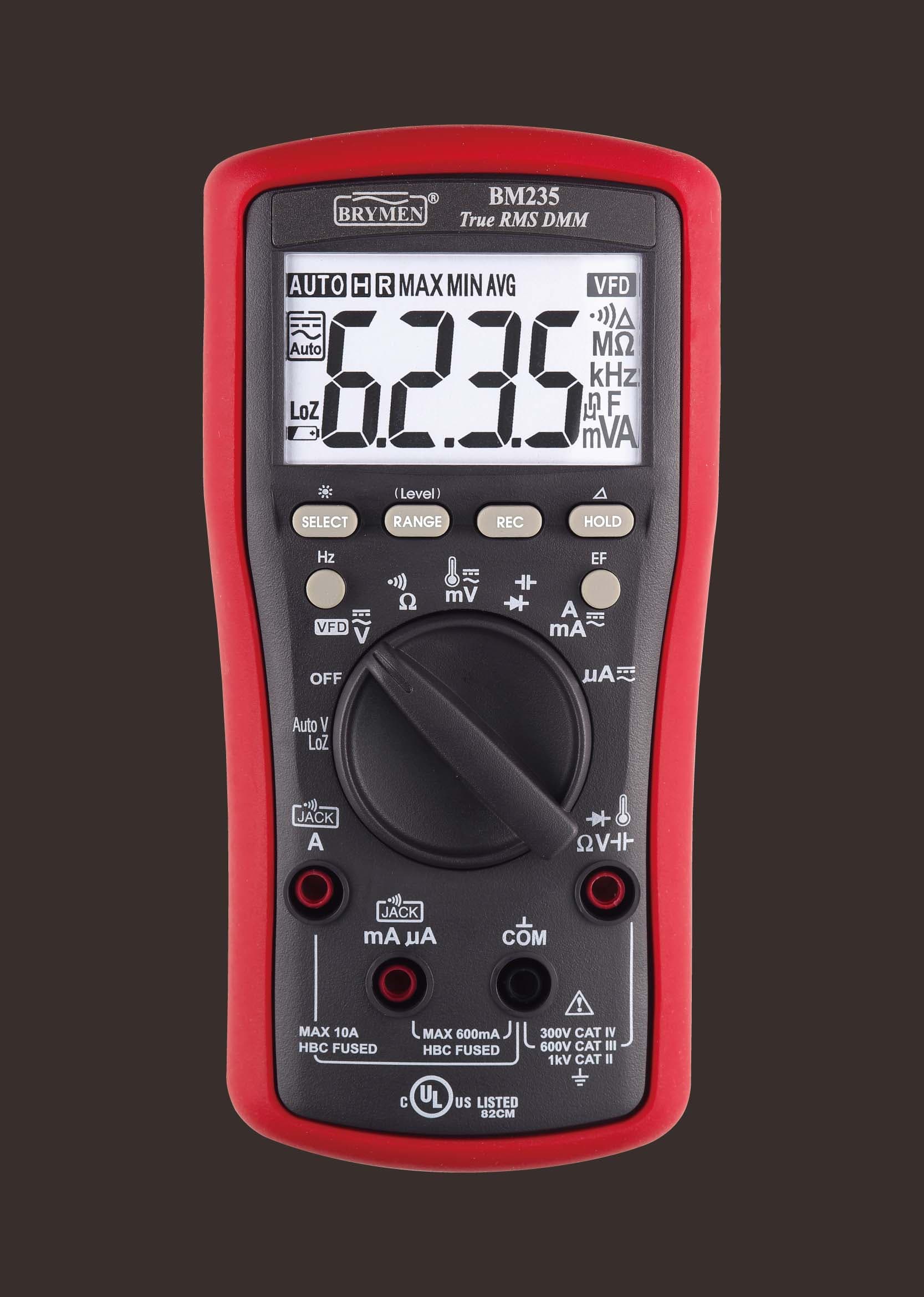
True RMS with AutoV LoZ, NCV and a VFD mode, rated CAT III 600V / CAT IV 300V.
As an Amazon Associate I earn from qualifying purchases. Prices and availability are shown on Amazon.
Frequently asked questions
Why does my limit switch read closed when it isn't pressed?
You are probably measuring between COM and NC, which is closed at rest by design. Move the probe to the NO terminal: it should read open until the actuator is pressed. If COM to NO reads closed with the switch released, the contacts are welded or stuck, or the actuator isn't fully returning.
Should a limit switch be wired normally open or normally closed?
It depends on the machine, but safety and end-of-travel circuits are often wired normally closed so that a broken wire or loose terminal looks the same as a tripped switch and stops the motion. Many 3D printer boards default to this too. Check the wiring diagram or firmware setting before assuming a reading is wrong.
How do I test an optical or Hall-effect endstop?
Not with continuity, because there are no mechanical contacts. Power it normally, set the meter to DC volts, and measure between the signal pin and ground. The signal should switch between near 0V and near the supply voltage as you block the optical slot or bring the magnet close. Which state means triggered depends on the module.
What voltage should I see across a closed limit switch?
Close to zero, typically well under a volt in a control circuit. A closed contact should drop almost nothing. If you read several volts across a switch that should be closed, its contacts have high resistance from wear, contamination or arcing, and it is starving whatever it feeds of voltage.
Can a multimeter detect contact bounce?
Not really. Bounce lasts a few milliseconds, far quicker than a multimeter display updates. The continuity beeper may chirp unevenly, which is a hint, but an oscilloscope across the contacts is the proper tool for seeing bounce. A switch that bounces badly is usually worn and is often easier to replace than to debounce in software.

