HOW-TO GUIDE
How to Test a Rotary Encoder With a Multimeter
By the OhmSavvy Research Team ·

Encoder pins: A, B, C and the switch
The common panel-mount mechanical encoder has three pins on one side and, if it has a push function, two on the other. On many parts the middle pin of the three is the common (C), with A and B either side, but layouts differ, so check the datasheet when you have one.
A (channel A)
First switch contact. Opens and closes as the shaft turns.
B (channel B)
Second contact, offset by a quarter cycle from A.
C (common)
Shared terminal both contacts connect to, usually grounded.
SW pins
Separate momentary switch, closed while the knob is pressed.
1Identify the pins
Remove power and, ideally, take the encoder off the board or at least disconnect it from the controller so pull-up resistors don't confuse the reading. Put the meter on continuity. The common is the one pin that beeps against both of the other two at some point in the rotation. A and B never beep against each other directly. The two pins that beep only while you push the shaft are the switch.
2Step through each detent
Hold one probe on C. Check A, then B, and write each down as 1 (closed) or 0 (open), using whichever convention you like as long as it stays consistent. Click the knob one detent clockwise and repeat. Then turn very slowly between detents and watch for the intermediate states. Do a full revolution in both directions; the pattern should be identical every time and reverse cleanly when you reverse.
01
Isolate
Power off, unplug the controller
02
Find C
Beeps to both A and B
03
Log rest state
A and B at each click
04
Creep between
Catch the in-between states
05
Reverse
Pattern runs backwards
The quadrature state table
A and B follow a two-bit Gray code: only one of them changes at each step. Turning one way gives 00, 01, 11, 10 and back to 00; turning the other way runs the same list backwards. Which direction counts as clockwise depends on the part and the wiring. The controller decodes direction from which channel changes first, so a missing or doubled state shows up as a skipped step or a step backwards.
| Step | A to C | B to C | State (A B) |
|---|---|---|---|
| Start | Open | Open | 0 0 |
| Quarter cycle | Open | Closed | 0 1 |
| Half cycle | Closed | Closed | 1 1 |
| Three quarters | Closed | Open | 1 0 |
| Full cycle | Open | Open | 0 0 |
How many of those states you see per click depends on the encoder. Parts with equal detents and pulses per revolution complete the whole cycle in one click and always rest at the same state, often 00. Parts with twice as many detents as pulses rest alternately at 00 and 11. Neither is a fault; the datasheet tells you which you have.
3Check for bouncy or worn contacts
Switch to the lowest resistance range and hold the shaft at a position where A is closed. A clean contact reads close to your shorted-lead figure, typically well under an ohm. Press the knob gently sideways and rock it inside the detent: the reading should stay put. Repeat for B. Then creep the shaft through a transition while listening to the continuity beeper; a crisp single chirp is good, a stutter or crackle of several beeps is contact bounce you can hear.
4Test the push switch
Put the probes on the two switch pins. The meter should read OL at rest and beep the instant you press the shaft, with no flicker as you hold it down, at several different knob positions. Also check that neither switch pin has continuity to A, B or C; on most encoders the switch is fully isolated from the rotary contacts, although some designs share the common, so confirm against the datasheet before treating a connection as a fault.
What a multimeter can't show
Reading the results
| What you find | Likely cause |
|---|---|
| Clean 00, 01, 11, 10 sequence both ways, low closed resistance | Encoder healthy; check pull-ups, firmware and wiring |
| One channel never closes | Broken contact finger or open pin on that channel |
| One channel never opens | Shorted contact or debris bridging the track |
| States missing or out of order when creeping | Worn track or bent wiper |
| Closed reading several ohms or wandering when rocked | Dirty, oxidised or worn contacts |
| Beeper stutters at each transition | Contact bounce; a likely cause of skipped or reversed steps |
| Smooth resistance change between pins, end stops | It's a potentiometer, not an encoder |
A contact that reads OL when you expected it closed is an open path, as our OL explainer describes, and a beep that cuts in and out while you hold the knob still points to the same kind of intermittent contact covered in our intermittent continuity guide.
Meters suited to encoder testing
Encoder checks lean on the continuity beeper and the low ohms range, so the most useful feature is a beeper that responds quickly enough to reveal contact bounce as you creep through a detent. Any meter with a resistance range and a fast beeper will do; voltage ratings hardly matter on a low-voltage control panel. Compare options in our best multimeters roundup.
Meters for switch and encoder checks
6,000-count display with analog bar graph and Min/Max-Average recording; CAT IV 600V / CAT III 1000V.

Budget auto-ranging True RMS meter with a backlit display, fine for knobs and switches on hobby boards.
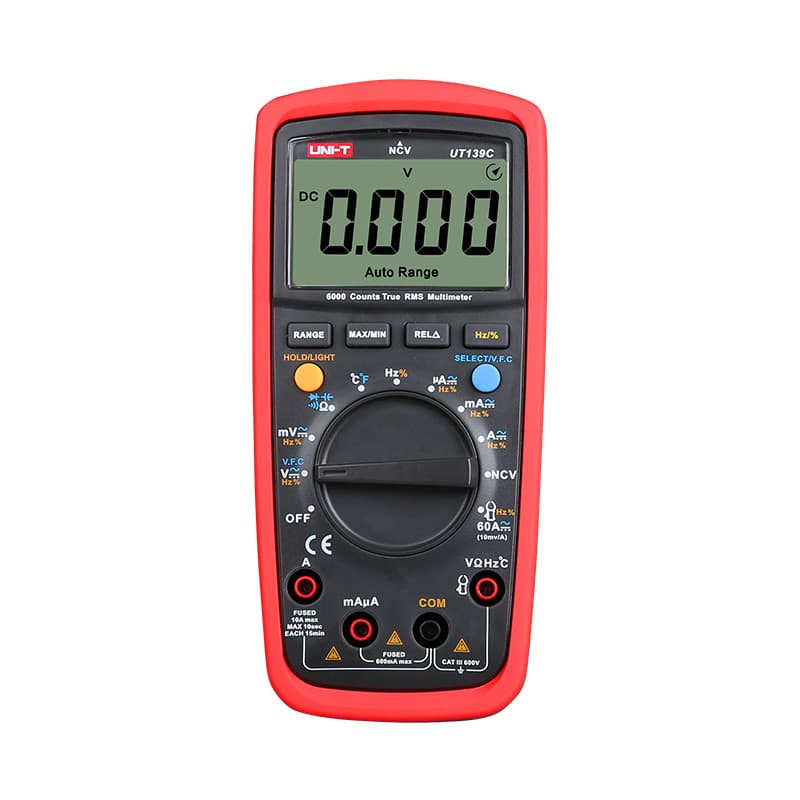
True RMS, 6,000-count and manual ranging, so you can lock the ohms range while stepping the shaft.
As an Amazon Associate I earn from qualifying purchases. Prices and availability are shown on Amazon.
Frequently asked questions
How do I tell a rotary encoder from a potentiometer?
A potentiometer stops at both ends of its travel and shows a resistance that changes smoothly between its outer pins as you turn it. A mechanical encoder turns endlessly, usually clicks through detents, and each of its signal pins reads either near zero ohms or open to the common, never anything in between.
Why does my encoder rest with both contacts closed on some detents and both open on others?
That's normal for encoders with twice as many detents as pulses per revolution. Each click moves through half a quadrature cycle, so the rest state alternates between 00 and 11. Encoders with equal detents and pulses go through a full cycle per click and rest in the same state every time. The datasheet lists both numbers.
Can a multimeter test an optical or magnetic encoder?
Not with continuity. Optical and magnetic encoders contain electronics and need a supply voltage before they produce any output. You can power one at its rated voltage and read the A and B outputs as DC levels while turning the shaft slowly, but the fast pulse train needs an oscilloscope or logic analyzer.
My volume knob jumps or goes the wrong way. Is the encoder bad?
Very often, yes. Worn or dirty contacts bounce, and the controller decodes the extra edges as steps in the wrong direction. If the slow detent test shows clean states, check the firmware's debounce settings, missing pull-up resistors and the solder joints before replacing the part.
Can contact cleaner fix a worn rotary encoder?
On open-frame encoders it sometimes helps for a while when the cause is dirt or oxidation. It won't restore worn contact tracks, and it can wash out lubricant. Small encoders are inexpensive, so replacement with a part of the same pulse and detent count is usually the lasting fix.


