HOW-TO GUIDE
How to Use Oscilloscope Cursors to Measure Voltage Difference
By the OhmSavvy Research Team ·

Before you probe
- On a bench scope the probe ground clip is tied to mains earth. Clip it only to a point that is at earth potential, such as the circuit's 0 V on a low-voltage, isolated supply.
- Don't probe mains-connected, non-isolated circuits with a standard probe. Use a rated differential probe or an isolation transformer on the device under test.
What voltage cursors are
Voltage cursors are two horizontal lines you drag up and down the screen. The scope reports the voltage at each line, measured from the channel's ground marker, plus the gap between them, so you measure exactly the feature you choose. Time cursors are the vertical pair used for periods and edges; our guide to measuring rise time with cursors covers those, so this page sticks to voltage.
Y1 (or AY)
The first horizontal line and its absolute voltage, read from ground.
Y2 (or BY)
The second line and its voltage. Either line can be the higher one.
ΔV
Y1 minus Y2 (or the reverse), the voltage difference you are after.
Source
The channel the cursors read. It must be the trace you are measuring.
1Check the probe ratio before anything else
Cursor readouts are calculated from the channel's V/div and its probe setting. If a 10x probe is plugged into a channel set to 1x, the screen still looks plausible but every cursor value is a tenth of the truth. Set the channel's probe ratio to match the switch on the probe, and check that the probe is compensated, because a miscompensated probe rounds or peaks the corners you are about to put a line on.
2Turn on the voltage cursors
Press the Cursor button, choose Manual mode, then select the voltage, amplitude or Y type, and set the source to your signal's channel. On many scopes, pressing the multi-function knob toggles between moving Y1, Y2, or both together. Get a stable trace first; cursors on a rolling waveform are guesswork.
3How to use oscilloscope cursors to read the voltage difference
Move Y1 onto the first level and Y2 onto the second, then read ΔV. On a sine wave that means the top of a crest and the bottom of a trough, which gives peak-to-peak voltage directly.
Worked examples: a step, ripple and a voltage drop
A step size. When a load switches on, a supply rail often settles slightly lower. Put Y1 on the flat section before the step and Y2 on the flat section after it.
Ripple. Switch the channel to AC coupling, drop to a sensitive range such as 20 mV/div, and put the cursors on the highest and lowest points of the ripple. The method is covered in depth in how to measure ripple voltage; cursors let you ignore one isolated spike that an automatic Vpp would include.
A drop across a component. If one end of the part is at ground, as with a low-side current-sense resistor, a single probe on the other end plus cursors gives the drop directly. If neither end is at ground, never move the ground clip onto the circuit. Probe both ends on two channels and subtract them with the scope's math function, as in subtracting two signals, then set the cursor source to the math trace.
Manual mode vs track mode
In manual mode, the lines stay where you put them. In track mode, the cursors are tied to the waveform: you move them in time and each reports the trace's voltage at that instant. ΔV is then the change between two moments, which suits a sloping pulse top or a capacitor charging.
Track mode follows the noise too
Cursor resolution depends on V/div: zoom in for precision
A cursor is only as precise as the data under it. Most entry-level scopes use an 8-bit converter: 256 levels across the vertical range. Spread over 8 divisions, that is 32 levels per division, so the smallest step is V/div ÷ 32. Cursors also move in screen steps, which can be coarser. Exact figures vary by model, but the lower the V/div, the finer the reading.
So set V/div as low as you can while both levels still fit on screen, using the vertical offset to bring them into view. Counting divisions by eye, explained in how to read an oscilloscope, is a good sanity check on the readout.
Cursors vs automatic measurements
| Voltage cursors | Automatic measurements | |
|---|---|---|
| What is measured | Exactly the two levels you choose | A defined quantity such as Vpp, Vamp, Vavg or Vrms |
| One feature among many | Easy: put the lines on that step or spike | Hard: results cover the whole screen or a gated region |
| Noise and spikes | You can place lines on the true level | Vpp and Vmax include every spike |
| Updates live | Manual lines don't; track mode does | Yes, every capture |
| RMS and average | Not available | Calculated from all samples |
| Best for | Step sizes, single events, checking a reading | Repeating signals and logging values |
When the automatic value and the cursors disagree, the trace usually contains noise or overshoot that the automatic routine is counting.
Common cursor mistakes
- Cursor source left on CH1 while the signal is on CH2, so the readout describes the wrong trace.
- Probe ratio mismatch, making every ΔV ten times too large or too small.
- Measuring at a high V/div where the two levels sit a fraction of a division apart.
- Putting a line on the thick, fuzzy part of a noisy trace instead of averaging first.
- Forgetting that AC coupling removes the DC level, so Y1 and Y2 are relative to the average.
Scopes worth using for cursor measurements
Every modern bench scope has voltage cursors, so the differences are in the screen and the converter behind it. A larger display makes it easier to drag a line onto the right part of the trace, and more vertical resolution makes each cursor step smaller: a 12-bit converter splits the range into 4,096 levels instead of 256. All three scopes below have four channels, so you can place cursors on one trace while watching others. More choices are in our best beginner oscilloscopes guide.
Four-channel scopes for cursor measurements
Hands-on tested. 50MHz, four channels, 1 GSa/s with one channel on and a 7-inch display.

Hands-on tested. 100MHz bandwidth across four channels, 1 GSa/s, or 500 MSa/s per channel with all on.
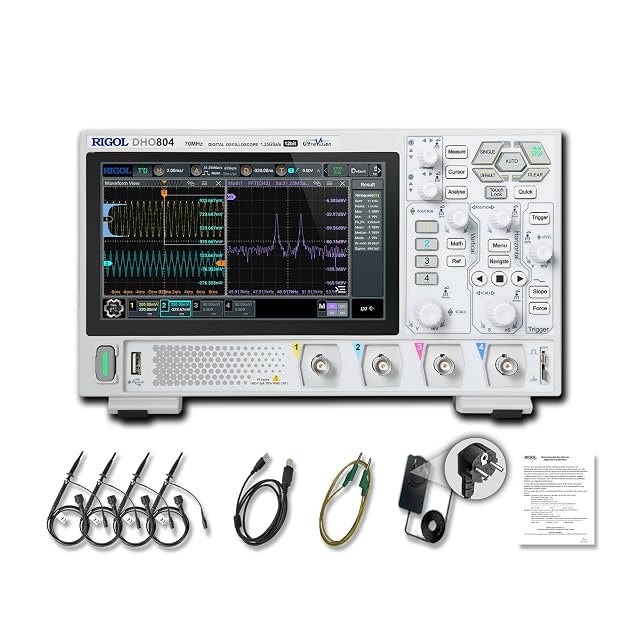
Hands-on tested. 12-bit vertical resolution and a 7-inch touchscreen for finer cursor placement; 70MHz.
As an Amazon Associate I earn from qualifying purchases. Prices and availability are shown on Amazon.
Frequently asked questions
What is the difference between X and Y cursors on an oscilloscope?
Y cursors are horizontal lines that mark voltage levels, so the readout between them is ΔV. X cursors are vertical lines that mark moments in time, giving ΔT and often 1/ΔT as a frequency. Some scopes call them amplitude and time cursors instead.
Why does my cursor ΔV reading look ten times too small?
The channel is almost certainly set to 1x while you are using a 10x probe. The scope then scales every voltage, including cursor readouts, by the wrong factor. Open the channel menu and set the probe ratio to match the switch on the probe body, and the ΔV value corrects itself.
Can I use cursors on a stopped waveform?
Yes, and it is often easier. Press Run/Stop or take a single capture to freeze the trace, then place the cursors without the waveform moving under them. You can usually still zoom into a stopped capture, though its true resolution was fixed when it was taken.
Do cursors measure RMS voltage?
No. Voltage cursors only report the levels where you place the lines and the gap between them. For RMS, use the automatic Vrms measurement, which uses every sample in the record. On a pure sine, divide a cursor peak-to-peak reading by 2√2, about 2.83, to get RMS.
Should I place cursors on the peaks or the flat levels of a square wave?
It depends on the question. For the logic level or the amplitude the circuit settles to, place the lines on the flat tops and bottoms and ignore overshoot. To see the worst-case swing a part has to tolerate, place them on the very tips of the overshoot and undershoot instead.

