HOW-TO GUIDE
How to Capture a Brief Voltage Spike With an Oscilloscope
By the OhmSavvy Research Team ·

1Probe for fast edges and high peaks
Spikes are fast and often much larger than the signal they ride on: an inductive kick from a relay coil or motor can be many times the supply voltage. Use a 10x probe, set the channel to 10x, and check that its voltage rating and the scope input rating cover the worst case you expect. Make sure the probe is compensated, because a miscompensated probe adds overshoot to every edge. Then swap the long ground lead for the short ground spring.
2Leave vertical headroom above the signal
A scope digitises only what fits on screen. If the normal signal fills the display, a spike running above the top graticule is clipped by the converter and its real height is lost. Choose a V/div that puts the normal signal in the lower half of the screen, or shift it down with the vertical position control, so there are several divisions of room for an event you have not seen yet. You can tighten the scale once you know how big the spike actually is.
3Set the trigger level just above the normal signal
Use an edge trigger on the probed channel, rising slope, with the level a little above the highest point the signal normally reaches. Ordinary cycles never cross it, so only an excursion beyond normal can fire the trigger. Switch the mode to Normal so the screen holds the last spike and updates only when another arrives, or Single so the first spike freezes the display. Auto is no use here: it would keep drawing untriggered sweeps and wipe the event away. If you need a refresher on modes, see how to trigger an oscilloscope.
If the spike is intermittent and you want to see how often and how high it reaches over time, a persistence display can overlay many captures; for a single clear capture, the trigger approach above is the starting point.
4Use a pulse-width or glitch trigger if your scope has one
Some scopes offer a pulse-width trigger (sometimes listed as glitch) that fires only when a pulse is narrower, or wider, than a time you set. Set it to trigger on anything shorter than your normal pulse width and it ignores every legitimate cycle while catching the short interloper, even when the spike is no taller than the real signal. Availability and naming vary by model, so check your manual.
5Turn on peak detect so slow timebases cannot miss it
Memory depth is finite, so the time between samples is set by how much time is on screen. Spread the same memory over a long window and samples get far apart; a narrow spike can fall entirely between two of them. The table uses round illustrative numbers, 1 million points and a 1 GSa/s maximum, not any particular model. For the basics, see what GSa/s means.
| Time/div | Window (10 div) | Effective rate | Sample spacing | 200 ns spike |
|---|---|---|---|---|
| 100 µs | 1 ms | 1 GSa/s | 1 ns | About 200 samples |
| 1 ms | 10 ms | 100 MSa/s | 10 ns | About 20 samples |
| 10 ms | 100 ms | 10 MSa/s | 100 ns | About 2 samples |
| 100 ms | 1 s | 1 MSa/s | 1 µs | Often missed in normal sampling |
Peak detect fixes this. Instead of keeping one sample per interval, the scope samples fast internally and stores the minimum and maximum it saw in each interval, so even a spike narrower than the displayed spacing leaves a vertical line on screen.
Peak detect does cost something: it shows extra noise as a thicker trace and is not meant for fine waveform detail. Use it to find the spike, then zoom in on a faster timebase in normal mode to look at its shape.
6Measure the spike with cursors
Once the spike is frozen, stop the acquisition and switch to a timebase where it spans a few divisions. Place one horizontal cursor on the normal baseline and the other on the peak: the difference is how far the spike rises above the signal. Add the baseline voltage if you need the absolute peak. Then place vertical cursors where the spike crosses half its height on the way up and down to read its width. Automatic measurements can do this too, but cursors let you check exactly which feature is being measured.
Is your bandwidth enough to see it?
A scope's own rise time is roughly 0.35 divided by its bandwidth. A spike whose edges are faster than that gets displayed shorter and wider than it really is, and a very narrow one can shrink to a small bump. The chart applies that rule to the bandwidth listed for three scopes we cover; read more in what oscilloscope bandwidth means.
Bars use a logarithmic scale: each step is ten times the last.
Shorter bar, faster edges
Troubleshooting a missed or false spike
| Symptom | Likely cause | Fix |
|---|---|---|
| Spike seen on a fast timebase, gone on a slow one | Sample spacing wider than the spike | Enable peak detect or trigger on the spike at a faster time/div |
| Single never fires | Level set above the spike's real height | Lower the level in small steps toward the normal peak |
| Triggers constantly on ordinary cycles | Level inside the normal signal range | Raise the level just beyond the normal maximum |
| Spike flat-topped at the screen edge | Converter range exceeded | Use a larger V/div or move the trace down |
| Spikes on every edge that vanish with a ground spring | Long ground lead ringing | Keep the short ground connection and re-check |
Spikes can exceed your probe rating
Scopes for catching spikes
Catching a short spike depends mostly on sample rate, memory and a trigger that can sit armed for hours. Bandwidth then decides how faithfully the spike's height and edges are drawn once it is caught.
Scopes for spike and glitch capture
100MHz and 1 GSa/s, with 500 MSa/s per channel even with all four channels running.

50MHz, 4 channels and 1 GSa/s on one channel, a well-documented scope for learning trigger modes.
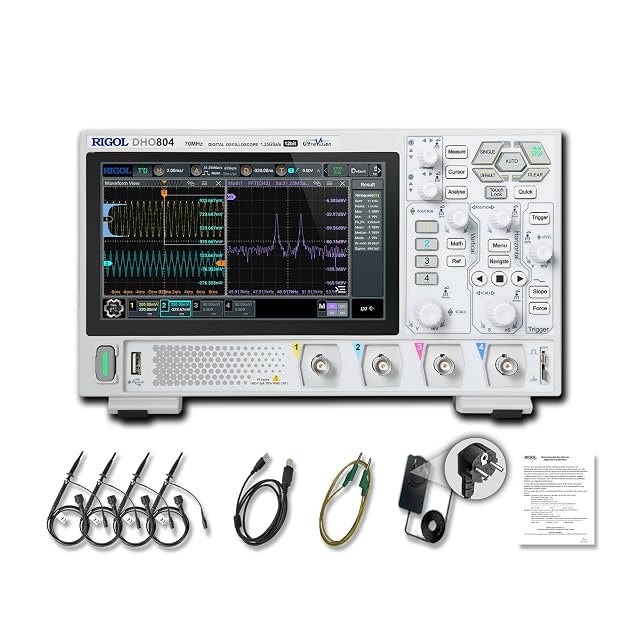
12-bit resolution, 70MHz and up to 1.25 GSa/s with one channel on, for small spikes riding on a large signal.
As an Amazon Associate I earn from qualifying purchases. Prices and availability are shown on Amazon.
Frequently asked questions
Why does the spike show up at one timebase and vanish at another?
At slow time/div settings the scope spreads its memory over a longer window, so the gap between samples grows. Once that gap is wider than the spike, normal sampling can land either side of it and draw a flat line. Peak detect, or a faster timebase with the trigger set on the spike, brings it back.
How do I catch a negative spike or a dropout?
Flip the logic: set the slope to falling and put the level a little below the normal low point of the signal. The trigger then waits for the line to dip lower than it ever should. Single mode freezes the first dip; Normal mode keeps updating each time a new one happens.
Will a 1x probe show the spike more accurately?
Usually the opposite. A 1x probe typically has much lower bandwidth and loads the circuit more, so a narrow spike looks smaller and slower than it really is. A compensated 10x probe also extends the voltage range you can view, which matters when the spike is far larger than the normal signal.
Can a spike be real if it only appears with the long ground lead?
Treat it as suspect. If the spike shrinks or disappears when you swap to the short ground spring, or appears with the probe tip touched to its own ground near the circuit, it was being picked up by the ground loop. A real spike keeps roughly the same shape whichever short ground method you use.
Can I leave an oscilloscope waiting overnight for an intermittent spike?
Yes. In Single mode the scope arms once and waits indefinitely, then freezes the first capture that crosses your level, so it is still on screen in the morning. Normal mode keeps re-arming and overwrites earlier events with the latest one. Disable any screen saver or auto power-off first, and leave a mains-powered circuit unattended only if it is safe to do so.

