HOW-TO GUIDE
How to Measure Rise Time With Oscilloscope Cursors
By the OhmSavvy Research Team ·
What rise time actually measures
Rise time is the time between a rising edge crossing 10% of its final amplitude and crossing 90% of it — a standard convention, not the full low-to-high transition.
Why you'll likely need to zoom in
Rise time is usually a tiny fraction of a signal's overall period, especially on fast digital edges — at a time/div setting that shows several complete cycles, the edge itself can be just a sliver, too narrow to place cursors on accurately. Increase the horizontal scale (a faster time/div) or use a zoom/delay feature if your scope has one, so the edge itself fills a good portion of the screen before placing cursors.
1Measuring rise time step by step
Zoom in on the edge so it's clearly visible. Identify the flat levels before and after the transition (the 0% and 100% reference points), and calculate the 10% and 90% levels from that span. Place one time cursor where the edge crosses the 10% level, and the second where it crosses the 90% level. Read the time difference the scope displays between the two cursors — that's the rise time.
Fall time works the same way, in reverse
Fall time uses the same 10%/90% convention on a falling edge, just measured from the 90% crossing down to the 10% crossing instead. The cursor placement technique and zoom considerations are identical — only which edge you're measuring changes.
Your scope's own rise time sets a hard limit
Common mistakes
| Mistake | Result |
|---|---|
| Placing cursors at 0%/100% instead of 10%/90% | Measures a different, non-standard quantity than conventional rise time |
| Not zoomed in enough on the edge | Imprecise cursor placement on a sliver of screen width |
| Reference levels taken from a noisy or non-flat baseline | 10%/90% calculation is off from the start |
| Ignoring the scope/probe's own bandwidth limit | Measured rise time reads slower than the signal actually is |
Cursors measure what the scope shows, not the edge itself
Scopes for edge measurements
Using the common 0.35 ÷ bandwidth approximation, a 50 MHz scope settles at about 7 ns of its own rise time, 70 MHz at about 5 ns and 100 MHz at about 3.5 ns. Pick the bandwidth that keeps your scope well faster than the edges you need to measure.
Bench scopes for rise-time work

Hands-on tested. 100 MHz, 4 channels and 1 GSa/s, the fastest edge headroom of these three.
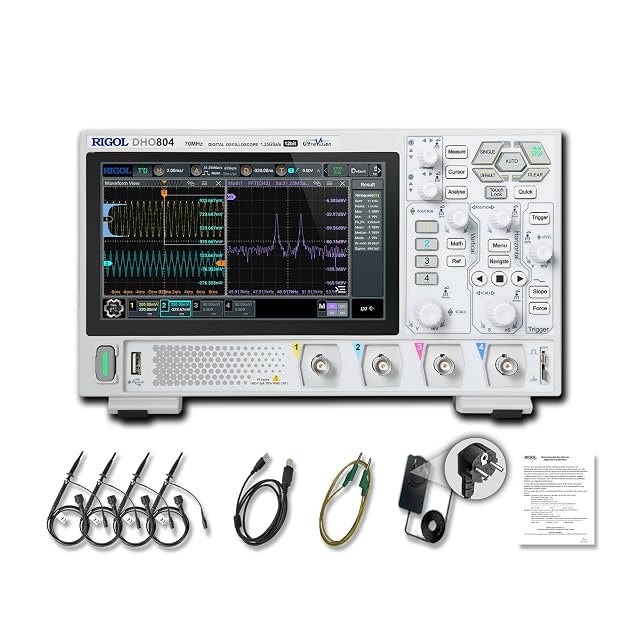
Hands-on tested. 70 MHz, 4 channels, 12-bit vertical resolution and up to 1.25 GSa/s on one channel.

Hands-on tested. 50 MHz and 1 GSa/s on one channel, fine for edges slower than a few tens of nanoseconds.
As an Amazon Associate I earn from qualifying purchases. Prices and availability are shown on Amazon.
Frequently asked questions
Why 10% to 90% instead of the full 0% to 100% transition?
The very start and end of a real edge often have a curved, less well-defined transition region that makes exact 0%/100% crossing points hard to pin down consistently. The 10%-90% convention gives a standard, repeatable measurement that's widely used across datasheets and test equipment, which is why it's the default most scopes' automatic rise-time measurement uses too.
Can I just use the scope's automatic rise-time measurement instead of cursors?
Yes, most digital scopes calculate it automatically in the Measure menu using the same 10%-90% convention. Manual cursors are useful for verifying that automatic reading, understanding exactly what's being measured, or when a specific noisy or unusual edge makes you want to confirm the measurement by eye.
Does the trigger point affect where I place the cursors?
Not directly — the trigger just needs to give you a stable, non-moving display of the edge so you can place cursors accurately. Where you place the actual cursors depends only on the 10% and 90% amplitude levels and where the waveform crosses them, independent of the trigger settings themselves.
Why does my measured rise time seem slower than the signal source should produce?
Check your probe and scope's own bandwidth and rise time specs first — a scope or probe with insufficient bandwidth rounds off fast edges, making the measured rise time look slower than the signal actually is at its source. This is covered in more depth in our oscilloscope bandwidth guide.
How do I correct a measured rise time for my scope's own rise time?
Rise times add roughly as a root sum of squares, so the signal's own value is about √(measured² − scope²). A 100 MHz scope has a system rise time near 0.35 ÷ 100 MHz = 3.5 ns. If it shows 5 ns, the edge is about √(25 − 12.25) ≈ 3.6 ns. The correction becomes unreliable once the measured value is under about twice the scope's own figure.
Where to go next
Bandwidth for Switching Power Supplies →
The 0.35/rise-time relationship and the margin your scope needs over the signal.
How to Read an Oscilloscope Screen →
Turning divisions on the grid into volts and time, the basis for any cursor measurement.
How to Trigger on a Falling Edge →
Getting a stable display of the falling edge you're measuring fall time on.

