HOW-TO GUIDE
Why Is My USB-C Charger Not Delivering Full Power? Testing and Diagnosis
By the OhmSavvy Research Team ·

Batteries and heat: stop using damaged chargers and cables
- A charger, cable or port that is discolored, smells of burning or is too hot to hold should be taken out of use rather than tested further. Heat at a connector means resistance and wasted power concentrated in a small spot.
- A swollen phone or laptop battery is a fire risk. Stop charging it, keep it away from flammable material and have it replaced by the maker or a qualified repair shop.
- The charger's mains side is not user-serviceable. Don't open a wall charger to test it.
Causes at a glance
| Symptom | Likely cause | How to check | Fix or who to call |
|---|---|---|---|
| Laptop says slow charger; power meter shows about 60 W | Cable without a 5 A e-marker | Inline meter shows 20 V but current stuck near 3 A | Use a 5 A e-marked cable rated 100 W or more |
| Only 5 V on the meter with a PD-capable device | No PD negotiation: adapter, hub or port contact | Remove adapters and hubs; try another cable and port | Connect directly; clean the port; replace a damaged port |
| Correct voltage, low current | Device limit, heat throttling or battery nearly full | Test from a low charge with the device cool | Normal behavior; check the device's rated input |
| Power drops when a second device is plugged in | Multi-port charger splitting its budget | Compare one-device and two-device readings | Use one port for the laptop, or a larger charger |
| Voltage sags well below the profile under load | Cable or connector resistance | Compare readings at the charger and device ends | Shorter, thicker cable; inspect both plugs |
| Charging stops and restarts | Loose plug, damaged CC contact or overheating | Wiggle test with the meter connected; feel for heat | Replace the cable; repair the port; ventilate |
| Charger hot, smells, or cuts out | Charger fault or overload | Visual check; try a known-good charger | Stop using it and replace it |
How USB-C negotiates power
A USB-C port starts conservatively. Once a device is detected on the configuration channel (CC) line, the charger supplies 5 V. If both ends support USB Power Delivery (PD), the charger then sends a list of the voltage and current combinations it offers, the device picks one, and only after the charger confirms does the voltage step up. The standard fixed levels are 5, 9, 15 and 20 V. The PD 3.1 extended power range (EPR) adds 28, 36 and 48 V for chargers, cables and devices that all support it. Programmable Power Supply (PPS) lets a compatible device request voltage in small steps, which some phones use for their fastest modes.
Before PD, or with a device that doesn't speak it, USB-C falls back to its basic current levels: 5 V at up to 1.5 A or 3 A, as advertised by the charger on the CC line. That is 5 V × 1.5 A = 7.5 W or 5 V × 3 A = 15 W, which is why a laptop on a non-PD connection often charges at a crawl or not at all.
The power math: volts × amps
Power is voltage times current, P = V × I, so the same 3 A limit gives very different wattages at each PD level. 9 V × 3 A = 27 W, 15 V × 3 A = 45 W and 20 V × 3 A = 60 W. The 100 W tier needs 20 V × 5 A, and only a cable that identifies itself as 5 A capable is allowed to carry it. The extended range tops out at 48 V × 5 A = 240 W. The chart shows the maximum each combination can deliver; real chargers advertise their own subset, often with slightly lower currents at the top voltage (a 65 W charger, for example, usually offers 20 V at 3.25 A, since 20 × 3.25 = 65).
Cable ratings and e-markers
The cable is a silent participant. A USB-C cable without an electronic marker chip is treated as a 3 A cable, which caps it at 60 W on a 20 V profile. To go beyond 3 A, the charger reads the cable's e-marker to confirm it is rated for 5 A; if no marker answers, the charger holds back regardless of what it and the device could do. Extended-range power above 20 V needs cables rated for EPR as well.
| Cable | Current limit | Max at 20 V | Max with EPR |
|---|---|---|---|
| No e-marker | 3 A | 60 W | Not supported |
| E-marked 5 A | 5 A | 100 W | Only if EPR-rated |
| E-marked 240 W (EPR) | 5 A | 100 W | 240 W at 48 V |
Resistance matters too. Current flows out on the power wire and back on ground, so the cable's round-trip resistance drops voltage in proportion to current: V = I × R. Take an illustrative cable with 0.2 Ω round trip carrying 3 A. It drops 3 × 0.2 = 0.6 V, so a 20 V charger delivers about 19.4 V at the device, and the cable itself turns I²R = 3² × 0.2 = 1.8 W into heat. At 5 V the same 0.6 V drop is a 12% loss, which is why cheap, long cables hurt slow 5 V charging most. A charger or device that sees the sag may lower the current to stay within its limits.
1Check the device's own limit
Before buying anything, look up the device's maximum input in its manual or spec sheet. A phone rated for a modest input will never draw a laptop charger's full output, and that is correct behavior. A laptop that ships with a 65 W adapter will normally settle at 65 W or less on a 100 W charger. Note also whether the maker requires a particular PD profile: some laptops refuse to charge below a set wattage, and some phones only reach their fastest rate through PPS.
Battery state and temperature come next. Charging power tapers as the battery approaches full, so test from a low charge level, ideally below 50%, with the device cool and not under heavy use. A busy laptop can consume most of the incoming power itself, leaving little to charge the battery even when the charger delivers its full rating. For a deeper look at laptop-specific faults, see why a laptop charger isn't charging the battery.
2Measure with an inline USB-C power meter
An inline USB-C power meter plugs between the charger and the cable (or cable and device) and passes the negotiation through while displaying live voltage, current and watts. Some models, often sold as PD testers, also show the profiles the charger advertised and which one was selected, and a few can act as a device themselves to request each profile in turn. Check the meter's own current rating before trusting it on a 5 A link, and remember that it adds two more connections to the path.
Read the result against the power math. 20.04 V × 2.96 A ≈ 59.3 W: the charger and device agreed on 20 V, but the current stopped at the 3 A cable ceiling. If you saw 5 V instead, negotiation never happened. If you saw 20 V with 1.5 A, the device is asking for only about 30 W, which is a device or battery-state limit rather than a charger fault.
3Rule out port sharing and heat
Multi-port chargers share one total budget. Plugging in a second device often makes the charger renegotiate and lower what each port offers, and the split differs between models. A charger labeled 100 W total might give a single port the full 100 W but drop it to something like 65 W plus 30 W when two devices are attached; the label or manual lists the real split for your model. Measure with only the device under test connected, then add the second device and watch the inline meter change.
Chargers and devices both reduce power when warm. A charger under a pillow, in a closed drawer or in direct sun, or a phone in a thick case while gaming, may throttle to protect itself. Move the charger into open air, let both ends cool, and repeat the measurement. If full power returns when cool, the fix is ventilation, not a new charger.
Why a multimeter shows 5 V or nothing
Probing a USB-C charger's port directly tells you very little. A compliant USB-C source keeps its power pins off until it detects a device through the CC pins, so an empty port often reads 0 V. Through a simple breakout board or adapter that presents itself as a device, you will typically see 5 V, because a meter cannot request a PD profile. Neither reading proves the charger can or can't deliver 20 V. A multimeter is still handy for continuity checks on a cable or a repaired connector, and our guide to measuring milliamps with a multimeter covers series current measurement on low-voltage circuits you build yourself.
4Swap parts and inspect the port
Swap one thing at a time: a cable known to be rated for the power you expect, then a different charger, then a different device. Whichever change restores full power identifies the weak link. If only one device is affected with every charger and cable, inspect its port with a flashlight. Lint packed at the bottom stops the plug seating fully, and bent or burnt contacts cause intermittent negotiation. Power the device off and remove lint with a wooden or plastic pick, never a metal pin.
On a bench, a multimeter's continuity mode can confirm a suspect cable end to end through a pair of USB-C breakout boards: VBUS to VBUS, ground to ground, and CC through to CC. An open CC conductor is a classic cause of a cable that charges slowly but never fast. A cable that fails any of these checks belongs in the bin.
The lowest limit wins
Meters for the bench side
An inline USB-C meter answers the negotiation question. A general-purpose multimeter covers everything around it: continuity through a cable, the 5 V rail on a repaired board, and series current on circuits you build. These picks come from our verified multimeter list.
Multimeters for cable and port checks
True RMS and auto-ranging with NCV and a backlit display. CAT II 600V, so it suits home and bench work.
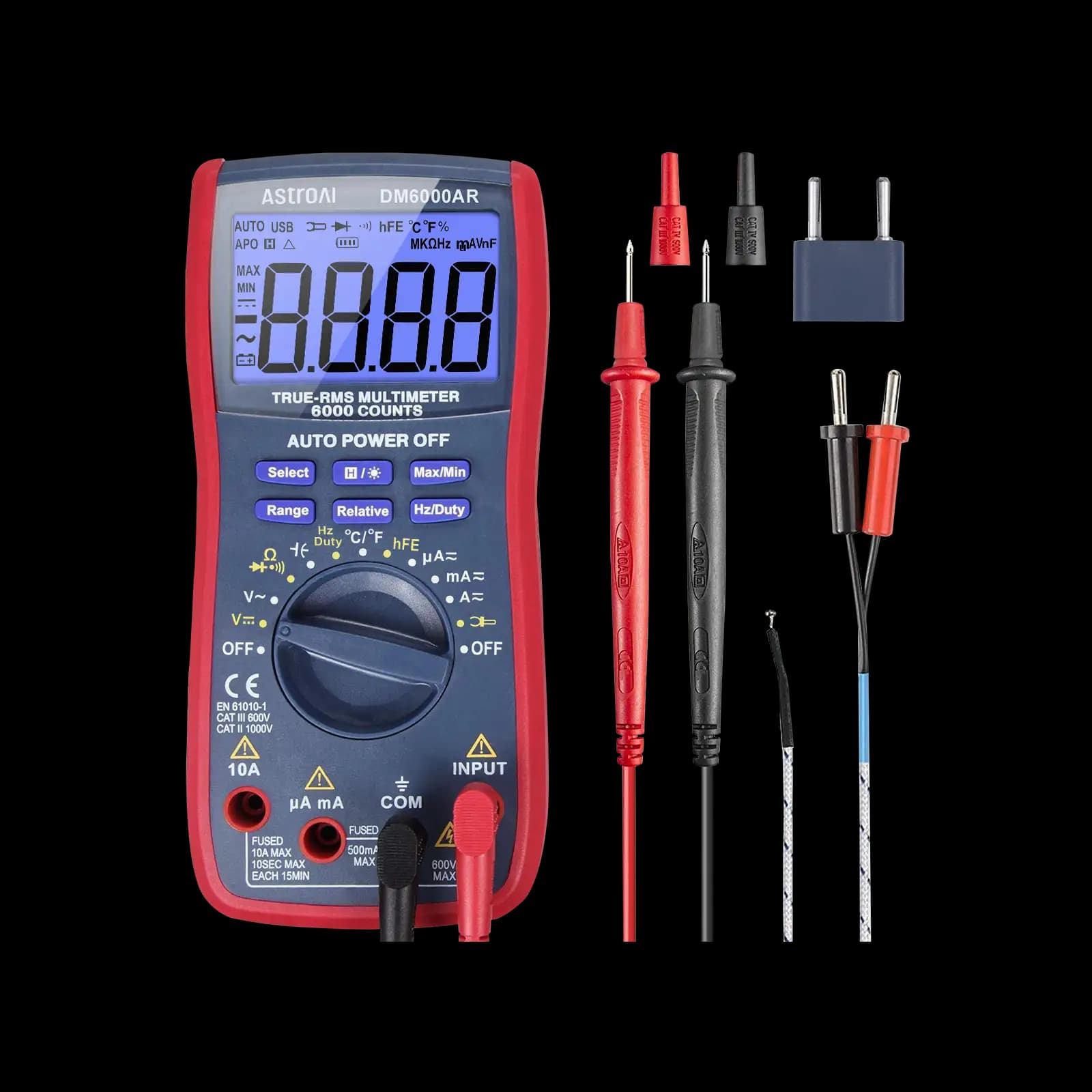
True RMS, 6,000-count, with auto and manual ranging. AstroAI states no CAT rating, so keep it to low-voltage electronics.
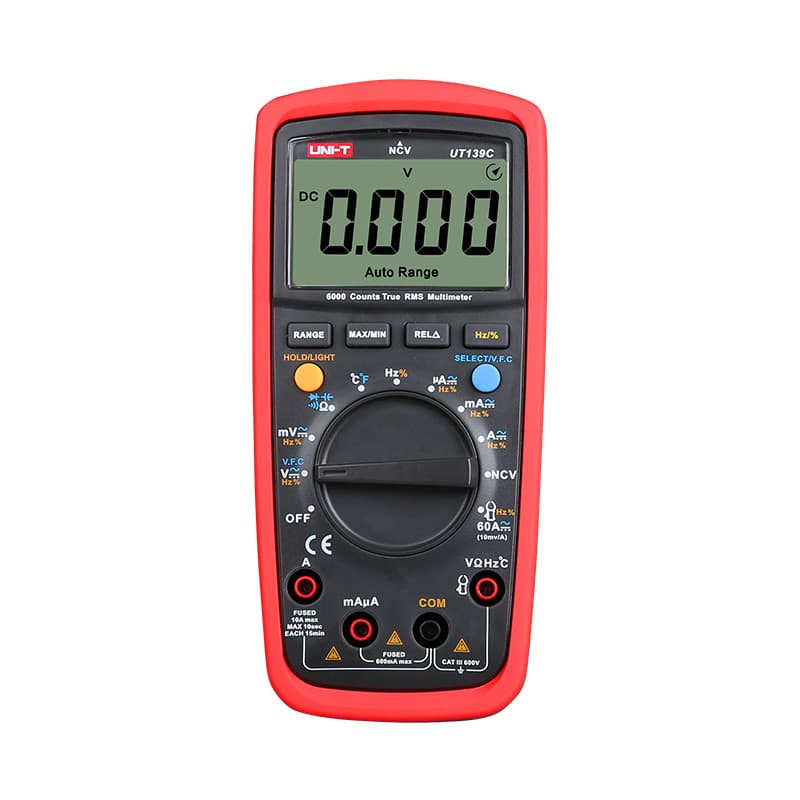
True RMS, 6,000-count, auto and manual ranging with NCV, rated CAT III 600V.
As an Amazon Associate I earn from qualifying purchases. Prices and availability are shown on Amazon.
Frequently asked questions
Why does my laptop say it's charging slowly with a phone charger?
The laptop asks for a voltage and current the phone charger may not offer. If the charger's highest profile is 9 V at 2.22 A (about 20 W) and the laptop wants 20 V at 3 A, the laptop either charges slowly, only holds its level while in use, or refuses to charge, depending on its design. The charger is fine; it is simply smaller than the laptop needs.
Can a USB-C cable reduce charging speed even if it fits?
Yes. Every USB-C cable has the same plug, but cables without an electronic marker chip are limited to 3 A, which is 60 W at 20 V. Going beyond that needs a 5 A e-marked cable. Very thin, long or damaged cables also lose voltage along their length, and a charger or device that notices the drop may lower the current to stay safe.
Does a 100 W charger damage a phone that only needs 20 W?
No. A Power Delivery charger only supplies the voltage and current the phone requests, so a larger charger simply has spare capacity it never uses. The phone stays in charge of what it draws, and it will pick a profile within its own limits. That is why one high-wattage charger can safely serve a phone, a tablet and a laptop in turn.
Why does charging speed drop when the battery is nearly full?
Lithium-ion charging deliberately tapers. Once the battery approaches full, the device switches from a high constant current to a constant voltage and lets the current fall away, often from somewhere around 80% charge, depending on the maker. A power meter showing a few watts near 100% is normal behavior, not a charger fault, so always test from a lower charge level.
Can lint in the port really stop fast charging?
It can. Packed lint stops the plug from seating fully, so some contacts touch poorly or not at all. Poor contact on the configuration (CC) pins can disrupt negotiation and leave the device on basic 5 V charging, and high resistance on the power pins can cause heating. Clean it gently with a non-metallic tool, with the device switched off, and retest.
How do I know if my USB-C cable supports 100 W?
Look for a 5 A or 100 W rating printed on the plug, the cable or its packaging, or the USB-IF certified logo with a wattage. Without a marking, the only reliable check is a PD tester or inline meter that reads the cable's e-marker. If a 100 W charger and a laptop that accepts 100 W still settle at about 3 A, the cable is the likely limit.



