HOW-TO GUIDE
How to Check a Potentiometer Wiper With a Multimeter
By the OhmSavvy Research Team ·

Resistance checks need the power off
- Unplug the device or remove its battery before any resistance measurement. Only the voltage-divider check later in this guide is done powered.
- In amplifiers and other mains-powered gear, filter capacitors can stay charged after unplugging. Discharge them before reaching inside, and keep powered tests to low-voltage circuits you understand.
1Identify the end pins and the wiper
A standard three-terminal pot has a resistive track with a pin at each end and a sliding contact, the wiper, connected to the third pin. On most rotary and slide pots the wiper is the middle pin, but trimmers and PCB parts sometimes differ, so confirm with the meter rather than assuming.
To find the pins on an unknown part, measure all three pairs while turning the shaft. The pair whose reading stays fixed is the two ends; the remaining pin is the wiper.
2Measure end-to-end resistance against the marked value
Put the probes on the two end pins. The reading should match the marked value, such as 10K or 103, within tolerance, and it should not move when you turn the shaft. Common carbon pots are often rated at ±20%, so a 10 kΩ part anywhere from about 8 kΩ to 12 kΩ is normal; cermet and precision parts are tighter. Check the datasheet when it matters.
OL here means the track is broken or a terminal has cracked away. A value far outside tolerance, or one that changes with rotation, points to a damaged track or a misidentified pin.
3Sweep the wiper and watch for dropouts
Move one probe to the wiper and keep the other on an end pin. Turn the shaft slowly from one stop to the other. A healthy pot's reading rises or falls steadily, from a few ohms at one end (the end resistance) to close to the full value at the other. Then repeat against the opposite end pin: the two readings at any position should add up to roughly the end-to-end value.
Watch for a reading that flicks to OL, jumps by a large step, or hesitates and then catches up. Those are the meter equivalents of a scratchy or dead spot. Turn slowly and sweep several times, since a digital display updates only a few times a second.
Tip for catching brief dropouts
Linear vs log taper readings at mid-rotation
The taper describes how resistance spreads across the rotation. A linear pot reads about half its value at the midpoint. A log (audio) pot reads much less at the midpoint, commonly around 10% to 15% of its value measured from the low end, then climbs steeply. Many carbon audio pots approximate the curve with two straight segments, which is what the figures below assume.
| Rotation | Linear (B) 10 kΩ | Typical log (A) 10 kΩ |
|---|---|---|
| 0% (stop) | A few ohms | A few ohms |
| 25% | ≈ 2.5 kΩ | ≈ 0.5 kΩ |
| 50% | ≈ 5 kΩ | ≈ 1 kΩ |
| 75% | ≈ 7.5 kΩ | ≈ 5.5 kΩ |
| 100% (stop) | ≈ 10 kΩ | ≈ 10 kΩ |
The log column is approximate; real curves vary by manufacturer. Measure from the other end and a log pot reads about 9 kΩ at the midpoint instead.
4Check the wiper in circuit as a voltage divider
Most pots are wired as voltage dividers: one end to a supply or signal, the other to ground, and the wiper delivering a fraction of the voltage. With the circuit powered, set the meter to DC volts, put the black probe on the grounded end and the red probe on the wiper, and turn the shaft. On a 5 V divider the reading should sweep smoothly from near 0 V to near 5 V. This is the same voltage measurement explained in measuring voltage across a resistor, and it avoids the parallel-path errors that affect in-circuit resistance readings.
01
Identify pins
Fixed pair = ends
02
End to end
Marked value ± tolerance
03
Wiper sweep
Smooth, no OL flashes
04
Taper check
Mid reading fits A or B
05
Powered check
0 V to supply, smooth
Reading the results
| What the meter shows | What it usually means |
|---|---|
| Correct end-to-end value, smooth sweep | Good potentiometer |
| OL end to end | Open track or broken terminal: replace |
| OL flashes or jumps during the sweep | Dirty or worn track under the wiper |
| Wiper reading stuck at one value | Wiper detached from the shaft, or the shaft is slipping |
| Wiper readings don't add up to the total | Probe on the wrong pin, or a poor wiper contact |
| Mid-rotation reading unexpected | Check taper: a log pot reads low at the midpoint |
Clean or replace the potentiometer?
Cleaning is worth trying when the end-to-end value is correct and the problem is crackle or brief dropouts. Spray a small amount of electronics contact cleaner into the opening near the terminals, then rotate the shaft fully back and forth a dozen or so times and test again. Avoid general-purpose lubricants, which can attract dust or attack the track.
Replace the pot if the track is open, the value is out of tolerance, a dead spot returns after cleaning, or the part is sealed. Match the resistance, the taper letter, the shaft style and the mounting, and in power circuits the wattage rating too.
Which multimeter suits a potentiometer test
Any digital meter with resistance and DC volts ranges can run every step above. Auto-ranging saves you switching ranges as the wiper reading climbs from ohms to kilohms. If you're new to the resistance and voltage modes, read how to use a multimeter first, and for wider comparisons see our best multimeters roundup.
Meters in our reviews
Analog bar graph that tracks fast-changing signals, plus a 19,999-count high-resolution mode.
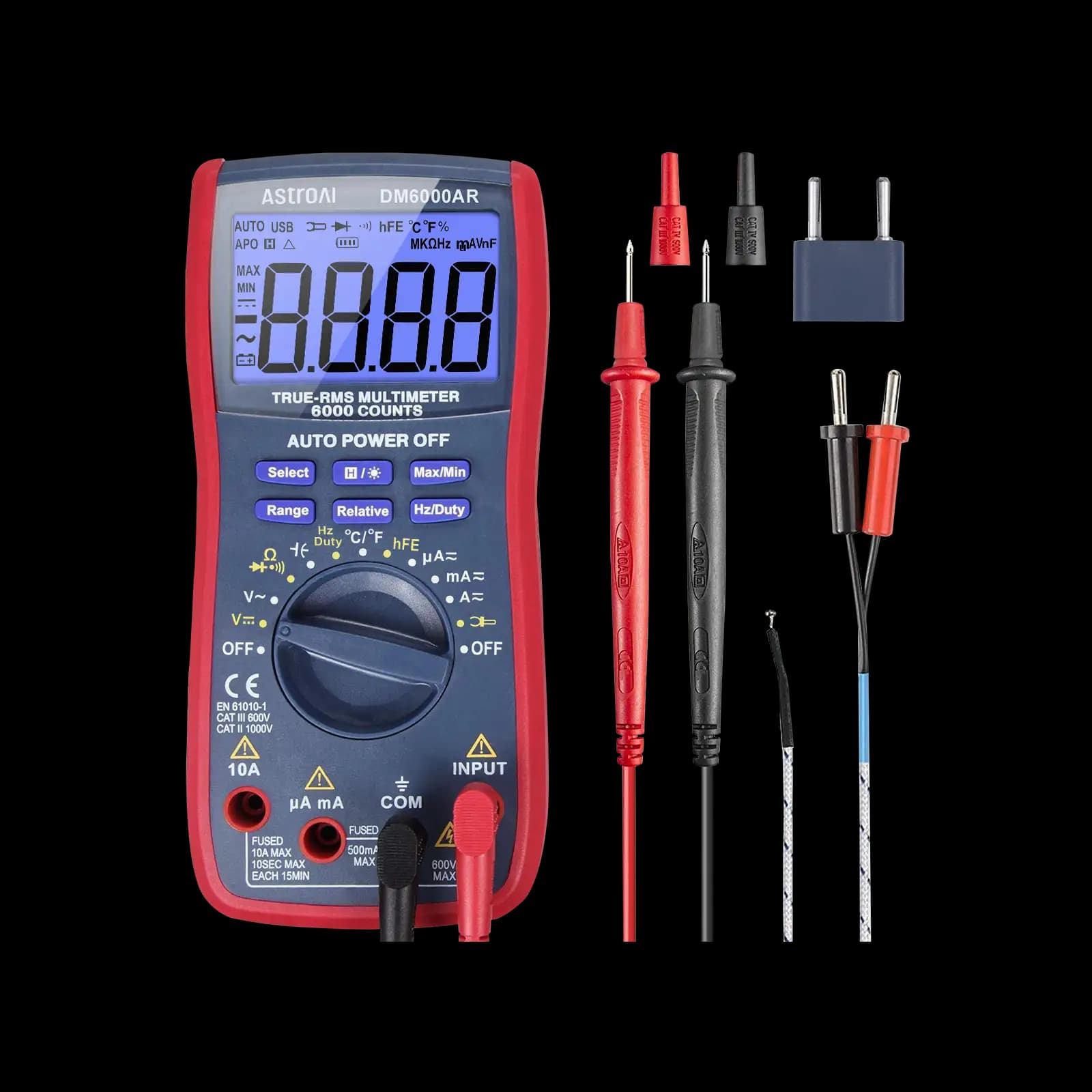
True RMS, 6,000-count, auto and manual ranging, aimed at electronics and microcontroller work.

True RMS with smart auto-ranging and a backlit display. Our budget pick for home use and beginners.
As an Amazon Associate I earn from qualifying purchases. Prices and availability are shown on Amazon.
Frequently asked questions
What should a potentiometer read between the wiper and an end?
Anything from close to zero up to the full rated value, depending on shaft position. At one stop the wiper-to-end reading sits at a few ohms; at the other it approaches the end-to-end value. The two wiper-to-end readings should always add up to roughly the total. What matters most is that the change is smooth through the whole rotation.
What does B10K or A100K mean on a pot?
The number is the end-to-end resistance: 10K is 10 kΩ, 100K is 100 kΩ. The letter is the taper. On most current parts from Asian manufacturers, A is logarithmic (audio) and B is linear, while C is reverse log. Some older European parts used different letters, so confirm with the datasheet if the reading doesn't match.
Why is my potentiometer scratchy?
Scratchiness is usually dirt, oxidation or wear on the carbon track where the wiper rides, so the contact briefly breaks or jumps as you turn it. In audio gear it shows up as crackle. On a meter you see the reading flick toward OL or jump. Contact cleaner can help an open-frame pot; a worn track needs a replacement.
Can I test a potentiometer without removing it?
Often, yes. With the device powered, measure DC volts from the grounded end to the wiper and turn the shaft; a smooth sweep from near zero to the supply voltage means the pot works. Resistance checks in circuit are less dependable, because other parts in parallel can lower the reading. Unplug it or lift a pin if the numbers look off.
How do I know if a trimmer potentiometer is bad?
Test it like a panel pot: check end to end against the printed code (103 means 10 kΩ), then turn the adjuster with a plastic tool while watching the wiper reading. Multi-turn trimmers change slowly over many turns, so expect gradual movement. A reading that sticks, jumps or goes open at some positions means the trimmer is faulty.


