HOW-TO GUIDE
Why Does My Oscilloscope Show a Flat Line When a Signal Is Present?
By the OhmSavvy Research Team ·

Two kinds of flat line
A flat trace has two very different explanations, and telling them apart early saves a lot of knob-twiddling. In the first, nothing is reaching the input: the channel is off, the probe is in a different socket, the tip has slipped off the test point or the probe cable has broken. In the second, the signal is reaching the input perfectly well, but the scope is drawing it in a way that looks flat: a sliver at the wrong scale, a trace pushed off the screen, a DC level stripped away by AC coupling, or a timebase that shows a tiny fraction of one cycle. The calibration-output test in step 1 splits these two groups in seconds.
Causes, checks and fixes
| Symptom | Likely cause | How to check | Fix |
|---|---|---|---|
| No trace or a line that never moves | Channel off, or probe in a different channel | Look for the channel's label and color on screen | Turn the channel on; move the probe to the displayed input |
| Flat even on the calibration output | Broken probe or cable | Swap in a second probe | Replace the probe |
| Flat on the circuit, fine on calibration | Tip or ground clip not connected | Check the tip grips the test point and the clip is on ground | Reattach both; use a hook tip or a probe point |
| Readings ten times too small or large | 1x/10x mismatch between probe and channel | Compare the probe switch with the channel's probe menu | Set both to the same factor |
| Thin, nearly flat line | Volts/div far too large | Read the volts/div setting against the expected size | Turn volts/div down until the signal fills several divisions |
| Trace missing, edge arrow showing | Vertical position or offset off-screen | Look for an arrow at the top or bottom edge | Zero the position; use Auto or Autoset |
| DC rail sits on the zero line | AC coupling | Check the channel's coupling setting | Switch to DC coupling |
| Flat line that is not zero | Timebase far too fast for a slow signal | Multiply time/div by 10 and compare with the signal period | Slow the timebase until a few cycles fit |
| Screen frozen or blank | Trigger in Normal or Single, or scope stopped | Check trigger mode and Run/Stop status | Set trigger to Auto and press Run |
| Fast signal much smaller than expected | Bandwidth limit or filter on | Look for a BW or filter indicator | Turn the limit off for fast signals |
| Signal shrinks to almost nothing | 50 Ω input loading a high-impedance source | Check the channel's input impedance setting | Set the input to 1 MΩ |
| Flat on every setting and probe | Signal genuinely absent | Confirm with a meter at the same point | Troubleshoot the circuit, not the scope |
1Prove the scope on the calibration output
Before touching your circuit, give the scope a signal you know exists. Most scopes have a probe compensation terminal on the front panel, typically a square wave of around 1 kHz at a few volts, with a ground tab next to it; the exact figures are usually printed beside the terminal or in the manual. Hook the probe tip to it, clip the ground lead to the ground tab, and press Auto or Autoset if your scope has it.
A square wave appearing proves the channel, the probe and the cable are all working, and the problem is either your connection to the circuit or a setting that suits the calibration signal but not yours. A flat line here means the problem is in the scope setup or the probe itself, so continue with steps 2 and 3. While you are on that terminal, check that the square wave has flat tops and square corners; if not, the probe needs adjusting, as explained in how to compensate an oscilloscope probe.
2Check the channel is on and selected
It sounds obvious, but it catches everyone. On a four-channel scope, the probe plugged into CH2 does nothing if only CH1 is switched on, and an idle CH1 draws exactly the flat line you are staring at. Each channel normally has its own button that lights when the channel is on, and its trace is drawn in that channel's color with a small marker at the left edge. Make sure the color of the trace you are watching matches the channel the probe is in. If you are using math or a reference waveform, confirm you are not looking at a stored trace instead of the live one.
3Check the probe connection
A probe has two connections and both must be made. The tip must actually grip the node you want, not sit on solder mask or a lead coated in flux, and the ground clip must be on the circuit's ground. A probe with no ground connection does not give a clean flat line; it usually shows hum and noise instead, so a perfectly flat trace points more toward the tip, the cable or the settings. Make sure the BNC is pushed fully on and twisted until it locks.
Then check the attenuation. A 10x probe divides the signal by ten, and the scope multiplies it back only if its channel probe setting is also 10x. With the probe on 10x and the channel on 1x, a 1 V signal is drawn and measured as 0.1 V; the other way round, it shows as 10 V. Neither makes a signal vanish on its own, but combined with a large volts/div setting a mismatch is often what turns a small signal into a flat line. The full connection routine is in how to connect an oscilloscope probe correctly.
4Fix the vertical scale and position
The graticule on most scopes is eight divisions tall, and the volts/div setting decides how much voltage each division represents. A signal's height in divisions is simply its peak-to-peak voltage divided by volts/div. That is why a small signal at a large setting turns into a line: a 100 mV signal at 5 V/div is 0.1 ÷ 5 = 0.02 divisions tall, thinner than the trace itself. Turn volts/div down until the signal fills roughly half to three-quarters of the screen.
| Volts/div | Arithmetic (100 mV p-p) | Height on screen |
|---|---|---|
| 5 V/div | 0.1 ÷ 5 | 0.02 div (looks flat) |
| 1 V/div | 0.1 ÷ 1 | 0.1 div |
| 200 mV/div | 0.1 ÷ 0.2 | 0.5 div |
| 50 mV/div | 0.1 ÷ 0.05 | 2 div |
| 20 mV/div | 0.1 ÷ 0.02 | 5 div |
If changing volts/div makes no difference at all, the trace may be off the screen. The vertical position control, sometimes called offset, moves the trace up and down, and a large DC level at a small volts/div can push it out of view as well. Many scopes show an arrow at the screen edge pointing at the missing trace, and on many models pressing the position knob returns it to center. The screen layout itself is covered in how to read an oscilloscope.
5Check the input coupling
Each channel can usually be set to DC coupling, AC coupling or ground. AC coupling places a capacitor in series with the input, which blocks the steady part of a signal and passes only what changes; the low-frequency cutoff is typically a few hertz, depending on the scope. That is ideal for looking at small ripple on a supply, but it means a clean DC rail has nothing left to show: a steady 5 V sits right on the zero line, indistinguishable from no signal at all. The ground setting disconnects the input entirely and always draws a flat line by design.
Set the channel to DC coupling whenever you need to know the actual voltage, then switch to AC only when you want to magnify the small variation on top of a large DC level.
6Fix the timebase
The horizontal axis usually spans ten divisions, so the full screen shows ten times the time/div setting. If that window is a tiny slice of the signal's period, you only ever see a short, nearly straight piece of it. A 50 Hz signal has a 20 ms period; at 10 ns/div the screen covers 10 × 10 ns = 100 ns, which is 100 ns ÷ 20 ms = 0.000005 of one cycle, so the trace looks like a flat line at whatever voltage the signal happened to be at. The same thing happens with a single slow edge, such as a supply ramping up: zoomed in on either side of it, the trace is flat. Go the other way and set the timebase very slow, and many scopes switch to a roll display where a fast signal can turn into a solid band or a misleading aliased shape. A good starting point is a setting where two to five cycles fit across the screen: for a 1 kHz signal with a 1 ms period, that is roughly 200 µs to 500 µs per division.
7Check the trigger mode
In Normal mode the scope only draws a new trace when the signal crosses the trigger level, and in Single mode it captures one event and stops. If the trigger level is above or below the signal, or the trigger source is a different channel, the scope simply waits, leaving either a frozen old capture or a blank screen. Auto mode draws the trace even without a trigger, which makes it the right mode for finding a signal. Check that the scope isn't stopped with the Run/Stop button, set Auto, then put the trigger level inside the signal. The full procedure is in how to trigger an oscilloscope, and if the trace appears but slides sideways, see how to stop a waveform drifting.
8Check bandwidth limit and 50 Ω input
Many scopes offer a bandwidth limit, commonly around 20 MHz, plus digital filters. They are useful for cleaning up noise on slow signals, as covered in why an oscilloscope waveform looks noisy, but left on, they shrink anything faster than the limit and can reduce short pulses to a small bump. Turn them off when looking at fast signals.
Some scopes also let each channel switch between the standard 1 MΩ input and 50 Ω. A 50 Ω input is meant for 50 Ω sources and cables; connected to a high-impedance circuit, it forms a voltage divider with the source. A source with 10 kΩ of output impedance driving 50 Ω delivers 50 ÷ (10,000 + 50), about 0.5% of its voltage, so a 1 V signal arrives as roughly 5 mV and looks flat at most settings. Set the input to 1 MΩ for ordinary probing with passive probes.
Never clip the ground lead to a mains-referenced point
When the signal really isn't there
If the scope passes the calibration test, the probe is firmly connected, the channel is on in DC coupling with the trigger in Auto, and the line is still flat across several volts/div and time/div settings, the scope is probably telling the truth. Confirm with a multimeter at the same point: a DC reading that matches the flat line's level means the node is steady, and a reading of zero means nothing is arriving. At that point the fault is in the circuit, perhaps a stopped oscillator, an enable pin held off, a missing supply or a broken track, and the scope has done its job by ruling out the measurement setup.
In short
Beginner scopes that make finding a signal easier
Four channels, 50MHz and 1 GSa/s on a large 7-inch display.

Four channels at 100MHz with a well-regarded, intuitive UI.
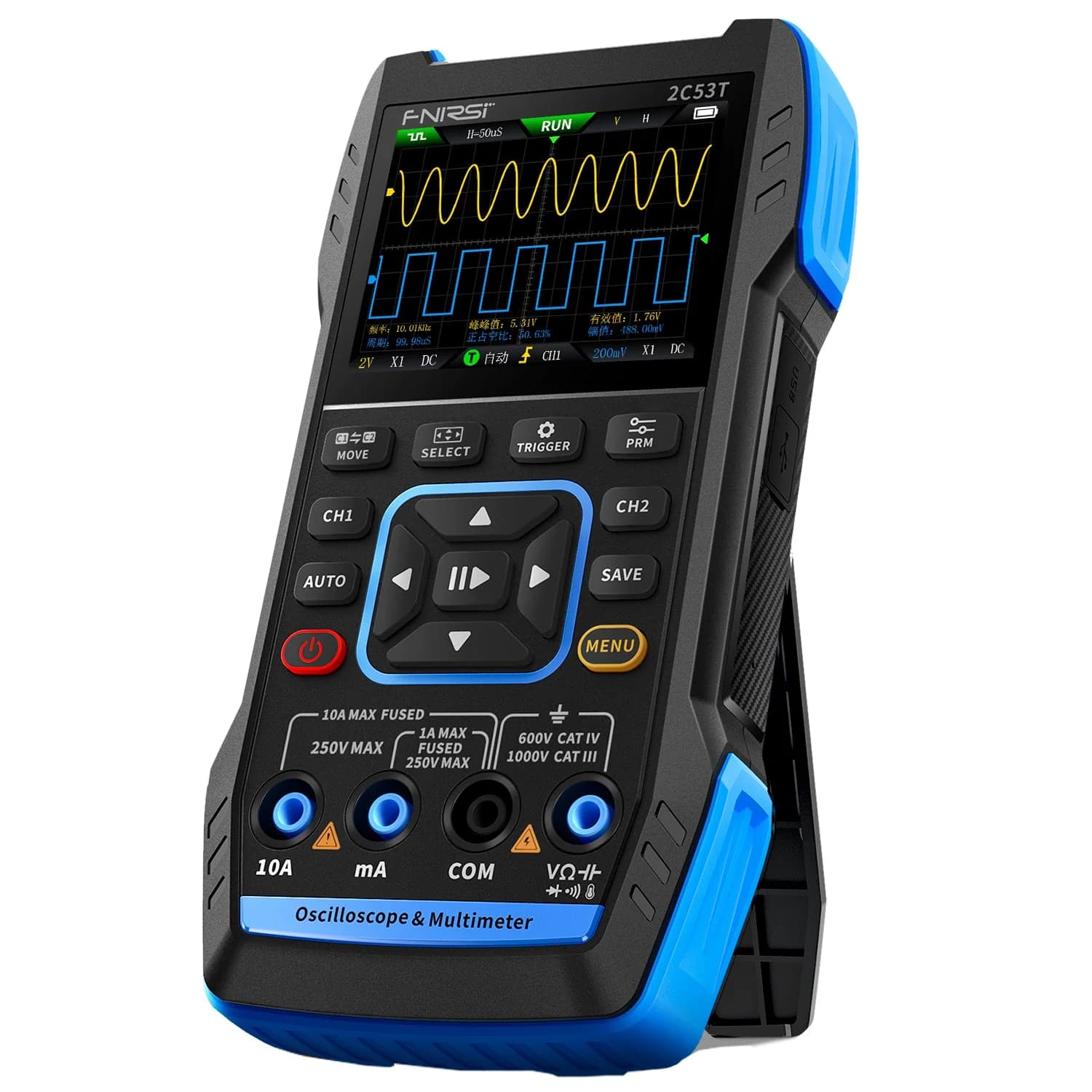
Two-channel 50 MHz handheld with a 19,999-count True RMS multimeter built in.
As an Amazon Associate I earn from qualifying purchases. Prices and availability are shown on Amazon.
Frequently asked questions
Why does my oscilloscope show a straight line with the probe connected?
Either nothing is reaching the input or the settings hide it. Touch the probe to the scope's calibration output: if a square wave appears, the scope and probe work, and the problem is your circuit connection or settings such as volts/div, coupling or timebase. If it stays flat on the calibration output, check that the channel is on, the probe is in the displayed channel, and the probe isn't damaged.
Why does a DC voltage show as a flat line at zero on my scope?
The channel is probably set to AC coupling. AC coupling puts a capacitor in series with the input, which blocks any steady DC level and passes only the changes. A clean 5 V rail has almost no changes, so it lands on the zero line. Switch the channel to DC coupling and the trace jumps up to the real voltage, provided the volts/div setting leaves room for it on screen.
What does it mean when the trace is off the screen on an oscilloscope?
The vertical position or offset has moved the trace above or below the visible graticule, or a large DC level at a small volts/div setting has pushed it there. Most scopes show a small arrow at the edge pointing toward the trace. Press the vertical position knob, which zeros the offset on many models, or use the scope's Auto or Autoset function to bring the trace back.
Does a 10x probe make the signal look smaller?
Only if the scope channel is set to 1x. A 10x probe divides the signal by ten before it reaches the input, and the channel's probe setting multiplies it back. With the probe on 10x and the channel on 1x, the trace is drawn ten times too small and the readings are a tenth of the real value. Set the probe switch and the channel's probe menu to match.
Why is my oscilloscope screen frozen and not updating?
The trigger is probably in Normal or Single mode and no event is crossing the trigger level, so the scope keeps showing the last capture or nothing at all. It can also be stopped with the Run/Stop button. Switch the trigger to Auto, which draws the trace even without a trigger, then set the trigger level inside the signal and return to Normal if you need it.
Can a broken oscilloscope probe show a flat line?
Yes. The center conductor of a passive probe is very fine and can break inside the cable, usually near the probe head or the BNC, and a tip or hook can lose contact. The scope then sees nothing and draws a flat line. Swap in a second probe on the same channel, or try the suspect probe on the calibration output while flexing the cable gently.
Where to go next
How to Read an Oscilloscope →
Graticule, volts/div and time/div explained from the screen up.
How to Stop an Oscilloscope Waveform From Drifting →
Once the trace is visible, make it hold still.
Why Does an Oscilloscope Waveform Look Noisy? →
The opposite problem: too much on the trace rather than nothing.

