HOW-TO GUIDE
How to Use an Oscilloscope to Diagnose a UART Communication Problem
By the OhmSavvy Research Team ·

Anatomy of a UART frame
A logic-level (TTL-style) UART line idles high. Each character begins with a start bit that pulls the line low for one bit time, followed by the data bits, least significant bit first, then an optional parity bit, then one or two stop bits at the high level. The most common format, written 8N1, has 8 data bits, no parity and 1 stop bit, so every character takes 10 bit times. Because there is no clock wire, both ends must agree on the bit time in advance.
1Connect to TX, RX and ground
Put CH1 on the line leaving the device you suspect (its TX pin) and CH2 on the line coming back (its RX pin). Set both channels to DC coupling and the probes to 10x. Clip the probe ground to the ground of the board that is receiving the signal you care about, because the receiver judges voltages relative to its own ground, not the sender's.
2Check the idle level and the voltage swing
With nothing being sent, a healthy logic UART line sits steadily at the high level. That single observation answers a lot. A line at 0 V points to a dead transmitter, a missing pull-up on an open-drain output, or a short. A line sitting negative means you are on an RS-232 port, which is inverted. A line at an in-between voltage often means two outputs are fighting. Then send some data and read the swing: does the high reach the receiver's supply, and does the low get close to 0 V?
| Interface | Idle level | Data swing | What to watch for |
|---|---|---|---|
| 3.3 V logic UART | About 3.3 V | 0 V to 3.3 V | May not meet the high threshold of a 5 V CMOS input |
| 5 V logic UART | About 5 V | 0 V to 5 V | Can exceed the absolute maximum of a 3.3 V pin that is not 5 V tolerant |
| RS-232 | Negative (mark) | Typically ±5 V to ±12 V | Inverted polarity; needs a transceiver before a logic pin |
3Trigger on the start bit
Because the line idles high, the first event of every character is a high-to-low edge. Set an edge trigger on CH1, slope falling, level at about half the logic swing, and use Single mode to freeze one frame. To stop the scope locking onto a falling edge inside the data bits, set holdoff a little longer than one frame; the method is covered in our guide on triggering on a falling edge. Choose a timebase that shows the whole frame: at 9600 baud a 10-bit frame lasts about 1 ms, so 100 µs/div fits it on screen.
4Measure the bit width to confirm the baud rate
The bit time is 1 divided by the baud rate. Find the narrowest high or low pulse in the frame, which is a single bit, and measure it with time cursors or the scope's width measurement, as in our pulse width guide. Divide 1 by the result for the real baud rate, then compare it with what the receiver is set to. Measuring across several bits and dividing improves the precision.
| Baud rate | One bit | 8N1 frame (10 bits) | Suggested time/div |
|---|---|---|---|
| 9600 | ≈ 104.2 µs | ≈ 1.04 ms | 100 µs |
| 19200 | ≈ 52.1 µs | ≈ 521 µs | 50 µs |
| 38400 | ≈ 26.0 µs | ≈ 260 µs | 50 µs |
| 57600 | ≈ 17.4 µs | ≈ 174 µs | 20 µs |
| 115200 | ≈ 8.68 µs | ≈ 86.8 µs | 10 µs |
Mismatch rule of thumb
5Confirm TX and RX are not swapped
Every wire in a UART link should be driven by exactly one transmitter. Probe right at the pins: the data should appear on the wire attached to the sending device's TX pin and arrive at the other device's RX pin. If TX is wired to TX, both outputs drive the same wire; you may see data with a low that does not reach 0 V, or a high that sags, as the two drivers fight, while the RX wire stays idle. Pin labels on adapters are a frequent trap: some name the pin by what the adapter does, others by what you should connect to it.
6Look at edge quality on long cables
Long or capacitive cables round the edges, because the driver has to charge the cable capacitance through its own output resistance. At low baud rates this hardly matters; at high rates the edges can eat a large part of each bit, and the receiver's sampling point lands on a slope. Zoom in on a single edge and compare its transition time with the bit time.
Use protocol decode if your scope offers it
Many digital scopes can decode UART on screen, sometimes as a standard feature and sometimes as an option. You enter the baud rate, data bits, parity, stop bits and idle polarity, and the scope prints the byte values above the trace. Decode is excellent for confirming a message, but it trusts the settings you give it: with the wrong baud rate it decodes nonsense as confidently as the receiver does. Measure the bit width first, then set the decoder to match.
Symptom-to-check table
| Symptom | Scope check | Likely cause |
|---|---|---|
| Garbage characters | Measure one bit width and compare with the configured baud | Baud mismatch beyond about 2 to 3%, or wrong clock setting |
| Garbage on every character, steady | Check idle polarity and level | RS-232 inverted levels, or the receiver set to a different frame format |
| Nothing received | Is there activity on the sender's TX pin? | Firmware not sending, wrong pin, or TX wired to TX |
| Nothing received, TX active | Probe at the receiver's RX pin with its ground | Broken wire, missing ground, or level too low for the input |
| Intermittent errors | Zoom on edges; check for noise near mid-swing | Slow edges on a long cable, crosstalk, or marginal baud error |
| Works only with scope attached | Measure between the two boards' grounds | No ground wire; the scope earth was providing the return |
Scopes for UART debugging
For most UART faults, two channels and a bit-width measurement are all you need, since common baud rates put one bit between about 8.7 µs (115200) and 104 µs (9600). Built-in decode saves time once the timing checks out, and a third or fourth channel lets you watch a reset or enable line next to TX and RX. The scopes below are from our best beginner oscilloscopes roundup.
Scopes for serial debugging
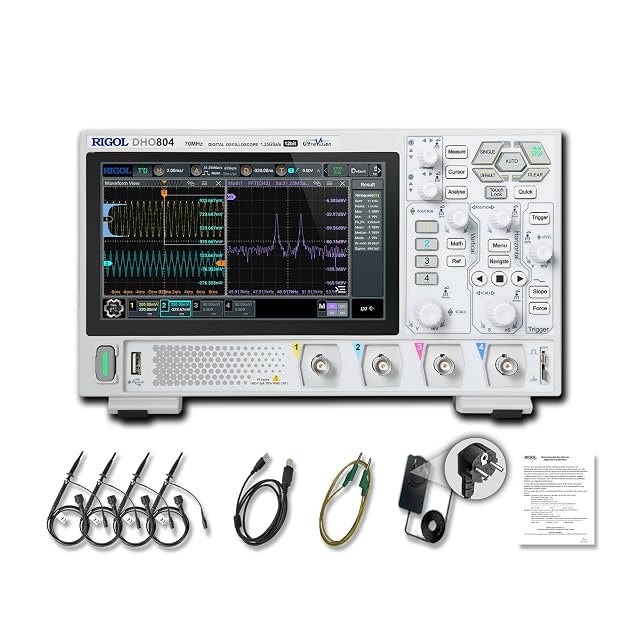
Hands-on tested. 70MHz, 4 channels, with UART, I2C, SPI, CAN and parallel decoding.

100MHz on two channels, enough for TX and RX, with standard UART, I2C and SPI decoding.
Hands-on tested. 50MHz, 4 channels, 1 GSa/s, leaving spare inputs for reset or enable lines.
As an Amazon Associate I earn from qualifying purchases. Prices and availability are shown on Amazon.
Protect logic pins and your scope
Frequently asked questions
Why does the link work only while the scope is connected?
A bench scope's probe ground is tied to mains earth. If the two boards have no ground wire between them but are both earthed somewhere, clipping the probe ground on can create the missing return path by accident. Add a proper ground wire between the boards and the problem should stay fixed with the scope removed.
What character makes the baud rate easiest to measure?
Send a stream of capital U (0x55) with 8 data bits, no parity and one stop bit. Its bits alternate, and with the start and stop bits the line becomes a square wave whose frequency is half the baud rate, so 9600 baud reads as about 4.8 kHz on the scope's frequency measurement.
How far off can the baud rate be before characters corrupt?
A common rule of thumb is that the combined mismatch between transmitter and receiver should stay within about 2 to 3%. The receiver resynchronises on each start bit and samples near the middle of each bit, so errors build up across the frame until the last bits are sampled too close to an edge.
Can I connect an RS-232 port straight to a microcontroller UART pin?
No. RS-232 swings to positive and negative voltages, often well beyond a logic supply, and it is inverted: the idle level is negative. It needs a level-shifting transceiver. A scope shows the difference at once, because the idle line sits below 0 V instead of at the logic supply.
Do I need a scope with serial decode?
It saves time but it is not essential. At common baud rates you can read bits by hand from a single captured frame, since each bit is many microseconds wide. Decode is most useful for long messages, intermittent errors, and finding one bad byte in a busy stream.


