HOW-TO GUIDE
How to Test an LED Strip With a Multimeter
By the OhmSavvy Research Team ·

Low voltage, but still check the supply side
How a 12V or 24V LED strip is wired
Two copper rails, positive and negative, run the full length of the tape. Between them sit repeating segments, each a small series string of LEDs with a current-limiting resistor. On typical 12V strips a segment holds three LEDs; on 24V strips it is usually six. Scissor marks with copper pads show where one segment ends and the next begins, and those pads are the best test points you have.
1Check voltage at the input
With the strip powered, set the meter to DC volts and put the red probe on the + pad where the supply wires land and the black probe on the − pad. You should see close to the supply's rated output, 12V or 24V. If the reading is near zero, the problem is upstream: the supply, a dimmer or controller, or the connector. Many clip-on connectors fail here, so measure on the strip side of the clip as well as the wire side.
2Measure the far end and the voltage drop
Repeat the measurement on the last pair of pads at the far end with the whole strip lit. The difference between the two readings is the drop along the rails. A small difference is normal; a large one shows up as dimming and color shift toward the end. The bars below are an illustrative example of a long 12V run fed from one end, not a spec for any particular strip.
3Find the dead segment
Walk the strip with the meter on DC volts, measuring across the + and − pads at each cut point (scrape away a little silicone coating on waterproof strips). If voltage is present on the pads at both ends of a dark segment, the fault is inside that segment: an open LED or resistor. If the voltage disappears at one cut point and stays gone beyond it, a rail is broken there, often at a soldered splice between reel sections or where the tape has been folded sharply.
4Test single LEDs in diode mode
Unplug the strip. Set the meter to diode mode and touch the red probe to the anode side of one LED in the dead segment and the black probe to the cathode side; the polarity mark printed on the tape or the direction of current from + to − tells you which is which. A good LED shows a forward voltage and may glow faintly, and reverses to OL. An LED that reads OL both ways is the open one.
Common-anode RGB strips
Reading the results
| What you measure | What it points to |
|---|---|
| No voltage at the input pads | Supply, controller, dimmer or connector fault upstream |
| Full voltage at input, much lower at the far end | Normal rail drop on a long run; feed power at both ends |
| Voltage on both sides of one dark segment | Open LED or resistor inside that segment |
| Voltage vanishes past one cut point | Broken rail, cracked trace or failed splice joint |
| One LED reads OL both ways in diode mode | That LED is open; replace it or bridge in a new segment |
| One color dead on RGB, lights when driven directly | Controller output channel has failed |
For the supply side of the problem, confirm the adapter holds its voltage with the strip connected rather than unloaded; a supply that sags under load looks exactly like a strip fault. Our multimeter basics guide covers DC voltage measurement if you are new to it.
Meters for LED strip work
Strip testing needs only DC volts, continuity and diode mode, so a modest meter is enough. Sharp probe tips help on the small copper pads, and a backlit display helps when the strip runs under a cabinet or along a dark cove.
Meters for checking LED strips
Auto-ranging True RMS meter for home use, with a non-contact detector for tracing the mains side of the supply.
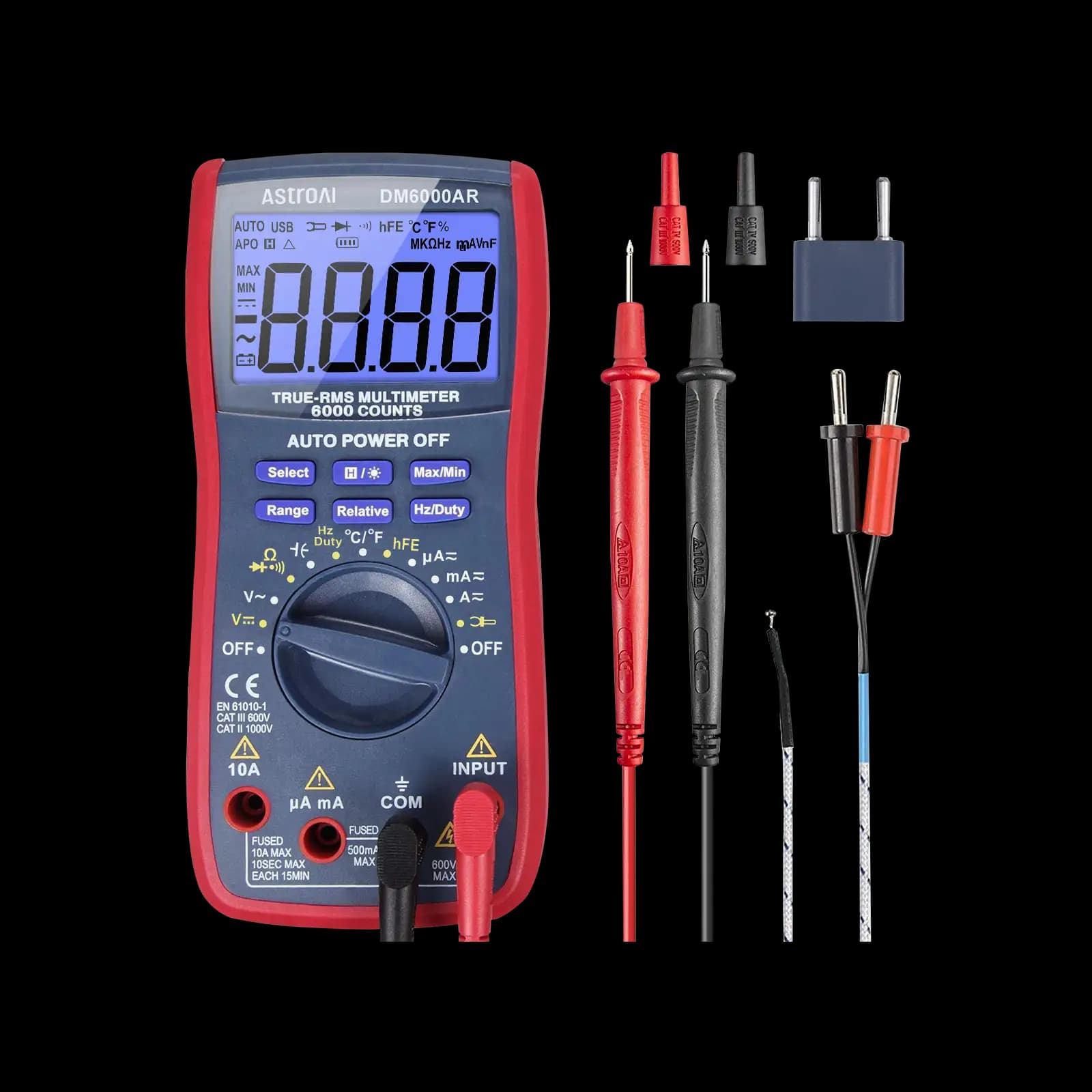
6,000-count True RMS meter with auto and manual ranging, suited to low-voltage hobby electronics like strip lighting.

CAT III 600V and a backlit 6,000-count display, for jobs that also involve checking the outlet or driver input.
As an Amazon Associate I earn from qualifying purchases. Prices and availability are shown on Amazon.
Frequently asked questions
Why does my LED strip get dimmer toward the end?
The thin copper rails have resistance, so voltage falls along the run as current flows. The far end receives less than the input and the last segments run dimmer, often with a color shift on white or RGB strips. Feeding power into both ends, or into the middle, shortens the path the current has to travel and evens out the brightness.
Why won't my multimeter light up a white LED on the strip?
White and blue LEDs typically need around 2.6 to 3.2V to conduct, and some meters' diode-test output can't reach that, so they show OL on a perfectly good LED. Red LEDs need less and usually light. Check your meter's manual for its diode-test voltage, or test the segment with the strip's own power supply instead.
Can one bad LED make a whole strip go out?
Usually only its own segment. The LEDs within a segment are in series, so one open LED darkens that group of three (12V) or six (24V) LEDs, while the segments on either side keep working. If everything beyond a point goes dark, suspect a break in the copper rail or a failed solder joint at a reel splice rather than an LED.
Can I power a 12V LED strip from a 24V supply?
No. Each segment's resistor is sized for the strip's rated voltage, so doubling it drives far too much current through the LEDs and they overheat quickly. Match the supply voltage to the voltage printed on the strip, and confirm it with your meter at the supply output before connecting.
How do I know if my LED strip is 12V or 24V?
Look for the voltage printed on the copper pads beside each cut mark or on the reel label. If it is missing, count the LEDs between cut marks: three per segment usually means 12V and six usually means 24V, though some high-density designs differ. Confirm by measuring the power supply output on DC volts before connecting anything.


