HOW-TO GUIDE
How to Compare Clock Jitter Using an Oscilloscope
By the OhmSavvy Research Team ·

Period jitter, cycle-to-cycle jitter and TIE
All three describe the same wobble from a different angle. Period jitter is how much each individual period differs from the average period. Cycle-to-cycle jitter is the change from one period to the very next. Time interval error (TIE) compares each edge with where a perfect clock at the same average frequency would have put it, so slow drifts accumulate in TIE even when neighboring periods look almost identical. A basic scope measures period jitter directly; TIE usually needs a jitter analysis feature.
1Probe the clock cleanly
Timing jitter you add with the probe is indistinguishable from jitter in the clock. Use a 10x probe with the short ground spring right next to the clock pin; a long ground lead rings on fast edges and picks up noise, and both move the threshold crossing. Probe the clock at its load, or at a test pad close to it, and keep the same probe point for every measurement in a comparison. If you are checking a crystal circuit, probe the buffered output, since the crystal pins themselves are easily disturbed by probe capacitance.
2Trigger on one edge and watch a later one
Set an edge trigger on the clock's rising edge with the level at mid-swing. The edge at the trigger point always lands in the same place, by definition, so it tells you nothing about jitter. Move the horizontal position so the next rising edge, one period later, sits in the middle of the screen, then zoom the timebase until that single edge fills several divisions. Turn on persistence: each sweep's edge lands slightly earlier or later, and they pile up into a band. A quick primer on persistence modes is in our persistence guide. Looking several periods after the trigger instead shows how jitter accumulates over N cycles, which is often more revealing for a PLL.
3Measure the width of the edge band
Leave infinite persistence running for a fixed time, then place one vertical time cursor on the earliest edge in the band and the other on the latest, both at the trigger level. The Δt readout is the peak-to-peak period jitter collected during that time, plus the scope's own contribution. Write down how long you collected; a longer run catches rarer outliers and reads wider.
4Use the period measurement with statistics
Persistence gives a picture; statistics give numbers you can compare. Add a period (or frequency) measurement on the clock channel and switch on measurement statistics, which many scopes provide. The readout then tracks the mean, minimum, maximum and standard deviation over a growing count of measurements. Standard deviation is the RMS period jitter and is the most stable figure for comparisons. Max minus min is the peak-to-peak period jitter for that count. Some scopes measure one period per acquisition, others every period in the record; either way, let the count reach the same value, a few thousand is a reasonable target, before you write the result down.
5Compare two clocks, or one clock before and after
For two clocks running at the same time, put one on each channel with identical probes, settings and measurements, and read both sets of statistics together. For a before/after test on one clock, such as a different crystal, a new PLL configuration or added supply filtering, keep everything else fixed: same probe point, timebase, trigger level and count. Clear the statistics after the change, not before, so the old readings do not mix in.
| Keep identical | Why it matters |
|---|---|
| Probe type and ground method | A long ground lead adds ringing that shifts edge timing |
| Trigger level and edge | Rising and falling edges can carry different jitter |
| Timebase and sample rate | Coarser sampling and interpolation change the timing resolution |
| Number of measurements | Peak-to-peak grows with count; standard deviation settles |
| Board temperature and supply load | Both shift oscillator behavior during a test |
If the clock comes from a crystal, confirm it is running correctly before chasing jitter; our guide to checking a crystal oscillator covers frequency, amplitude and start-up.
The scope's own jitter floor
Every scope adds a little timing uncertainty of its own: trigger jitter, timebase jitter, and the limits of its sample interval and interpolation. Vertical noise also turns into timing error, because noise moves the moment a slope crosses the threshold. The timing error is roughly the noise voltage divided by the edge's slew rate, so slow edges are much more sensitive. The chart applies that to 10 mV of noise on a 3.3 V clock edge, using a 10% to 90% slew estimate.
Bars use a logarithmic scale: each step is ten times the last.
Measure the floor with a split signal
Troubleshooting jitter comparisons
| Symptom | Likely cause | Fix |
|---|---|---|
| Edge band looks wide on both clocks equally | Measurement at the scope's floor | Run the split-signal floor check; use faster edges or a better instrument |
| Peak-to-peak differs run to run | Different collection times | Compare standard deviation, or fix the count |
| Jitter changes when you move the probe ground | Ground-lead pickup and ringing | Use the short ground spring at the clock pin |
| Band has two distinct clusters | Deterministic jitter, such as supply ripple or a nearby clock | Check the clock supply and look for coupling from other signals |
| Crystal stops or shifts when probed | Probe capacitance loading the oscillator | Probe a buffered output instead of the crystal pins |
Keep probing safe on powered boards
Scopes for jitter comparisons
Jitter work rewards a high sample rate and bandwidth well above the clock frequency, because both set how precisely the scope can place each edge in time. The scope's own timebase stability caps how small a jitter difference you can resolve.
Scopes for timing and jitter work

100MHz, 1 GSa/s and 4 channels: enough to compare two clocks side by side with headroom on edges.
100MHz and 1 GSa/s in a compact two-channel body, enough for one reference clock and one under test.
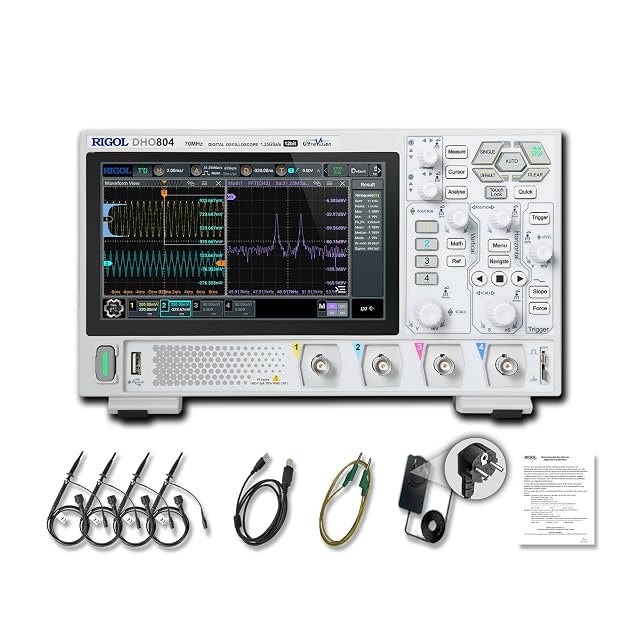
70MHz, up to 1.25 GSa/s with one channel on, plus a 7-inch touchscreen for dragging cursors.
As an Amazon Associate I earn from qualifying purchases. Prices and availability are shown on Amazon.
Frequently asked questions
Why does my peak-to-peak jitter keep growing the longer I leave persistence on?
Random jitter has no hard upper limit; rare, larger deviations keep turning up as the number of edges grows. Peak-to-peak readings therefore depend on how long you collected. For a fair comparison, use the same number of cycles or the same collection time for both clocks, or compare standard deviation, which settles to a stable value.
Is the standard deviation of the period the same as RMS jitter?
It is the RMS period jitter: the spread of individual period measurements around their mean. It is not the same as RMS time interval error or phase jitter, which are measured against an ideal reference clock and usually need a jitter analysis option or a phase noise analyzer.
Can a 50 MHz or 100 MHz scope measure jitter on a 25 MHz clock?
It can show gross jitter and let you compare two setups, but its rise time rounds the edges and its own trigger and timebase jitter set a floor. If the two cases you are comparing both read close to that floor, the scope cannot tell them apart, and you need a better instrument or the two-channel floor check described below.
Should I measure jitter on the rising or the falling edge?
Pick one and use it for every measurement in the comparison. Rising and falling edges can have different slew rates and thresholds, and a clock with uneven duty cycle can show different numbers on each. Most datasheets specify rising-edge jitter, so that is a sensible default.
Does clock jitter matter for UART, I2C or SPI?
Rarely at hobby speeds. These buses sample each bit in the middle of a period lasting microseconds, so jitter of a few nanoseconds is a tiny fraction of the timing margin. Jitter starts to matter for high-speed links, audio converters, radio and precise timing. If a slow bus fails, check baud-rate mismatch, edge quality and ground first, and suspect jitter last.


